
免費 Migos AI 影片生成器 - Duo Trend

Trang Tran
2026年10月23日
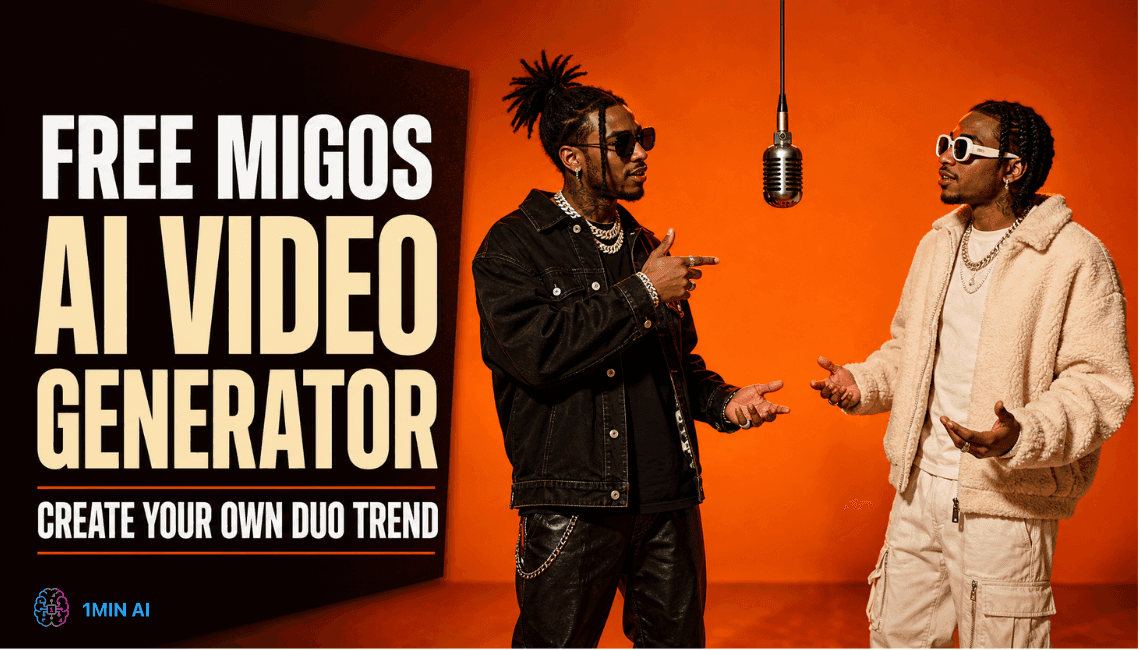
用 1min.AI 製作免費 Migos AI 影片。按步驟跟住 Migos AI 熱潮,複製提示詞,快速修正常見問題。
Migos AI 影片會將兩個人、寵物或角色放入 Quavo 同 Takeoff 2022 年喺 A COLORS SHOW 演出《Hotel Lobby (Unc & Phew)》時嘅橙色舞台佈置。用 1min.AI,你可以先為你嘅二人組製作一張起始圖片,再用 AI 影片模型將佢動態化。開始時唔需要註冊。
快速答案
- 你需要: 一張你哋二人組嘅圖片、一段提示詞,同一個 AI 影片模型
- 喺邊度製作: 1min.AI 嘅 Image to Video
- 建議起手設定: 9:16、10 秒、Standard mode、CFG Scale 0.5
- 最適合: TikTok、Reels 同 YouTube Shorts
點樣喺 1min.AI 製作 Migos AI 影片
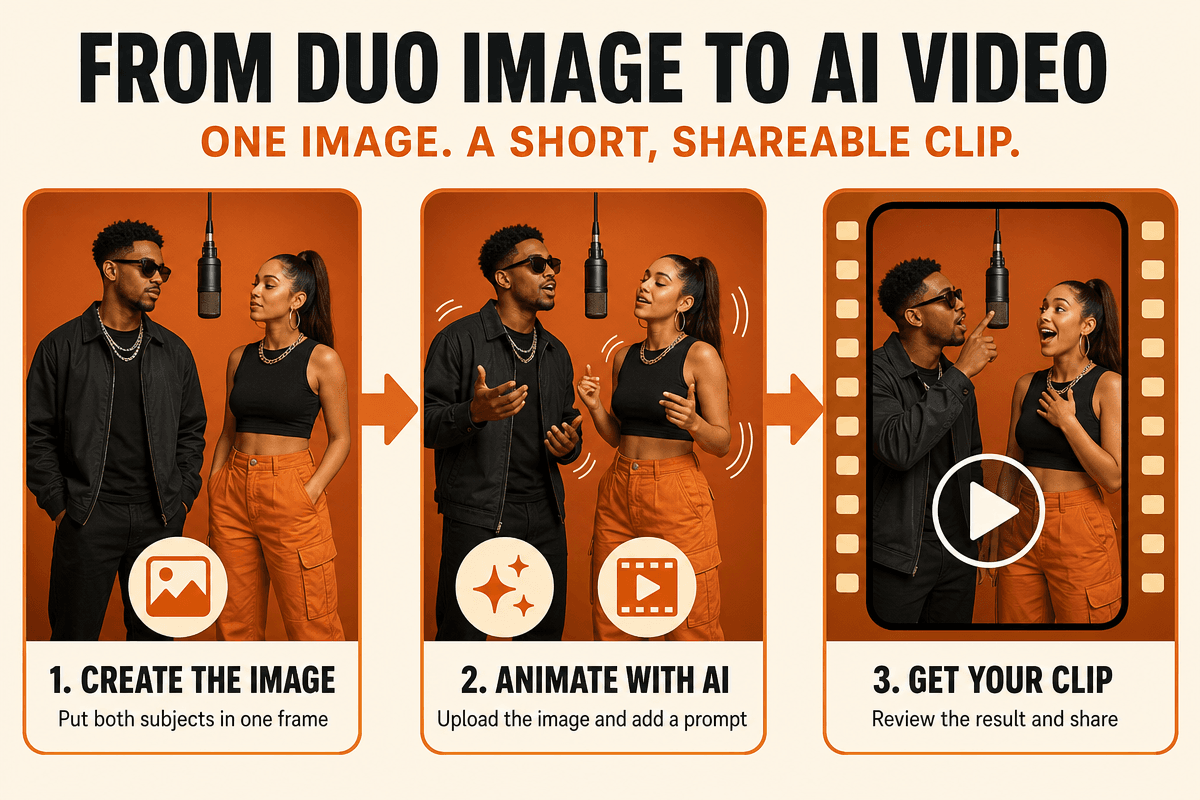
1min.AI 大部分影片模型都接受一張起始圖片,所以關鍵係先將兩位表演者放入同一張圖片,再將呢張圖動態化。
第 1 步:為你嘅二人組製作一張起始圖片
目標係全身、正面、左邊一個人、右邊一個人,而且背景要無縫橙色。
選項 A:虛構或原創角色
用 Image Generator,並輸入類似以下提示:
Photorealistic full-body photo of two adult friends standing side by side in a seamless burnt-orange studio. One vintage-style microphone hangs from the ceiling between them. Centered wide shot, even lighting, no text, no logos.
選項 B:你同朋友
影一張清晰嘅你哋兩人全身相,然後用 Background Replacer 將背景換成無縫焦橙色錄影室。如果相片太細或者太模糊,先用 Image Upscaler 處理。
第 2 步:揀一個影片模型
開啟 AI image to video ,再按你想控制嘅程度揀模型。
| Model | What you can upload | Length | Best for |
|---|---|---|---|
| Kling AI 1.6, 2.0, 2.1, 2.1 Master | 1 image | 5 or 10 seconds | Fast first tests |
| Kling AI 2.5 | Start frame and end frame | 5 or 10 seconds | Controlling how the clip ends |
| Kling AI 3.0 | Start frame and end frame | 3 to 15 seconds | Turn-taking with Multi shots |
| Kling AI 3.0 Omni | 1 image plus 1 reference image | 3 to 15 seconds | Keeping faces consistent |
| Veo 3.1 Video and Veo 3.1 Video fast | Main image and tail image | 8 seconds (fixed) | Polished clips with sound |
| Veo 3 Video and Veo 3 Video fast | 1 image | Model default | Simple, quick runs |
| Wan 2.7 | Image input | 2 to 15 seconds | Flexible length tests |
先用快速或較低級別模型檢查你嘅圖片同提示詞,然後再轉用 Kling 3.0 或 Veo 3.1 做最終影片。
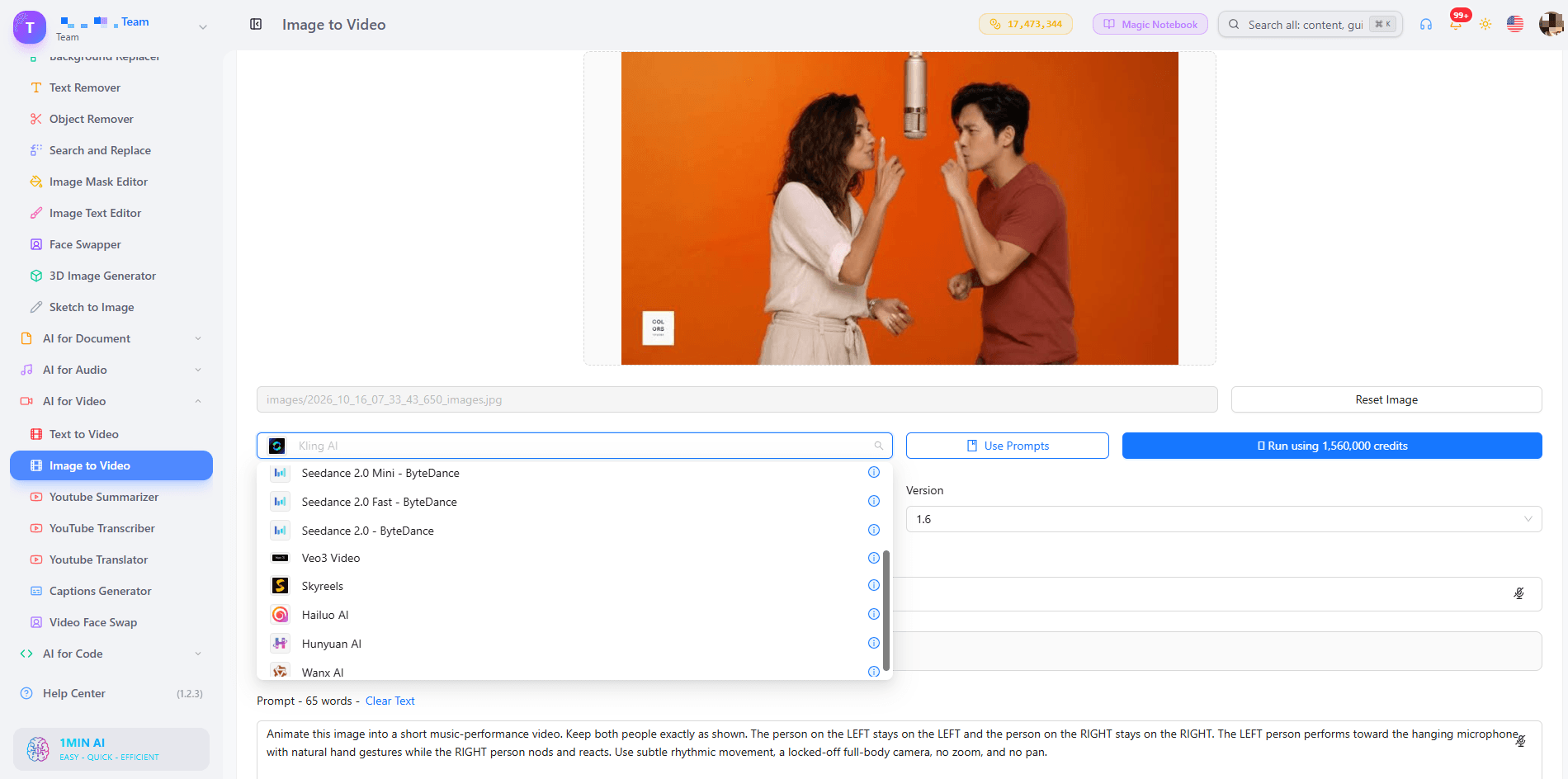
第 3 步:設定你嘅影片
| Setting | What to choose | Why |
|---|---|---|
| Mode (Kling 1.6 to 2.5) | Standard to test, Professional for the final clip | Tests run faster, and Professional gives the cleanest result |
| CFG Scale | Keep 0.5. Raise to 0.7 if sides or camera are ignored. Lower to 0.4 if motion looks stiff | Higher values follow your prompt more strictly |
| Length | 10 seconds for Kling 2.x, 10 to 15 for Kling 3.0 and Omni | Gives time for both performers to take a turn |
| Aspect Ratio (Veo) | 9:16 | Fits TikTok, Reels, and Shorts |
| Resolution | 720p to test, 1080p for the final clip | Faster checks, sharper export |
| Generate audio | On for your first test | Lets you judge mouth and body timing |
| End frame or Tail Image | Your same duo image, or the same scene with the performers’ roles reversed | Keeps both identities stable |
喺 “What Not to Include in the Video” 入面輸入咩
extra people, face blending, swapped sides, camera movement, zoom, text, subtitles, logos, watermark, distorted hands, extra fingers, duplicate faces, extra microphones, blur, flicker
用 Kling 3.0 嘅 Multi Shots 做輪流表演
Multi shots 讓你每個 shot 寫一段提示詞,最多 6 個 shots 同總長 15 秒。可以試兩個 shots:Shot 1 係左邊角色表演、右邊角色反應;Shot 2 再互換。用 Multi shots 時,上層提示詞同片長都會被忽略,所以每個 shot 都要保留相同嘅固定鏡頭指示。
第 4 步:生成、檢查同下載
睇完整段影片,檢查兩張面孔有冇保持清晰、兩個人有冇換邊、鏡頭有冇固定,同埋手部動作有冇自然。如果有一樣唔對路,就只改控制嗰部分嘅句子,然後再生成。之後可用 Captions Generator 加字幕,並將最好嘅提示詞儲喺 Prompt List。
可直接複製嘅 Migos AI 影片提示詞
喺你上載起始圖片之後,將以下其中一段貼到 Prompt 欄位。
Two Friends 用提示詞
Animate this image into a short music-performance video. Keep both people exactly as shown. The person on the LEFT stays on the LEFT and the person on the RIGHT stays on the RIGHT. The LEFT person performs toward the hanging microphone with natural hand gestures while the RIGHT person nods and reacts, then they switch roles. Locked-off full-body camera, no zoom, no pan. Subtle rhythmic movement, realistic faces and hands.
Person and a Pet 用提示詞
Animate this image. The person stays on the LEFT and the pet stays on the RIGHT. The person performs toward the hanging microphone while the pet reacts with small head and body movements. Keep the pet’s markings and size consistent. Static wide shot, seamless orange studio, no extra animals or people.
Two Fictional Characters 用提示詞
Animate this image of two characters as an unexpected duo. Character 1 stays on the LEFT and character 2 stays on the RIGHT. They trade turns performing at the single hanging microphone. Fixed camera, subtle rhythmic movement, preserve each character’s design exactly.
如果你開啟 Generate audio,再加: “Original rhythmic vocal performance, do not imitate any real artist.”
用 Video Face Swap 將真實面孔放入你嘅二人組
如果 image-to-video 時面孔有漂移,你可以先生成一段基礎影片,再用 video face swap 將你嘅真實面孔放上去。
點樣設定 Face Swap 配對
- 先按以上步驟製作一段基礎二人組影片,角色用兩個虛構表演者。
- 開啟 Video Face Swap,並選擇 Qubico Video Faceswap。
- 上載一張 Swap Image。用一張同時顯示兩張面孔嘅圖片都可以。
- 上載你嘅基礎影片做 Target Video。
- 喺 Face Swap Pairs 底下,每張面孔加一行。面孔係由左至右編號,所以 Image face 1 同 Video face 1 都係最左邊嘅面孔。
- 加兩組配對:Image face 1 對 Video face 1,以及 Image face 2 對 Video face 2,然後按 Run。
如果面孔落喺錯邊,就調換編號(1 對 2 同 2 對 1)。請用你自己製作嘅影片,唔好用原本嘅 COLORS 片段。
修正常見 Migos AI 影片問題
| Problem | Likely cause | Fix |
|---|---|---|
| Two faces blend | Similar or crowded faces | Add “never swap or blend faces” and raise CFG Scale to 0.7 |
| Subjects switch sides | Positions not locked | Repeat “LEFT stays LEFT, RIGHT stays RIGHT” |
| Camera drifts | No camera instruction | Add “locked-off camera, no zoom, no pan” |
| Movement looks stiff | Too little direction | Ask one person to perform while the other reacts |
| Hands look distorted | Too much motion | Request “subtle gestures only” |
| Extra people appear | Vague scene | Add “exactly two subjects” to the prompt and “extra people” to What Not to Include |
咩係 Migos AI 熱潮?
Migos AI 熱潮係一種病毒式影片格式,創作者會用新人物、寵物或角色,重現 COLORS《Hotel Lobby》表演嘅風格。雖然影片並唔係喺酒店拍,但通常都會叫做 Migos Hotel Lobby AI 影片熱潮。
Migos Hotel Lobby 熱潮嘅來源
原本嘅表演採用極簡橙色場景同一支懸吊咪高峰。創作者將呢個設定變成可重用格式,而 Migos 病毒影片浪潮之所以擴散得咁快,就係因為任何人都可以用一張圖片參與。
點解會傳得咁快
- 即時辨識度高: 橙色背景同懸吊咪高峰一眼就明白個笑點。
- 配搭本身就係笑點: 朋友、同事,或者人同寵物,睇落都唔一樣。
- 短而可循環: 8 至 15 秒片段好適合自動播放動態牆。
點解要用 1min.AI 製作你嘅 Migos AI 影片
- 一個工作空間: 可以喺唔使轉 app 嘅情況下,製作起始圖片、動態化、換面同加字幕。
- 多個影片模型: 當一個模型出嚟嘅效果唔夠乾淨時,可以喺同一處試 Kling AI、Veo 同 Wan。
- 可重用素材: 將提示詞儲喺 Prompt List、圖片儲喺 Asset List,留畀下一組二人組用。
1min.AI 喺 Trustpilot 獲評為 Excellent,亦喺 Capterra、Software Advice、GetApp、SourceForge 同 Slashdot 被認可為 Top Business Software。
Migos AI 影片 FAQ
咩係 Migos AI 影片熱潮?
呢個係一種病毒式格式,AI 會重現 Quavo 同 Takeoff 2022 年 COLORS 演出《Hotel Lobby》入面嘅橙色舞台同懸吊咪高峰,並用你自己嘅人、寵物或角色去重演。
我點樣免費製作 Migos AI 影片?
先為你嘅二人組製作一張起始圖片,然後喺 1min.AI 開啟 Image to Video,貼上一段固定 LEFT 同 RIGHT 位置嘅提示詞,再生成。你可以免費試做第一條 Migos AI 影片,再自己判斷效果。
有冇免費嘅 Migos AI 影片製作器?
有。1min.AI 讓你先用免費試用,所以你可以先製作第一條片,再決定之後做到幾遠。
我點樣用兩個人跟 Migos AI 熱潮做?
將兩個人放喺同一張圖片入面,或者用 Video Face Swap 同 Face Swap Pairs,將每張面孔對應到左邊同右邊表演者。
點解面孔會混埋或者換邊?
通常係因為位置唔清晰,或者兩張面孔太相似。喺提示詞入面清楚寫 LEFT 同 RIGHT,並喺 What Not to Include 加入 “face blending” 同 “swapped sides”。
人哋搜尋嘅 “Lets Get It Migos” 聲音係咩?
大家搜尋呢句係想搵呢類影片用嘅音訊。原始錄音受版權保護,所以請使用已授權音樂或者你自己嘅配音。
- #Transaction
替代方案
探索 1minAI 的最佳替代方案,並比較其功能、定價和使用案例。

1min.AI 對比 OpenRouter
1min.AI 對比 OpenRouter:比較即用型 AI 創作產品同技術 API 工具。睇下你需要零程式碼創意工作室,定係編碼基礎設施中樞。
 Ngoc Hong
1min. AI vs Dola AI
想搵 Dola AI 替代方案?比較 1min.AI vs Dola AI 嘅影片生成、免費方案、收費同私隱,揀啱適合你嘅 AI 應用。
Ngoc Hong
1minAI vs Hix AI
比較 5 個 HIX AI 替代方案,涵蓋 AI 聊天、研究、寫作、圖片、影片、定價同靈活 AI 工作流程。
Ngoc HongAI 工具
探索最佳 AI 工具,提升生產力、創造力及日常工作效率。

一個產品,10 個 UGC 創意:AI 點樣令內容測試更輕鬆
用 AI UGC 影片生成器製作更真實嘅 UGC,測試更多創意角度,並喺唔使逐條拍攝嘅情況下擴大聯盟內容規模。
 Lien Anh Vu
只需幾個步驟,即可製作一致的卡通內容
用 1min.AI 透過 3 個簡單步驟製作 TikTok 同 Reels 卡通影片,由研究點子到角色再到動畫影片,一次完成。
Lien Anh Vu
為初創創辦人而設的 4 款最抵用 AI 工具
發掘 4 款最抵用嘅 AI 工具,幫初創創辦人驗證概念、建立產品、製作內容,同埋更快推出市場,而唔使超支。
 Tram Ta
AI 功能
全面的 AI 功能,可簡化工作流程、提升效率,讓團隊達成更多目標。

AI 應用案例
精選 AI 應用案例,涵蓋商業、生產力及各行業專用應用。
一個產品,10 個 UGC 創意:AI 點樣令內容測試更輕鬆
用 AI UGC 影片生成器製作更真實嘅 UGC,測試更多創意角度,並喺唔使逐條拍攝嘅情況下擴大聯盟內容規模。
Lien Anh Vu只需幾個步驟,即可製作一致的卡通內容
用 1min.AI 透過 3 個簡單步驟製作 TikTok 同 Reels 卡通影片,由研究點子到角色再到動畫影片,一次完成。
Lien Anh Vu
Instagram 最佳發帖時間:提升互動的實用指南
了解 Instagram 最佳發帖時間,包括不同受眾的最佳日子和時段,以及如何為你的帳戶找出理想的發帖時間表。
Tram TaAI 教學
透過實用的逐步教學,學習如何使用人工智能。
只需幾個步驟,即可製作一致的卡通內容
用 1min.AI 透過 3 個簡單步驟製作 TikTok 同 Reels 卡通影片,由研究點子到角色再到動畫影片,一次完成。
Lien Anh Vu
2026 黑色星期五 AI 工具優惠
探索 2026 黑色星期五 AI 工具優惠有咩選擇。了解點樣透過 AppSumo、Dealify、Stack Social 搶到 1min.AI 終身方案,並可喺 Trustpilot、Slashdot 同 Software Advice 核實。
 Hang Nguyen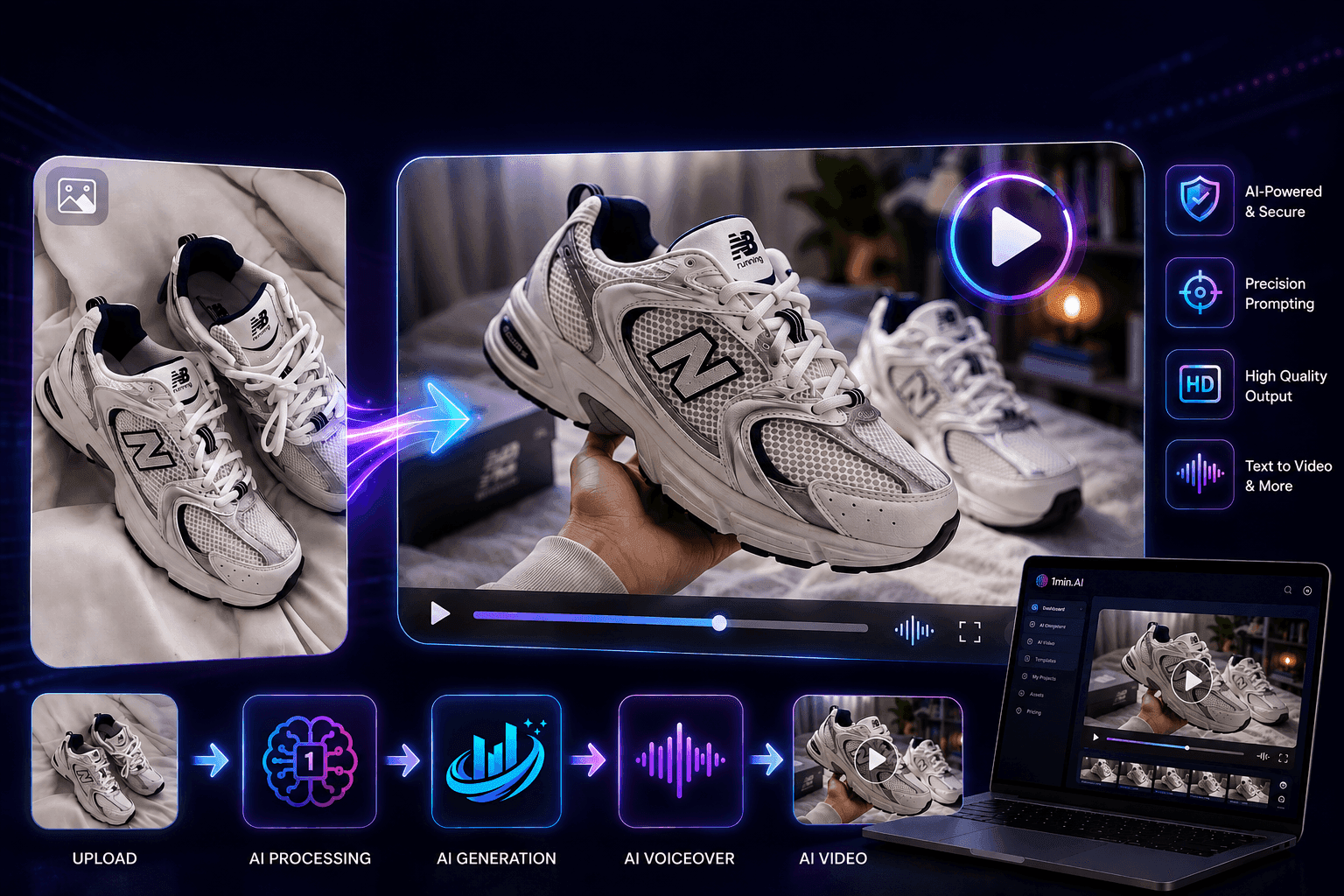
使用 Seedance 的 AI 圖像轉影片產品一致性,停止變形並 масштаб化產品評測
以 AI 圖像轉影片產品一致性停止 logo 變形,立即在 1min.AI 製作 studio 級評測影片。
Lien Anh VuAI 指南
透過實用指南、真實案例和可操作嘅最佳實踐,更快咁學習 AI。
只需幾個步驟,即可製作一致的卡通內容
用 1min.AI 透過 3 個簡單步驟製作 TikTok 同 Reels 卡通影片,由研究點子到角色再到動畫影片,一次完成。
Lien Anh Vu
安全網上購買 AI 工具:2026 黑色星期五指南
了解如何在網上搵到同鎖定最佳黑色星期五 AI 優惠。學習專家策略,避開騙局、應對訂閱疲勞,並驗證軟件。
Hang Nguyen使用 Seedance 的 AI 圖像轉影片產品一致性,停止變形並 масштаб化產品評測
以 AI 圖像轉影片產品一致性停止 logo 變形,立即在 1min.AI 製作 studio 級評測影片。
Lien Anh VuAI 解決方案
瀏覽適用於自動化、編碼、研究、生產力、客戶支援、市場推廣及業務流程的最佳AI解決方案。
一個產品,10 個 UGC 創意:AI 點樣令內容測試更輕鬆
用 AI UGC 影片生成器製作更真實嘅 UGC,測試更多創意角度,並喺唔使逐條拍攝嘅情況下擴大聯盟內容規模。
Lien Anh Vu只需幾個步驟,即可製作一致的卡通內容
用 1min.AI 透過 3 個簡單步驟製作 TikTok 同 Reels 卡通影片,由研究點子到角色再到動畫影片,一次完成。
Lien Anh Vu
免費 AI 紋身生成器:自訂設計
用 1min.AI 的免費 AI 紋身生成器,將任何靈感變成自訂紋身設計。描述你的想法、選擇風格,幾秒內即可下載。
 Trang Tran
AI 模型
於一處探索全球頂尖嘅 AI 模型。
一個產品,10 個 UGC 創意:AI 點樣令內容測試更輕鬆
用 AI UGC 影片生成器製作更真實嘅 UGC,測試更多創意角度,並喺唔使逐條拍攝嘅情況下擴大聯盟內容規模。
Lien Anh Vu只需幾個步驟,即可製作一致的卡通內容
用 1min.AI 透過 3 個簡單步驟製作 TikTok 同 Reels 卡通影片,由研究點子到角色再到動畫影片,一次完成。
Lien Anh Vu使用 Seedance 的 AI 圖像轉影片產品一致性,停止變形並 масштаб化產品評測
以 AI 圖像轉影片產品一致性停止 logo 變形,立即在 1min.AI 製作 studio 級評測影片。
Lien Anh VuAI 比較
比較AI工具、模型及平台,尋找最適合您需求的選擇。

Kling AI 對 Veo 3:邊個模型勝出?
Kling AI 對 Veo 3:比較動態、原生音訊、定價同免費方案,睇下邊個 AI 影片生成器更適合你嘅項目——即刻喺 1min.AI 試晒兩個。
Trang Tran使用 Seedance 的 AI 圖像轉影片產品一致性,停止變形並 масштаб化產品評測
以 AI 圖像轉影片產品一致性停止 logo 變形,立即在 1min.AI 製作 studio 級評測影片。
Lien Anh Vu
DeepSeek V4 Pro 與 Flash 比較
比較 DeepSeek V4 Pro 與 DeepSeek V4 Flash 的指標。立即喺 1min.ai 優化你嘅 agentic apps,同提升 AI fact checking。
Ngoc HongAI 整合
將 AI 無縫整合到你現有的工具中,自動化工作並提升生產力。

如何使用 AI 時尚影片生成器製作 2026 時裝週內容
用 AI 將 2026 時裝週靈感變成驚艷時尚影片。學習如何發想、創作視覺,並以一個簡單流程將圖片轉成影片。
Lien Anh Vu
POV:你每日要製作 10+ 篇貼文
了解如何建立 AI 內容工作流程,幫助內容創作者透過 AI 發想、圖片生成同內容製作,更快每日產出 10+ 則社交媒體貼文。
Lien Anh Vu
停止在 AI 應用程式之間切換:AI 整合如何重塑僱主品牌
了解 AI 整合如何透過將 AI 寫作、文件、圖像、影片及多個 AI 模型整合到同一工作空間,幫助 HR 團隊簡化僱主品牌工作。
Tram Ta行業AI
為醫療保健、金融、教育、法律、製造、零售、房地產等行業尋找最佳AI工具和工作流程。

免費 AI 產品描述生成器
幾分鐘內寫出能帶來銷售的產品描述。使用這個免費 AI 產品描述生成器,將產品資料或相片轉成符合品牌的文案。試用 1min.AI。
Trang Tran
助初創企業提升利潤的最佳商業生產力工具 | 1minAI
探索最適合初創企業的商業生產力工具,節省時間、簡化工作流程、減少重複工作,並透過 AI 支援有利可圖的增長。
Tram Ta
最佳內容行銷 AI 工具|1minAI
搵緊最佳內容行銷 AI 工具?睇吓 1minAI 點樣幫市場人員喺同一個 AI 工作空間內做資料研究、寫作、重製內容、製作視覺素材同擴大產出。
Tram TaAI 代理
探索並運行 AI 代理,自動化您的工作和日常生活中的任務。


AI 工作流程
探索現成可用的 AI 工作流程,適用於生產力、營銷、銷售、支援等。
一個產品,10 個 UGC 創意:AI 點樣令內容測試更輕鬆
用 AI UGC 影片生成器製作更真實嘅 UGC,測試更多創意角度,並喺唔使逐條拍攝嘅情況下擴大聯盟內容規模。
Lien Anh Vu只需幾個步驟,即可製作一致的卡通內容
用 1min.AI 透過 3 個簡單步驟製作 TikTok 同 Reels 卡通影片,由研究點子到角色再到動畫影片,一次完成。
Lien Anh Vu如何使用 AI 時尚影片生成器製作 2026 時裝週內容
用 AI 將 2026 時裝週靈感變成驚艷時尚影片。學習如何發想、創作視覺,並以一個簡單流程將圖片轉成影片。
Lien Anh Vu電子報
1minAI 每週 AI 創新

🔮 每週 AI 創新 #141:Seedance 2.5 與 Stable Audio 3:新一代 AI
在 1min.ai 探索 Seedance 2.0、2.5 以及 StabilityAI 的 Stable Audio 3。運用新一代生成式 AI 生成錄音室級音訊與同步動作。
Hang Nguyen
🔮 每週 AI 創新 #121:Ideogram 3.0 同 Claude Opus 4.7 現已於 1min.ai 上線
Ideogram 3.0 同 Claude Opus 4.7 現已於 1min.ai 上線。喺一個平台同時生成完美嘅圖片排版同進階文案。
 Uyen Hoang
🔮 每週 AI 創新 #134:在 AI Chat 體驗免費 Qwen;3.7 及 3.6 系列更新
想搵一個強大又免費嘅 AI 助手?立即探索 1min.ai 上最新嘅 Qwen 3.7 同 3.6 系列。今日零成本享受高速、準確嘅 AI 對話!
Hang Nguyen