
Free AI Chat with GPT-6.1 Sol: How to Try It on 1minAI

Tram Ta
2026年11月20日
Try GPT-6.1 Sol free on 1minAI. Explore its reasoning, coding, document analysis, and multi-step workflows with practical prompts and AI chat tools.
Looking for a way to try GPT-6.1 Sol without setting up an API account? GPT-6.1 Sol is an OpenAI model designed to deliver strong performance on complex coding, computer-use, and professional tasks at a lower cost than GPT-6 Astra.
With 1minAI, you can explore GPT-6.1 Sol through an online AI chat workspace and use available free credits to test it on real tasks. You can also explore other AI chat tools and multi-model workflows from the same platform.
In this guide, we'll explain what GPT-6.1 Sol does, how to access it on 1minAI, and which prompts can help you evaluate its capabilities for writing, coding, research, and everyday work.
What Is GPT-6.1 Sol?
GPT-6.1 Sol is an OpenAI reasoning model released on September 29, 2026. It is an upgrade to GPT-6 Sol, positioned between the flagship GPT-6 Astra and more cost-efficient models in the GPT-6 family.
OpenAI describes GPT-6.1 Sol as offering near-Astra performance for complex coding, computer use, and professional work at a substantially lower API token cost.
The model is designed for tasks that require more than a short conversational response. Depending on the tools and interface available, it can help users analyze information, write and debug code, work through documents, and complete multi-step workflows.
GPT-6.1 Sol features at a glance
| Feature | Details |
|---|---|
| Developer | OpenAI |
| Model ID | gpt-6.1-sol |
| Primary strengths | Coding, reasoning, computer use, professional work |
| Context window | Up to approximately 1.05 million tokens in the API |
| Maximum output | Up to 128,000 tokens |
| Image input | Supported |
| Tool use | Supported through compatible API workflows |
| API pricing | $2 per million input tokens and $10 per million output tokens at standard rates |
These specifications describe the model's documented API capabilities. A particular chat interface may have different limits, available tools, or context settings.
For the latest technical details, consult OpenAI's official GPT-6.1 Sol model documentation.
How to Get Free AI Chat with GPT-6.1 Sol on 1minAI
You can start exploring GPT-6.1 Sol through 1minAI without configuring your own OpenAI API integration.
Follow these steps:
Step 1: Open the GPT-6.1 Sol chat page
Visit Free AI Chat with GPT-6.1 Sol on 1minAI.
This dedicated page explains how to access the model through the 1minAI workspace.
Step 2: Open Multi AI Chat
Enter the Multi AI Chat workspace and find GPT-6.1 Sol in the model selector. If the model is available for your account, choose it to begin your conversation.
You can also explore the Free Multi AI Chat page to learn about accessing different AI models through one interface.
Step 3: Enter a task you actually need to complete
Start with a clear, specific request. For example, ask GPT-6.1 Sol to review a piece of code, summarize a report, organize research notes, or draft a business plan.
Giving the model a real task makes it easier to evaluate whether its response is useful.
Step 4: Review and refine the response
Check the result for accuracy, missing details, and unsupported claims. If the first response is incomplete, provide additional context and ask the model to revise it.
Note: Free access is subject to 1minAI's current credit system, model availability, and usage policies. Free credits do not necessarily mean unlimited requests.
What Can You Do with GPT-6.1 Sol?
GPT-6.1 Sol is designed for complex work, but its practical value depends on the task and the tools available. Here are several ways to explore it.
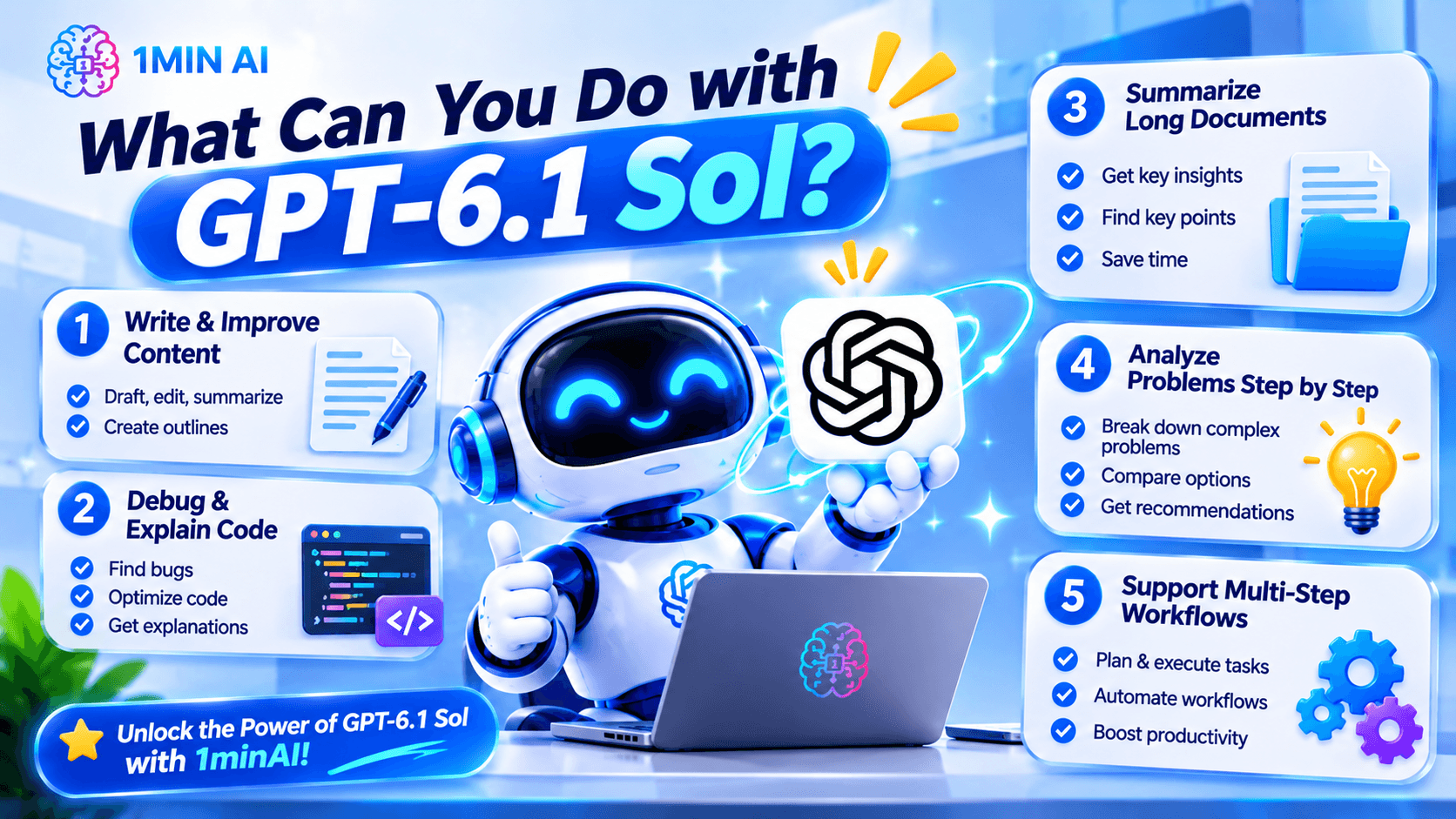
1. Write and improve content
GPT-6.1 Sol can help with outlines, first drafts, rewrites, summaries, and editing. It is especially useful when you provide a clear audience, purpose, and desired format.
Try this prompt:
Write a practical article outline about [topic] for [target audience]. Organize it into a logical introduction, five main sections, and a conclusion. For each section, explain the reader's question and the key information it should cover. Avoid unsupported statistics and repetitive points.
You can then ask the model to develop one section at a time, review the draft, or adjust its tone.
For important factual content, verify claims against reliable sources before publishing.
2. Debug and explain code
GPT-6.1 Sol is positioned for complex software-engineering tasks, making coding a useful area to test.
Try this prompt:
Review the following code for bugs, edge cases, performance issues, and maintainability. Identify the three most important problems, explain why they matter, and suggest the smallest safe fixes. Do not invent APIs or dependencies. If additional context is needed, ask before making assumptions.
Code:
[Paste your code here]
After receiving the response, test the suggested changes. AI-generated code can contain mistakes, and a plausible explanation does not guarantee that a fix works.
If you're working on a larger project, explore 1minAI's AI Agent for Software Development for AI-assisted development workflows.
3. Summarize long documents
A large context window can be useful when you need to analyze extensive reports, technical documentation, or research material. However, the actual amount you can submit depends on the interface and any document or context limits.
Try this prompt:
Summarize the document below for a busy professional. Start with a five-point executive summary, then list the key findings, supporting evidence, important limitations, and recommended next steps. Separate facts from interpretations, and identify any claims that require verification.
For important decisions, compare the summary against the original document and check whether key qualifications or exceptions were omitted.
4. Analyze problems step by step
GPT-6.1 Sol can help structure a complex problem into smaller tasks.
For example, a founder might ask it to compare product ideas, identify implementation risks, or organize customer feedback into themes.
Try this prompt:
Help me analyze this problem: [describe the problem].
First, identify the objective and constraints. Then list the available information, explain the main options, compare the trade-offs, and recommend a practical next step. State assumptions explicitly and identify what additional evidence would change the recommendation.
This approach makes the response easier to evaluate than a prompt that simply asks for the “best answer.”
5. Support multi-step workflows
GPT-6.1 Sol can be used in compatible tool-enabled workflows that involve several actions. For example, a supported application may let an AI agent inspect information, process data, and prepare a report.
Keep in mind that a standard chat interface may not expose every tool available through the API. If a workflow requires browser access, file operations, or other external actions, check that the relevant tools are supported and enabled.
For actions involving production systems, sensitive data, or irreversible changes, maintain appropriate human approval and access controls.
Why Use 1minAI for GPT-6.1 Sol?
One reason to use an AI workspace is the ability to explore different models and workflows without repeatedly setting up separate interfaces.
With 1minAI, you can use the dedicated GPT-6.1 Sol chat page and explore the platform's other AI chat options.
Explore multiple AI assistants
Different models may perform differently on the same prompt. One might produce a clearer explanation, while another might provide a more useful coding approach or document summary.
The AI Chat with Multiple AI Assistants page is a useful starting point if you want to explore multi-model workflows.
To compare models fairly:
- Use the same task and source material.
- Keep the prompt and output format consistent.
- Check factual accuracy and completeness.
- Test any generated code or calculations.
- Compare the amount of editing needed before using the result.
This helps you choose a model based on actual performance rather than marketing claims alone.
Maintain useful conversation context
Some tasks require multiple rounds of discussion. You may need to establish project requirements, refine a draft, or revisit an earlier decision.
Explore 1minAI AI Chat Memory to learn about the platform's chat-memory functionality and how it may help maintain relevant context across supported conversations.
Memory features and behavior can vary by product and settings. For sensitive work, avoid sharing confidential information unless you're comfortable with the service's applicable privacy and data-handling terms.
Combine chat with AI workflows
If your task involves more than a single question, the Multi AI Chat AI Agent page offers another starting point for exploring multi-model and agent-oriented workflows.
A practical process might look like this:
Define the task → Ask GPT-6.1 Sol for a first draft → Compare or refine the response → Verify the output → Use the final result.
You remain responsible for checking the result, but a structured workflow can make AI assistance more repeatable.
GPT-6.1 Sol vs. Other AI Models
GPT-6.1 Sol is not automatically the best choice for every task. The right model depends on the complexity of the problem, the tools you need, response quality, and the cost of running the workflow.
| Your goal | What to consider |
|---|---|
| Complex coding and debugging | Test GPT-6.1 Sol on a representative codebase and measure the quality of its fixes |
| Quick everyday questions | A faster, more cost-efficient model may be sufficient |
| Long-document analysis | Check context limits, file support, and how well the model tracks evidence |
| Comparing writing styles | Test multiple available models using the same brief |
| Tool-enabled workflows | Confirm the required tools are supported in your chosen interface |
| Repeated project conversations | Review available memory and context-management features |
OpenAI positions GPT-6.1 Sol as a cost-effective option for demanding work, while GPT-6 Astra is designed for its most demanding reasoning and professional tasks. The best choice depends on whether the extra capability of a flagship model is necessary for your particular workload.
Frequently Asked Questions
Can I use GPT-6.1 Sol for free?
You can try GPT-6.1 Sol through 1minAI using the credits and access conditions currently available on the platform. Check the dedicated GPT-6.1 Sol chat page for current details. Free access is not necessarily unlimited.
Do I need an OpenAI API key to chat with GPT-6.1 Sol on 1minAI?
The 1minAI dedicated chat page offers access through its own workspace, so you do not need to configure your own OpenAI API integration to use that chat workflow. Follow the current page instructions and usage conditions.
What is GPT-6.1 Sol best for?
OpenAI positions GPT-6.1 Sol for complex coding, computer use, and professional work. It can also be useful for writing, document analysis, and structured problem-solving, depending on the interface and task.
Can GPT-6.1 Sol help with software development?
Yes. It is designed to support complex software-engineering work, including writing and debugging code. Always test generated code, check dependencies, and review security implications before using changes in production.
Start Your Free AI Chat with GPT-6.1 Sol
GPT-6.1 Sol is designed to bring strong reasoning, coding, and professional-work capabilities to a more cost-efficient model. It is worth testing if you want AI assistance with tasks that require more than a simple answer.
You can begin with a real task—such as reviewing code, analyzing a report, or outlining a project—and evaluate the result for accuracy, clarity, and usefulness.
Start with Free AI Chat with GPT-6.1 Sol on 1minAI. Then explore Free Multi AI Chat if you want to compare models, or try AI Chat Memory to learn about managing context across supported conversations.
Choose a task, test the model, and let the quality of the results guide your next step.
- #Commerce
- #Information
替代方案
探索 1minAI 的最佳替代方案,並比較其功能、定價和使用案例。

1min.AI 對比 OpenRouter
1min.AI 對比 OpenRouter:比較即用型 AI 創作產品同技術 API 工具。睇下你需要零程式碼創意工作室,定係編碼基礎設施中樞。
 Ngoc Hong

1min. AI vs Dola AI
想搵 Dola AI 替代方案?比較 1min.AI vs Dola AI 嘅影片生成、免費方案、收費同私隱,揀啱適合你嘅 AI 應用。
Ngoc Hong
1minAI vs Hix AI
比較 5 個 HIX AI 替代方案,涵蓋 AI 聊天、研究、寫作、圖片、影片、定價同靈活 AI 工作流程。
Ngoc HongAI 工具
探索最佳 AI 工具,提升生產力、創造力及日常工作效率。

一個產品,10 個 UGC 創意:AI 點樣令內容測試更輕鬆
用 AI UGC 影片生成器製作更真實嘅 UGC,測試更多創意角度,並喺唔使逐條拍攝嘅情況下擴大聯盟內容規模。
 Lien Anh Vu

只需幾個步驟,即可製作一致的卡通內容
用 1min.AI 透過 3 個簡單步驟製作 TikTok 同 Reels 卡通影片,由研究點子到角色再到動畫影片,一次完成。
Lien Anh Vu
為初創創辦人而設的 4 款最抵用 AI 工具
發掘 4 款最抵用嘅 AI 工具,幫初創創辦人驗證概念、建立產品、製作內容,同埋更快推出市場,而唔使超支。
 Tram Ta
AI 功能
全面的 AI 功能,可簡化工作流程、提升效率,讓團隊達成更多目標。

AI 應用案例
精選 AI 應用案例,涵蓋商業、生產力及各行業專用應用。
一個產品,10 個 UGC 創意:AI 點樣令內容測試更輕鬆
用 AI UGC 影片生成器製作更真實嘅 UGC,測試更多創意角度,並喺唔使逐條拍攝嘅情況下擴大聯盟內容規模。
Lien Anh Vu只需幾個步驟,即可製作一致的卡通內容
用 1min.AI 透過 3 個簡單步驟製作 TikTok 同 Reels 卡通影片,由研究點子到角色再到動畫影片,一次完成。
Lien Anh Vu
Instagram 最佳發帖時間:提升互動的實用指南
了解 Instagram 最佳發帖時間,包括不同受眾的最佳日子和時段,以及如何為你的帳戶找出理想的發帖時間表。
Tram TaAI 教學
透過實用的逐步教學,學習如何使用人工智能。
只需幾個步驟,即可製作一致的卡通內容
用 1min.AI 透過 3 個簡單步驟製作 TikTok 同 Reels 卡通影片,由研究點子到角色再到動畫影片,一次完成。
Lien Anh Vu
2026 黑色星期五 AI 工具優惠
探索 2026 黑色星期五 AI 工具優惠有咩選擇。了解點樣透過 AppSumo、Dealify、Stack Social 搶到 1min.AI 終身方案,並可喺 Trustpilot、Slashdot 同 Software Advice 核實。
 Hang Nguyen

使用 Seedance 的 AI 圖像轉影片產品一致性,停止變形並 масштаб化產品評測
以 AI 圖像轉影片產品一致性停止 logo 變形,立即在 1min.AI 製作 studio 級評測影片。
Lien Anh VuAI 指南
透過實用指南、真實案例和可操作嘅最佳實踐,更快咁學習 AI。
只需幾個步驟,即可製作一致的卡通內容
用 1min.AI 透過 3 個簡單步驟製作 TikTok 同 Reels 卡通影片,由研究點子到角色再到動畫影片,一次完成。
Lien Anh Vu
安全網上購買 AI 工具:2026 黑色星期五指南
了解如何在網上搵到同鎖定最佳黑色星期五 AI 優惠。學習專家策略,避開騙局、應對訂閱疲勞,並驗證軟件。
Hang Nguyen使用 Seedance 的 AI 圖像轉影片產品一致性,停止變形並 масштаб化產品評測
以 AI 圖像轉影片產品一致性停止 logo 變形,立即在 1min.AI 製作 studio 級評測影片。
Lien Anh VuAI 解決方案
瀏覽適用於自動化、編碼、研究、生產力、客戶支援、市場推廣及業務流程的最佳AI解決方案。
一個產品,10 個 UGC 創意:AI 點樣令內容測試更輕鬆
用 AI UGC 影片生成器製作更真實嘅 UGC,測試更多創意角度,並喺唔使逐條拍攝嘅情況下擴大聯盟內容規模。
Lien Anh Vu只需幾個步驟,即可製作一致的卡通內容
用 1min.AI 透過 3 個簡單步驟製作 TikTok 同 Reels 卡通影片,由研究點子到角色再到動畫影片,一次完成。
Lien Anh Vu
免費 AI 紋身生成器:自訂設計
用 1min.AI 的免費 AI 紋身生成器,將任何靈感變成自訂紋身設計。描述你的想法、選擇風格,幾秒內即可下載。
 Trang Tran
AI 模型
於一處探索全球頂尖嘅 AI 模型。
一個產品,10 個 UGC 創意:AI 點樣令內容測試更輕鬆
用 AI UGC 影片生成器製作更真實嘅 UGC,測試更多創意角度,並喺唔使逐條拍攝嘅情況下擴大聯盟內容規模。
Lien Anh Vu只需幾個步驟,即可製作一致的卡通內容
用 1min.AI 透過 3 個簡單步驟製作 TikTok 同 Reels 卡通影片,由研究點子到角色再到動畫影片,一次完成。
Lien Anh Vu使用 Seedance 的 AI 圖像轉影片產品一致性,停止變形並 масштаб化產品評測
以 AI 圖像轉影片產品一致性停止 logo 變形,立即在 1min.AI 製作 studio 級評測影片。
Lien Anh VuAI 比較
比較AI工具、模型及平台,尋找最適合您需求的選擇。

Kling AI 對 Veo 3:邊個模型勝出?
Kling AI 對 Veo 3:比較動態、原生音訊、定價同免費方案,睇下邊個 AI 影片生成器更適合你嘅項目——即刻喺 1min.AI 試晒兩個。
Trang Tran使用 Seedance 的 AI 圖像轉影片產品一致性,停止變形並 масштаб化產品評測
以 AI 圖像轉影片產品一致性停止 logo 變形,立即在 1min.AI 製作 studio 級評測影片。
Lien Anh Vu
DeepSeek V4 Pro 與 Flash 比較
比較 DeepSeek V4 Pro 與 DeepSeek V4 Flash 的指標。立即喺 1min.ai 優化你嘅 agentic apps,同提升 AI fact checking。
Ngoc HongAI 整合
將 AI 無縫整合到你現有的工具中,自動化工作並提升生產力。

如何使用 AI 時尚影片生成器製作 2026 時裝週內容
用 AI 將 2026 時裝週靈感變成驚艷時尚影片。學習如何發想、創作視覺,並以一個簡單流程將圖片轉成影片。
Lien Anh Vu
POV:你每日要製作 10+ 篇貼文
了解如何建立 AI 內容工作流程,幫助內容創作者透過 AI 發想、圖片生成同內容製作,更快每日產出 10+ 則社交媒體貼文。
Lien Anh Vu
停止在 AI 應用程式之間切換:AI 整合如何重塑僱主品牌
了解 AI 整合如何透過將 AI 寫作、文件、圖像、影片及多個 AI 模型整合到同一工作空間,幫助 HR 團隊簡化僱主品牌工作。
Tram Ta行業AI
為醫療保健、金融、教育、法律、製造、零售、房地產等行業尋找最佳AI工具和工作流程。

免費 AI 產品描述生成器
幾分鐘內寫出能帶來銷售的產品描述。使用這個免費 AI 產品描述生成器,將產品資料或相片轉成符合品牌的文案。試用 1min.AI。
Trang Tran
助初創企業提升利潤的最佳商業生產力工具 | 1minAI
探索最適合初創企業的商業生產力工具,節省時間、簡化工作流程、減少重複工作,並透過 AI 支援有利可圖的增長。
Tram Ta
最佳內容行銷 AI 工具|1minAI
搵緊最佳內容行銷 AI 工具?睇吓 1minAI 點樣幫市場人員喺同一個 AI 工作空間內做資料研究、寫作、重製內容、製作視覺素材同擴大產出。
Tram TaAI 代理
探索並運行 AI 代理,自動化您的工作和日常生活中的任務。


AI 工作流程
探索現成可用的 AI 工作流程,適用於生產力、營銷、銷售、支援等。
一個產品,10 個 UGC 創意:AI 點樣令內容測試更輕鬆
用 AI UGC 影片生成器製作更真實嘅 UGC,測試更多創意角度,並喺唔使逐條拍攝嘅情況下擴大聯盟內容規模。
Lien Anh Vu只需幾個步驟,即可製作一致的卡通內容
用 1min.AI 透過 3 個簡單步驟製作 TikTok 同 Reels 卡通影片,由研究點子到角色再到動畫影片,一次完成。
Lien Anh Vu如何使用 AI 時尚影片生成器製作 2026 時裝週內容
用 AI 將 2026 時裝週靈感變成驚艷時尚影片。學習如何發想、創作視覺,並以一個簡單流程將圖片轉成影片。
Lien Anh Vu電子報
1minAI 每週 AI 創新

🔮 每週 AI 創新 #143:更新 更新 GPT-6、GPT-6.1 與 Ideogram 4.0 與 Ideogram 4.0
在 1min.ai 取得 GPT-6 Sol、Luna、GPT-6.1 Sol 及 Ideogram 4.0。於同一平台將排版準確度提升至 98.4%,並把推理延遲降低 45%。
Hang Nguyen
🔮 每週 AI 創新 #142:Grok 4.7、Opus 5.5 與 Sonnet 5.5 登陸 1min.ai
在 1min.ai 存取 Grok 4.7、Claude Opus 5.5 及 Sonnet 5.5。透過單一整合工作區,最多可節省 70% 訂閱成本,並處理數以百萬計的 token。
Hang Nguyen
🔮 每週 AI 創新 #141:Seedance 2.5 與 Stable Audio 3:新一代 AI
在 1min.ai 探索 Seedance 2.0、2.5 以及 StabilityAI 的 Stable Audio 3。運用新一代生成式 AI 生成錄音室級音訊與同步動作。
Hang Nguyen