
Free AI Image Editor No Restrictions with 1minAI

Tram Ta
20 tháng 11, 2026
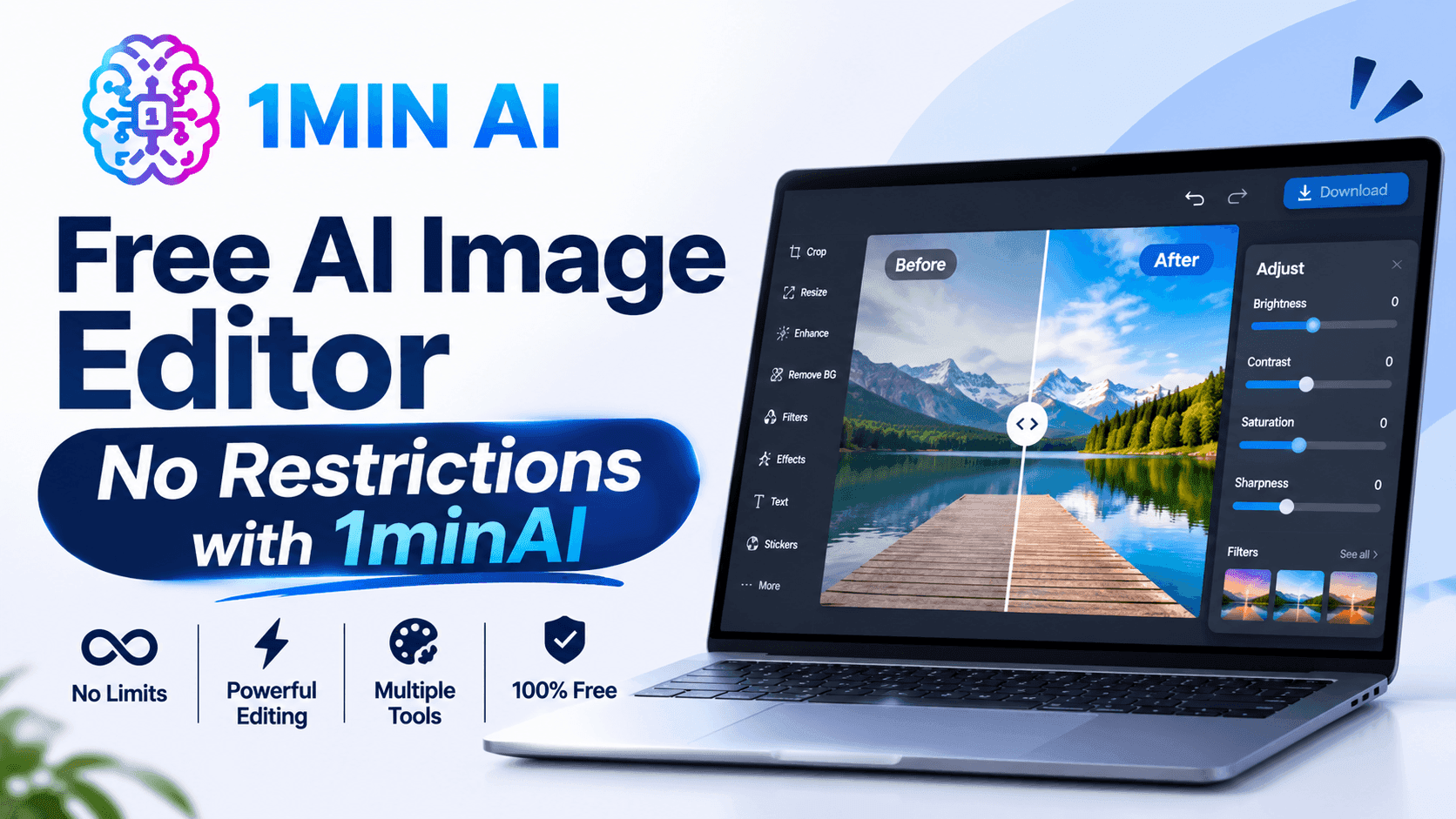
Looking for a free AI image editor with no restrictions? Edit photos with prompts, replace objects, remove text, change backgrounds, and transform images with 1minAI.
You have a photo that is almost perfect, but something needs to change. Maybe the background does not match your campaign, an unwanted object distracts from the subject, or the image needs a different size for social media.
Traditional photo editing can require multiple tools, complicated selections, and time-consuming manual adjustments. A free AI image editor offers a simpler approach: upload an image, describe the change you want, and let AI help transform it.
But what does "no restrictions" really mean? Does it mean unlimited editing, no watermarks, or the freedom to create any image?
With 1minAI, the focus is on giving creators more flexibility over how they edit. You can use natural-language prompts to replace objects, change backgrounds, modify selected areas, remove text, extend images, and explore creative variations in one workspace.
This guide explains how to use a free AI image editor, which tools to choose for different editing tasks, and how to write better prompts to get the results you want.
What Can You Do With 1minAI's Free AI Image Editor?
1minAI brings multiple AI image capabilities into one workspace. Instead of relying on one editor for every task, you can choose a tool based on the specific change you want to make.
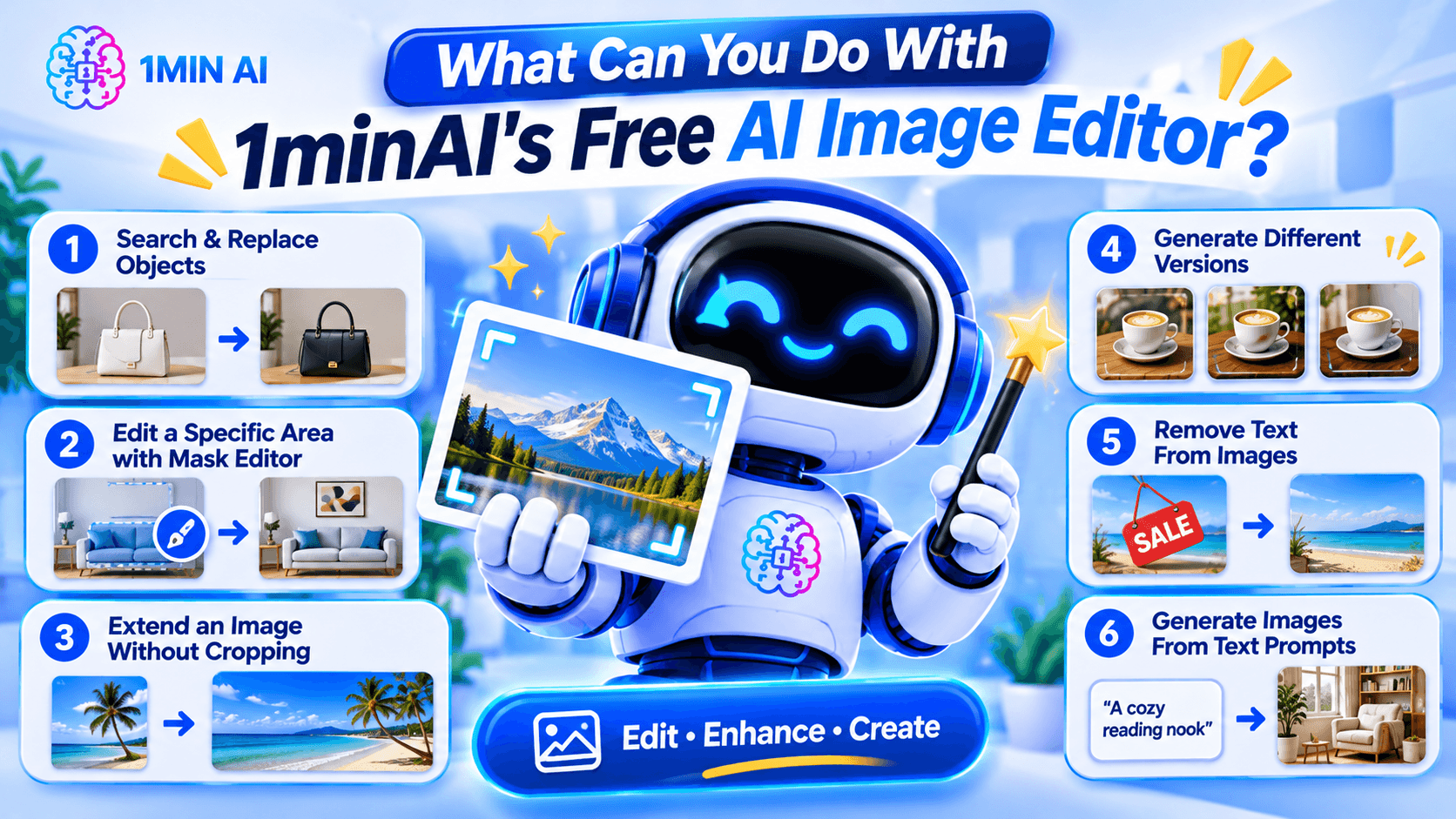
Here are some of the main editing workflows.
1. Search and Replace Objects in an Image
AI photo editing before after product image object replacement example replacing handbag color or furniture with new object realistic seamless edit" aspectRatio="16:9" width="100%" />
Sometimes an image is good except for one object.
For example, you may like a product photo but want to change the packaging color, replace a piece of furniture, or swap an accessory.
1minAI's AI Image Object Search and Replace lets you identify an object and describe what should replace it.
Example prompt:
"Replace the white ceramic vase on the table with a matte black vase. Keep the flowers, table, wall, and lighting unchanged."
This can be useful for:
- E-commerce product photography.
- Marketing and advertising creatives.
- Interior design concepts.
- Social media content.
- Creative experimentation.
The main advantage is that you can focus on the object you want to change instead of manually rebuilding the whole image.
2. Edit a Specific Area With the Image Mask Editor
Sometimes you want to modify only one part of an image while preserving everything else.
The 1minAI Image Mask Editor lets you select the area you want to edit, then describe what should appear in that region.
For example, you could:
- Change an object in the background.
- Add a decorative element.
- Fix an unwanted detail.
- Change the color of a selected item.
- Refresh part of an older image.
Example prompt:
"Replace the selected empty wall area with a framed abstract painting in warm neutral colors. Keep the furniture and room lighting unchanged."
This is especially useful when a full-image transformation would change details you want to preserve.
3. Extend an Image Without Cropping the Original Subject
Have you ever created a square image but later needed a wide banner?
Cropping may remove important details, while stretching can distort the subject.
The 1minAI Image Extender expands the canvas by generating additional background around the original image.
You can use it to:
- Turn square images into landscape banners.
- Adapt product photos for website headers.
- Create more space for advertising text.
- Reformat social media visuals.
- Expand portraits or landscapes.
Example instruction:
"Extend this image to a wide landscape composition. Continue the existing studio background naturally and keep the product centered at its original size."
This helps you adapt existing visuals to different layouts without starting over.
4. Generate Different Versions With AI Image Variator
If you like the original image but want to explore alternative styles, use the 1minAI AI Image Variator.
It creates alternative versions of an existing image while maintaining its core subject.
You can experiment with:
- Different color palettes.
- New backgrounds.
- Alternative lighting.
- Different artistic styles.
- Fresh compositions.
- Different visual moods.
Example prompt:
"Create three visual variations of this coffee product photo. Version one should have a warm minimalist kitchen background, version two should use a modern dark studio, and version three should feature a bright outdoor café setting. Keep the product design recognizable."
This can help marketers and creators explore different creative directions before choosing a final visual.
5. Remove Text From Images
Sometimes an image contains text that you no longer need.
For example, you may have an old promotional graphic with an expired discount, an outdated date, or a caption that no longer fits your campaign.
1minAI provides a Stable Diffusion XL Text Remover API for removing text elements from images through an API workflow.
The documented endpoint uses the TEXT_REMOVER feature type and stable-diffusion-xl model identifier. It accepts an image path and supports PNG, JPEG, and WebP output formats.
This is particularly useful for developers who want to integrate text removal into an image-processing application.
Example use case:
A marketing team has an old promotional image with a previous campaign date. They can use text removal to clear the outdated text and prepare the image for a new design.
Always review the result carefully, especially when text overlaps detailed textures, logos, or important visual elements.
6. Generate Images From Text Prompts
You do not always need an existing photo to start editing.
With the 1minAI AI Image Generator, you can create a new visual from a written description.
Describe:
- The main subject.
- The environment.
- The visual style.
- The lighting.
- The composition.
- The mood and color palette.
Example prompt:
"A premium skincare serum bottle on a natural stone surface, surrounded by soft green leaves, bright morning sunlight, minimalist luxury product photography, neutral beige background, realistic texture, professional commercial advertising style."
Once you have a base image, you can continue refining it with the other editing tools.
How to Edit an Image With AI in 1minAI
You do not need to master complicated editing software to get started. A simple workflow can take you from an existing photo to a refined visual.
Step 1: Open the Image Editing Workspace
Visit 1minAI's Create, Edit, and Transform Images page to explore the available image tools.
Choose the tool that matches your goal:
- Object replacement.
- Mask-based editing.
- Image extension.
- Image variation.
- Text removal.
- Image generation.
If you already have a photo, upload it to the relevant editing tool.
Step 2: Describe the Change You Want
Write a prompt explaining what should change.
A useful prompt should be specific enough for the AI to understand the subject, action, and desired result.
Try this formula:
Object + Action + Style or Setting + Details to Preserve
For example:
"Replace the wooden chair with a modern cream-colored armchair, use a Scandinavian interior style, and keep the original room layout, lighting, and camera angle unchanged."
The more clearly you describe the desired edit, the easier it is to evaluate the result.
Step 3: Generate and Review the Result
Run the edit and inspect the generated image.
Pay attention to:
- Object shapes and proportions.
- Lighting and shadows.
- Edges around edited areas.
- Text and logos.
- Background consistency.
- Unwanted changes to the original subject.
AI editing may not produce a perfect result on the first attempt. If something looks wrong, refine the prompt or make a smaller edit.
Step 4: Download and Use Your Image
Once the result looks right, download it and prepare it for your intended project.
Before using an image commercially, check the applicable tool terms, model licenses, and rights associated with any source images, logos, or people shown in the visual.
How to Choose the Right AI Image Editing Tool
Not every editing task needs the same tool.
Choosing the right workflow can save time and reduce unnecessary edits.
| Your goal | Recommended 1minAI tool |
|---|---|
| Create an image from a text description | AI Image Generator |
| Find and replace an object | AI Image Object Search and Replace |
| Change one specific area | Image Mask Editor |
| Expand the image canvas | Image Extender |
| Generate alternative versions | AI Image Variator |
| Remove text through an API | Stable Diffusion XL Text Remover |
| Explore several image tools in one place | Create, Edit, and Transform Images |
What If You Do Not Know How to Write an Image Prompt?
You can use 1minAI Image to Prompt to analyze an existing image and turn its visual details into a written prompt.
This can help you understand how to describe:
- Main subjects.
- Colors and lighting.
- Composition.
- Camera perspective.
- Artistic style.
- Background details.
For example, if you find a product image with a style you like, you can use Image to Prompt to generate a description that helps you create a similar visual direction.
Remember to use reference images you have the right to use, and avoid copying protected designs or branding without permission.
Who Can Benefit From a Free AI Image Editor?
AI image editing is useful for more than professional designers. Different types of users can apply it to everyday creative work.
E-commerce Sellers
Online sellers need product visuals for listings, advertisements, and social media.
An AI image editor can help them:
- Change product backgrounds.
- Create lifestyle product scenes.
- Explore packaging variations.
- Remove distracting objects.
- Adapt photos for different platforms.
For example, a seller could start with one product photo and create several campaign concepts for seasonal promotions.
Digital Marketers
Marketing teams often need multiple creative assets for different campaigns.
They can use AI editing to test different backgrounds, colors, product placements, and visual styles without rebuilding every design from scratch.
Content Creators
Creators may need images for blog posts, thumbnails, social media, and presentations.
AI tools can help them turn a basic photo into a more polished visual, extend the canvas, or create alternative styles.
Small Business Owners
Small businesses may not have an in-house designer.
A prompt-based editor gives owners a way to make straightforward visual adjustments, prepare promotional materials, and explore design ideas without mastering professional editing software.
Designers and Creative Professionals
AI does not replace professional creative judgment. However, it can help designers explore concepts, generate alternatives, and handle repetitive editing tasks.
Professionals can use it as an additional tool in their creative process while retaining control over the final design.
Conclusion
A free AI image editor can make visual editing easier by turning written instructions into practical image transformations.
Whether you want to replace an object, remove text, extend a photo, create alternative versions, or generate a new visual, the right AI tool can reduce repetitive manual work and help you explore more creative ideas.
With 1minAI, you can move between image generation and editing tools in one workspace. Start with an existing photo or a text prompt, describe the change you want, review the result, and refine it until it fits your project.
More creative control starts with a clearer prompt. Try 1minAI's AI image tools and turn your next image-editing idea into reality.
- #Commerce
- #Information
Các lựa chọn thay thế
Khám phá các lựa chọn thay thế tốt nhất cho 1minAI và so sánh các tính năng, giá cả và trường hợp sử dụng.

1min.AI và OpenRouter
1min.AI và OpenRouter: So sánh sản phẩm tạo AI sẵn dùng với công cụ API kỹ thuật. Tìm hiểu xem bạn cần một studio sáng tạo không cần mã hóa hay một trung tâm hạ tầng lập trình.
 Ngoc Hong

1min. AI vs Dola AI
Đang tìm một lựa chọn thay thế Dola AI? So sánh 1min.AI vs Dola AI về tạo video, gói miễn phí, giá cả và quyền riêng tư để chọn ứng dụng AI phù hợp.
Ngoc Hong
1minAI vs Hix AI
So sánh 5 lựa chọn thay thế HIX AI cho AI chat, nghiên cứu, viết nội dung, hình ảnh, video, giá cả và quy trình AI linh hoạt.
Ngoc HongCông cụ AI
Khám phá các công cụ AI tốt nhất để tăng cường năng suất, sự sáng tạo và công việc hàng ngày.

Một Sản Phẩm, 10 Creative UGC: AI Giúp Việc Test Nội Dung Dễ Hơn Như Thế Nào
Tạo UGC chân thực hơn với AI UGC video generator, thử nhiều góc sáng tạo hơn và mở rộng nội dung affiliate mà không cần quay từng phiên bản.
 Lien Anh Vu

Tạo nội dung hoạt hình nhất quán chỉ trong vài bước
Tạo video hoạt hình cho TikTok và Reels chỉ với 3 bước đơn giản bằng 1min.AI, từ nghiên cứu ý tưởng đến nhân vật và video hoạt ảnh.
Lien Anh Vu
Top 4 Công cụ AI Giá cả phải chăng cho Nhà sáng lập Startup
Khám phá top 4 công cụ AI giá cả phải chăng dành cho các nhà sáng lập startup để xác thực ý tưởng, xây dựng sản phẩm, tạo nội dung và ra mắt nhanh hơn mà không tốn quá nhiều chi phí.
 Tram Ta
Tính năng AI
Các tính năng AI toàn diện giúp tinh gọn quy trình làm việc, nâng cao hiệu quả và trao quyền cho các nhóm đạt được nhiều hơn.
Một Sản Phẩm, 10 Creative UGC: AI Giúp Việc Test Nội Dung Dễ Hơn Như Thế Nào
Tạo UGC chân thực hơn với AI UGC video generator, thử nhiều góc sáng tạo hơn và mở rộng nội dung affiliate mà không cần quay từng phiên bản.
Lien Anh VuTạo nội dung hoạt hình nhất quán chỉ trong vài bước
Tạo video hoạt hình cho TikTok và Reels chỉ với 3 bước đơn giản bằng 1min.AI, từ nghiên cứu ý tưởng đến nhân vật và video hoạt ảnh.
Lien Anh Vu
1minAI: Công cụ kiểm tra ngữ pháp AI miễn phí
Kiểm tra ngữ pháp miễn phí với công cụ kiểm tra ngữ pháp AI của 1minAI. Phát hiện lỗi ngữ pháp, chính tả và viết, cải thiện độ rõ ràng và trau chuốt nội dung chỉ trong vài giây.
Tram TaCác Trường hợp Sử dụng AI
Một bộ sưu tập các trường hợp sử dụng AI được tuyển chọn cho doanh nghiệp, năng suất và các ứng dụng cụ thể trong ngành.
Một Sản Phẩm, 10 Creative UGC: AI Giúp Việc Test Nội Dung Dễ Hơn Như Thế Nào
Tạo UGC chân thực hơn với AI UGC video generator, thử nhiều góc sáng tạo hơn và mở rộng nội dung affiliate mà không cần quay từng phiên bản.
Lien Anh VuTạo nội dung hoạt hình nhất quán chỉ trong vài bước
Tạo video hoạt hình cho TikTok và Reels chỉ với 3 bước đơn giản bằng 1min.AI, từ nghiên cứu ý tưởng đến nhân vật và video hoạt ảnh.
Lien Anh Vu
Thời Điểm Tốt Nhất Để Đăng Bài Trên Instagram: Hướng Dẫn Thực Tế Để Tăng Tương Tác
Khám phá thời điểm tốt nhất để đăng bài trên Instagram, bao gồm những ngày và giờ tốt nhất cho từng nhóm đối tượng, cùng mẹo để tìm lịch đăng phù hợp nhất cho tài khoản của bạn.
Tram TaHướng dẫn AI
Học cách sử dụng AI với các hướng dẫn thực tế, từng bước.
Tạo nội dung hoạt hình nhất quán chỉ trong vài bước
Tạo video hoạt hình cho TikTok và Reels chỉ với 3 bước đơn giản bằng 1min.AI, từ nghiên cứu ý tưởng đến nhân vật và video hoạt ảnh.
Lien Anh Vu
Ưu đãi công cụ AI Black Friday năm 2026
Khám phá những ưu đãi công cụ AI Black Friday 2026 mang lại. Tìm hiểu cách săn deal trọn đời 1min.AI qua AppSumo, Dealify, Stack Social, và kiểm chứng trên Trustpilot, Slashdot, Software Advice.
 Hang Nguyen

Tính nhất quán sản phẩm từ ảnh sang video bằng AI với Seedance để ngăn méo hình và mở rộng đánh giá sản phẩm
Ngăn logo bị méo với tính nhất quán sản phẩm từ ảnh sang video bằng AI và tạo video đánh giá chuẩn studio trên 1min.AI ngay hôm nay.
Lien Anh VuHướng dẫn về AI
Học AI nhanh hơn với các hướng dẫn thực tế, ví dụ đời thực và các phương pháp hay nhất có thể áp dụng.
Tạo nội dung hoạt hình nhất quán chỉ trong vài bước
Tạo video hoạt hình cho TikTok và Reels chỉ với 3 bước đơn giản bằng 1min.AI, từ nghiên cứu ý tưởng đến nhân vật và video hoạt ảnh.
Lien Anh Vu
Mua an toàn các công cụ AI trực tuyến: Hướng dẫn Black Friday 2026
Khám phá cách tìm và săn các ưu đãi AI Black Friday tốt nhất online. Học chiến lược chuyên gia để tránh lừa đảo, chống mệt mỏi vì đăng ký và xác minh phần mềm.
Hang NguyenTính nhất quán sản phẩm từ ảnh sang video bằng AI với Seedance để ngăn méo hình và mở rộng đánh giá sản phẩm
Ngăn logo bị méo với tính nhất quán sản phẩm từ ảnh sang video bằng AI và tạo video đánh giá chuẩn studio trên 1min.AI ngay hôm nay.
Lien Anh VuGiải pháp AI
Duyệt qua các giải pháp AI tốt nhất cho tự động hóa, viết mã, nghiên cứu, năng suất, hỗ trợ khách hàng, tiếp thị và quy trình làm việc kinh doanh.
Một Sản Phẩm, 10 Creative UGC: AI Giúp Việc Test Nội Dung Dễ Hơn Như Thế Nào
Tạo UGC chân thực hơn với AI UGC video generator, thử nhiều góc sáng tạo hơn và mở rộng nội dung affiliate mà không cần quay từng phiên bản.
Lien Anh VuTạo nội dung hoạt hình nhất quán chỉ trong vài bước
Tạo video hoạt hình cho TikTok và Reels chỉ với 3 bước đơn giản bằng 1min.AI, từ nghiên cứu ý tưởng đến nhân vật và video hoạt ảnh.
Lien Anh Vu
Trình Tạo Hình Xăm AI Miễn Phí: Thiết Kế Tùy Chỉnh
Biến mọi ý tưởng thành mẫu hình xăm tùy chỉnh với trình tạo hình xăm AI miễn phí của 1min.AI. Mô tả ý tưởng, chọn phong cách và tải xuống trong vài giây.
 Trang Tran
Mô hình AI
Khám phá các mô hình AI hàng đầu thế giới tại một nơi.
Một Sản Phẩm, 10 Creative UGC: AI Giúp Việc Test Nội Dung Dễ Hơn Như Thế Nào
Tạo UGC chân thực hơn với AI UGC video generator, thử nhiều góc sáng tạo hơn và mở rộng nội dung affiliate mà không cần quay từng phiên bản.
Lien Anh VuTạo nội dung hoạt hình nhất quán chỉ trong vài bước
Tạo video hoạt hình cho TikTok và Reels chỉ với 3 bước đơn giản bằng 1min.AI, từ nghiên cứu ý tưởng đến nhân vật và video hoạt ảnh.
Lien Anh VuTính nhất quán sản phẩm từ ảnh sang video bằng AI với Seedance để ngăn méo hình và mở rộng đánh giá sản phẩm
Ngăn logo bị méo với tính nhất quán sản phẩm từ ảnh sang video bằng AI và tạo video đánh giá chuẩn studio trên 1min.AI ngay hôm nay.
Lien Anh VuSo sánh AI
So sánh các công cụ, mô hình và nền tảng AI để tìm ra lựa chọn phù hợp nhất cho nhu cầu của bạn.

Kling AI Vs Veo 3: Mô hình nào thắng?
Kling AI vs Veo 3: so sánh chuyển động, âm thanh gốc, giá cả & gói miễn phí để xem trình tạo video AI nào thắng cho dự án của bạn - thử cả hai trên 1min.AI.
Trang TranTính nhất quán sản phẩm từ ảnh sang video bằng AI với Seedance để ngăn méo hình và mở rộng đánh giá sản phẩm
Ngăn logo bị méo với tính nhất quán sản phẩm từ ảnh sang video bằng AI và tạo video đánh giá chuẩn studio trên 1min.AI ngay hôm nay.
Lien Anh Vu
So sánh DeepSeek V4 Pro và Flash
So sánh các chỉ số của DeepSeek V4 Pro và DeepSeek V4 Flash. Tối ưu hóa các ứng dụng agentic của bạn và cải thiện kiểm tra xác thực AI trên 1min.ai ngay hôm nay.
Tích hợp AI
Tích hợp AI liền mạch với các công cụ bạn đã sử dụng để tự động hóa công việc và tăng năng suất.

Cách Sử Dụng Trình Tạo Video Thời Trang AI cho Fashion Week 2026
Biến ý tưởng Fashion Week 2026 thành những video thời trang ấn tượng với AI. Tìm hiểu cách lên ý tưởng, tạo hình ảnh và chuyển ảnh thành video chỉ với một quy trình đơn giản.
Lien Anh Vu
POV: Bạn có hơn 10 bài đăng phải làm mỗi ngày
Tìm hiểu cách xây dựng quy trình nội dung AI giúp người sáng tạo nội dung tạo hơn 10 bài đăng mạng xã hội mỗi ngày nhanh hơn với brainstorming, tạo hình ảnh và sáng tạo nội dung bằng AI.
Lien Anh Vu
Ngừng Chuyển Đổi Giữa Các Ứng Dụng AI: Cách Tích Hợp AI Chuyển Đổi Thương Hiệu Nhà Tuyển Dụng
Khám phá cách tích hợp AI giúp các đội ngũ HR tối ưu hóa thương hiệu nhà tuyển dụng bằng cách kết hợp viết AI, tài liệu, hình ảnh, video và nhiều mô hình AI vào một không gian làm việc duy nhất.
Tram TaAI cho các ngành công nghiệp
Tìm các công cụ và quy trình làm việc AI tốt nhất cho y tế, tài chính, giáo dục, pháp lý, sản xuất, bán lẻ, bất động sản và nhiều lĩnh vực khác.

Trình tạo mô tả sản phẩm AI miễn phí
Viết mô tả sản phẩm thuyết phục chỉ trong vài phút. Dùng trình tạo mô tả sản phẩm AI miễn phí này để biến chi tiết hoặc ảnh thành nội dung đúng giọng thương hiệu. Thử 1min.AI.
Trang Tran
Công Cụ Năng Suất Tốt Nhất Cho Startup Để Tối Đa Hóa Lợi Nhuận | 1minAI
Khám phá các công cụ năng suất kinh doanh tốt nhất cho startup để tiết kiệm thời gian, tối ưu quy trình làm việc, giảm tác vụ lặp lại và hỗ trợ tăng trưởng có lợi nhuận với AI.
Tram Ta
Công Cụ AI Tốt Nhất Cho Content Marketing |1minAI
Bạn đang tìm công cụ AI tốt nhất cho content marketing? Xem cách 1minAI giúp marketer nghiên cứu, viết, tái sử dụng, tạo hình ảnh và mở rộng nội dung từ một không gian làm việc AI duy nhất.
Tram TaTác nhân AI
Khám phá và vận hành các tác nhân AI để tự động hóa các tác vụ trong công việc và cuộc sống hàng ngày của bạn.
1minAI: Công cụ kiểm tra ngữ pháp AI miễn phí
Kiểm tra ngữ pháp miễn phí với công cụ kiểm tra ngữ pháp AI của 1minAI. Phát hiện lỗi ngữ pháp, chính tả và viết, cải thiện độ rõ ràng và trau chuốt nội dung chỉ trong vài giây.
Tram Ta
AI Agents cho Facebook
Sử dụng AI Agent cho Facebook để tạo nội dung, tạo hình ảnh, lên lịch bài đăng và xuất bản từ tài liệu và hội thoại của bạn.
Ngoc Hong
AI Agent vs AI Assistant: Cái nào thực sự giúp designer tiết kiệm thời gian hơn?
Tìm hiểu sự khác nhau giữa AI Agent và AI Assistant, và khám phá giải pháp nào giúp designer tự động hóa công việc lặp lại, giảm số lần chỉnh sửa và tiết kiệm nhiều thời gian hơn.
Lien Anh VuQuy trình AI
Khám phá các quy trình làm việc AI sẵn sàng sử dụng cho năng suất, tiếp thị, bán hàng, hỗ trợ và nhiều hơn nữa.
Một Sản Phẩm, 10 Creative UGC: AI Giúp Việc Test Nội Dung Dễ Hơn Như Thế Nào
Tạo UGC chân thực hơn với AI UGC video generator, thử nhiều góc sáng tạo hơn và mở rộng nội dung affiliate mà không cần quay từng phiên bản.
Lien Anh VuTạo nội dung hoạt hình nhất quán chỉ trong vài bước
Tạo video hoạt hình cho TikTok và Reels chỉ với 3 bước đơn giản bằng 1min.AI, từ nghiên cứu ý tưởng đến nhân vật và video hoạt ảnh.
Lien Anh VuCách Sử Dụng Trình Tạo Video Thời Trang AI cho Fashion Week 2026
Biến ý tưởng Fashion Week 2026 thành những video thời trang ấn tượng với AI. Tìm hiểu cách lên ý tưởng, tạo hình ảnh và chuyển ảnh thành video chỉ với một quy trình đơn giản.
Lien Anh VuBản tin
Đổi mới AI hàng tuần với 1minAI

🔮 Đổi mới AI hàng tuần #142: Grok 4.7, Opus 5.5 & Sonnet 5.5 trên 1min.ai
Truy cập Grok 4.7, Claude Opus 5.5 và Sonnet 5.5 trên 1min.ai. Giảm chi phí thuê bao tới 70% và xử lý hàng triệu token trong một không gian làm việc thống nhất.
Hang Nguyen
🔮 Cập nhật AI hàng tuần #143: Cập nhật GPT-6, GPT-6.1 & Ideogram 4.0 & Ideogram 4.0
Truy cập GPT-6 Sol, Luna, GPT-6.1 Sol và Ideogram 4.0 trên 1min.ai. Nâng độ chính xác kiểu chữ lên 98,4% và giảm độ trễ suy luận 45% trong một nền tảng.
Hang Nguyen
🔮 Cập nhật AI hàng tuần #141: Seedance 2.5 & Stable Audio 3: AI thế hệ mới
Khám phá Seedance 2.0, 2.5 và Stable Audio 3 của StabilityAI trên 1min.ai. Tạo âm thanh chuẩn phòng thu và chuyển động đồng bộ với AI tạo sinh thế hệ mới.
Hang Nguyen