
Free AI Chat With Kimi K3.1 Pro

Trang Tran
20 tháng 11, 2026
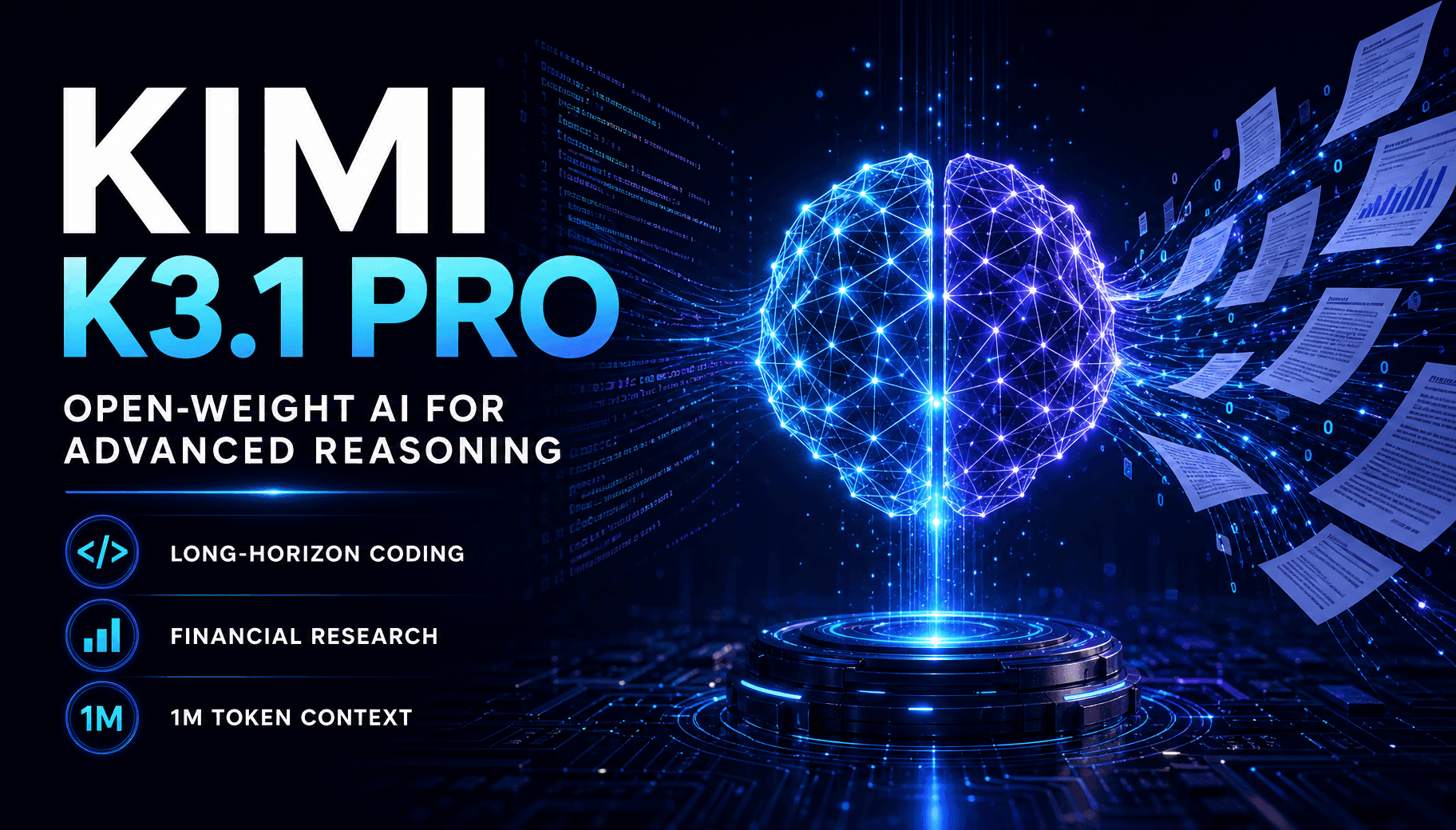
Chat with Kimi K3.1 Pro on 1min.AI. Explore the API, price, benchmark data and use cases, then try it on real tasks in one workspace.
Kimi K3.1 Pro is Moonshot AI’s newest open-weight multimodal reasoning model, built for long-horizon coding and agentic knowledge work. You can chat with it on 1min.AI today, in the same workspace you already use for writing, research, documents and code. There is no separate Moonshot account and no API key to set up. Open a chat, pick the model and give it a real task.
What Is Kimi K3.1 Pro?
Kimi K3.1 Pro (also searched as Kimi 3.1 Pro or Kimi K 3.1 Pro) is the first model in Moonshot AI’s K3.1 series. It is post-trained from Kimi K3 with substantially more reinforcement learning compute. It reasons through every request, with selectable effort up to max. Public coverage of the launch describes a mixture-of-experts design with about 2.8 trillion total parameters and roughly 104 billion active per request.
Kimi K3.1 Pro Specs at a Glance
| Feature | Details |
|---|---|
| Developer | Moonshot AI |
| Model type | Open-weight multimodal reasoning model |
| Base model | Post-trained from Kimi K3 |
| Context window | Up to 1,048,576 tokens |
| Reasoning | Always on, effort up to max |
| Best for | Long-horizon coding, 3D creation, financial research, agentic work |
| Faster variant | K3.1 Pro Highspeed, 2 to 3 times the speed (per Moonshot) |
Is Kimi K3.1 Pro Open Source?
Moonshot AI calls it an open-weight model and announced that the full weights would be released by November 4, 2026. Open weight means the trained parameters are published, which is not the same as releasing all training code and data. A model of this scale also cannot run on a regular laptop. So even if you search for a Kimi K3.1 Pro free download or GitHub repository, most people still reach the model through a hosted service. Check Moonshot’s official channels for the latest release status.
Chat With Kimi K3.1 Pro on 1min.AI
1min.AI puts Kimi K3.1 Pro next to your other AI tools, so you can move from a question to a finished draft, translation or script without switching tabs. New users can try it for free and judge the results on their own work.
Where Kimi K3.1 Pro Works Inside 1min.AI
Kimi K3.1 Pro is integrated into these 1min.AI features:
- Multi AI Chat: reason through complex questions and long conversations
- Keyword Research: build keyword clusters and content angles
- Content Generator: draft articles, posts, ads and emails
- Rewriter, Paraphraser and Grammar Checker: polish tone, clarity and accuracy
- Content Expander and Content Shortener: adjust length without losing meaning
- Content Translator and Document Translator: localize text and full files
- Summarizer: condense long reports into key points
- Presentation Generator: turn an outline into slides
- Code Generator: plan, write and debug multi-step projects
How to Start in 3 Steps
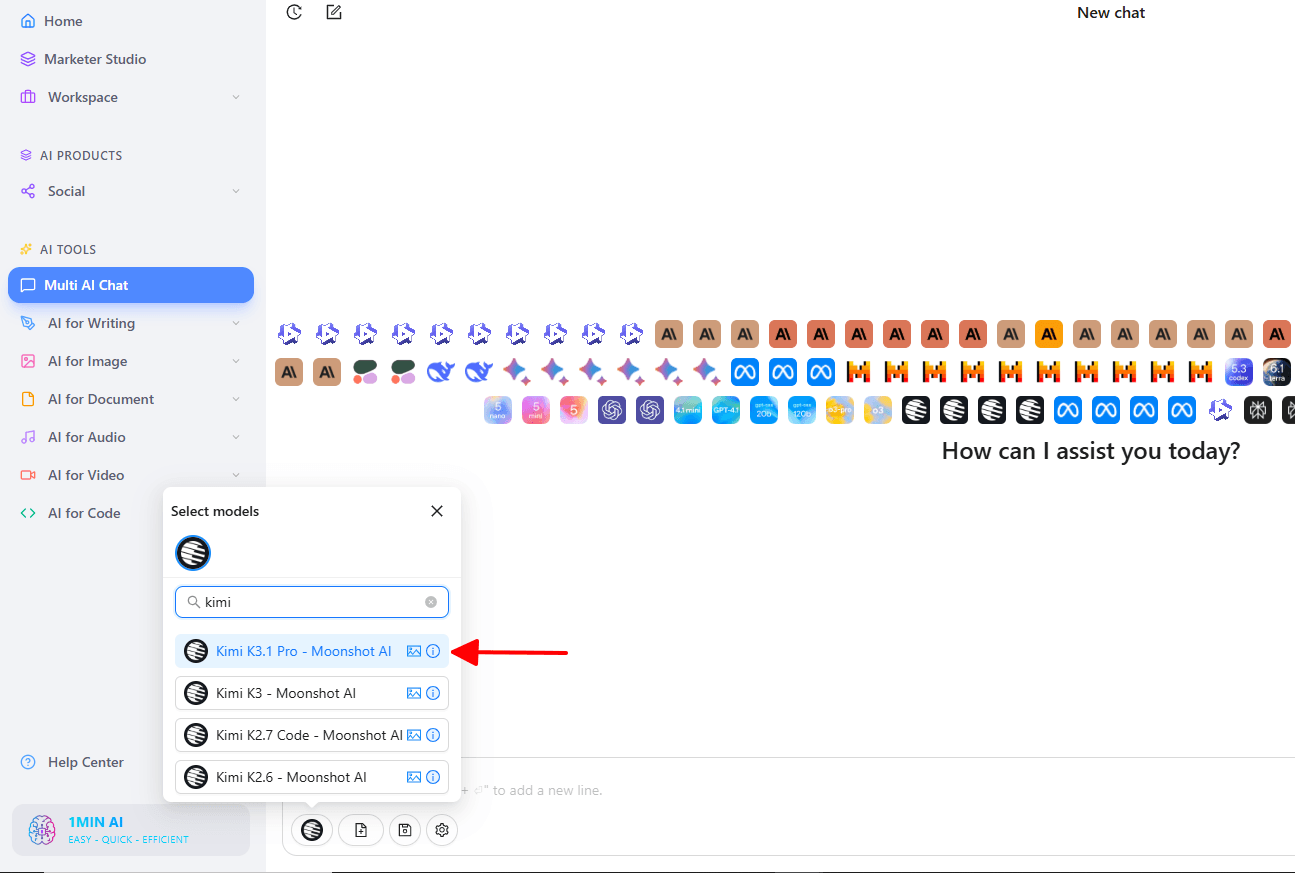
- Open 1min.AI and go to Multi AI Chat.
- Select Kimi K3.1 Pro from the model list.
- Paste a real task, such as a code review, a report or a research brief, and send it.
A short walkthrough of switching between models in one chat window is here:
Want to compare the model with its predecessor? You can also try Kimi K3 on 1min.AI in the same interface.
What Kimi K3.1 Pro Does Best
Long-Horizon Coding
Moonshot built K3.1 Pro for sustained engineering work. It plans, builds and iterates across many steps, from quick fixes in a real codebase to full-project builds. In Moonshot’s own tests it also writes Three.js scenes and scripts for Blender. On 1min.AI, Code Generator is the natural place to test this with your own repository snippets.
Financial Research and Agentic Knowledge Work
K3.1 Pro handles analysis that depends on documents, numbers and tool calling. Moonshot reports state-of-the-art results on OfficeQA Pro v2, a test of fiscal data analysis across real financial documents. It also reports a claim-level hallucination rate of 8.3% on its hard internal factual accuracy stress test, down from 23.4% for K3. That test is deliberately difficult, so the figure does not represent everyday error rates. Use Summarizer and Multi AI Chat to work through filings, reports and market notes, and always verify key figures against the source.
Long-Context Analysis
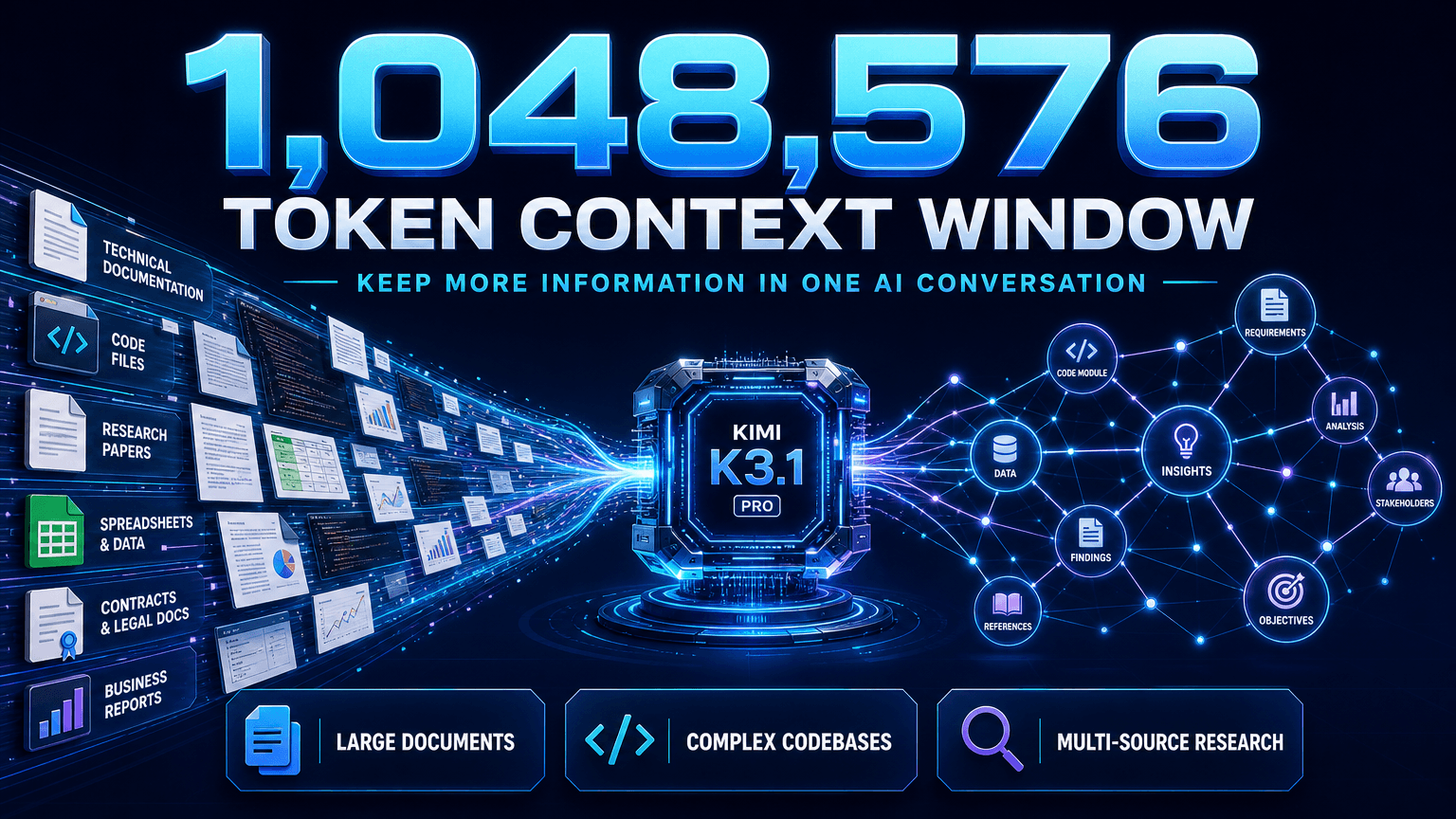
The 1,048,576-token context window lets you keep very large documents or codebases in a single conversation. This suits contract reviews, research synthesis and technical documentation, where splitting the material would lose connections between sections. For multi-file work, this video shows how 1min.AI handles several documents in one chat:
Kimi K3.1 Pro Benchmark Results
The Kimi K3.1 Pro benchmark scores below come from Moonshot’s launch blog. They are company-reported and have not all been independently verified.
| Benchmark | Kimi K3.1 Pro | Claude Opus 5.5 | GPT-6 Astra |
|---|---|---|---|
| Terminal-Bench 4.0 | 65.7 | 66.4 | 58.2 |
| BenchCAD (with tools) | 92.7 | 96.2 | 95.9 |
| OfficeQA Pro v2 | 64.4 | 62.2 | 54.4 |
| HLE-Full (with tools) | 70.0 | 67.7 | 57.2 |
| BrowseComp | 92.1 | 90.8 | 91.5 |
| GPQA-Diamond | 94.2 | 93.9 | 96.1 |
Kimi K3.1 Pro vs Opus 5.5
On the reported numbers, Kimi K3.1 Pro vs Opus 5.5 is a close contest. The two are within one point on Terminal-Bench 4.0, and K3.1 Pro leads on OfficeQA Pro v2, HLE-Full with tools and BrowseComp. Opus 5.5 leads on BenchCAD. The most useful test is your own workload, and with 1min.AI you can run the same prompt through both. Here is a closer look at Claude Opus 5.5 on 1min.AI. For another frontier option, GPT-6 Astra is available too.
Kimi K3.1 Pro API, Price and Credits
Kimi K3.1 Pro API Pricing
For developers, Moonshot offers the model through its API under the identifiers kimi-k3.1-pro and kimi-k3.1-pro-highspeed, with Zero Data Retention available. Launch coverage lists Kimi K3.1 Pro pricing at $2 per million input tokens and $10 per million output tokens. Check Moonshot’s pricing page for current rates.
Kimi K3.1 Pro Credits on 1min.AI
You do not need to manage tokens in the chat interface. 1min.AI estimates usage per page, where one page is about 500 words:
| Usage | Credits |
|---|---|
| Input | 4,002 credits per page |
| Output | 20,010 credits per page |
Moonshot’s K3.1 Pro Highspeed variant is aimed at faster, more responsive interactions. Start with standard K3.1 Pro to judge quality, then decide what your workflow needs.
Frequently Asked Questions
What is Kimi K3.1 Pro?
It is Moonshot AI’s open-weight multimodal reasoning model, post-trained from Kimi K3 for long-horizon coding and agentic knowledge work, with a context window of up to 1,048,576 tokens.
Can I chat with Kimi K3.1 Pro on 1min.AI?
Yes. Select it in Multi AI Chat, or use it inside Keyword Research, Content Generator, Rewriter, Content Expander, Content Shortener, Content Translator, Paraphraser, Summarizer, Grammar Checker, Document Translator, Presentation Generator and Code Generator.
Is Kimi K3.1 Pro open source?
Moonshot describes it as open weight and announced a weight release by November 4, 2026. That is different from publishing all training code and data.
How does Kimi K3.1 Pro compare with Opus 5.5?
Moonshot reports 65.7% on Terminal-Bench 4.0 against 66.4% for Claude Opus 5.5. K3.1 Pro leads on several agentic and finance benchmarks, while Opus 5.5 leads on others.
Can I use Kimi K3.1 Pro with documents?
Yes. Its long context suits large files, and 1min.AI’s Summarizer, Document Translator and Presentation Generator work with it.
Start Chatting With Kimi K3.1 Pro
Kimi K3.1 Pro rewards real tasks: a stubborn bug, a dense report, a multilingual draft, a deck outline. 1min.AI gives you one place to run all of them. Open a chat, send your first prompt and see what it builds.
- #Transaction
Các lựa chọn thay thế
Khám phá các lựa chọn thay thế tốt nhất cho 1minAI và so sánh các tính năng, giá cả và trường hợp sử dụng.

1min.AI và OpenRouter
1min.AI và OpenRouter: So sánh sản phẩm tạo AI sẵn dùng với công cụ API kỹ thuật. Tìm hiểu xem bạn cần một studio sáng tạo không cần mã hóa hay một trung tâm hạ tầng lập trình.
 Ngoc Hong

1min. AI vs Dola AI
Đang tìm một lựa chọn thay thế Dola AI? So sánh 1min.AI vs Dola AI về tạo video, gói miễn phí, giá cả và quyền riêng tư để chọn ứng dụng AI phù hợp.
Ngoc Hong
1minAI vs Hix AI
So sánh 5 lựa chọn thay thế HIX AI cho AI chat, nghiên cứu, viết nội dung, hình ảnh, video, giá cả và quy trình AI linh hoạt.
Ngoc HongCông cụ AI
Khám phá các công cụ AI tốt nhất để tăng cường năng suất, sự sáng tạo và công việc hàng ngày.

Một Sản Phẩm, 10 Creative UGC: AI Giúp Việc Test Nội Dung Dễ Hơn Như Thế Nào
Tạo UGC chân thực hơn với AI UGC video generator, thử nhiều góc sáng tạo hơn và mở rộng nội dung affiliate mà không cần quay từng phiên bản.
 Lien Anh Vu

Tạo nội dung hoạt hình nhất quán chỉ trong vài bước
Tạo video hoạt hình cho TikTok và Reels chỉ với 3 bước đơn giản bằng 1min.AI, từ nghiên cứu ý tưởng đến nhân vật và video hoạt ảnh.
Lien Anh Vu
Top 4 Công cụ AI Giá cả phải chăng cho Nhà sáng lập Startup
Khám phá top 4 công cụ AI giá cả phải chăng dành cho các nhà sáng lập startup để xác thực ý tưởng, xây dựng sản phẩm, tạo nội dung và ra mắt nhanh hơn mà không tốn quá nhiều chi phí.
 Tram Ta
Tính năng AI
Các tính năng AI toàn diện giúp tinh gọn quy trình làm việc, nâng cao hiệu quả và trao quyền cho các nhóm đạt được nhiều hơn.
Một Sản Phẩm, 10 Creative UGC: AI Giúp Việc Test Nội Dung Dễ Hơn Như Thế Nào
Tạo UGC chân thực hơn với AI UGC video generator, thử nhiều góc sáng tạo hơn và mở rộng nội dung affiliate mà không cần quay từng phiên bản.
Lien Anh VuTạo nội dung hoạt hình nhất quán chỉ trong vài bước
Tạo video hoạt hình cho TikTok và Reels chỉ với 3 bước đơn giản bằng 1min.AI, từ nghiên cứu ý tưởng đến nhân vật và video hoạt ảnh.
Lien Anh Vu
1minAI: Công cụ kiểm tra ngữ pháp AI miễn phí
Kiểm tra ngữ pháp miễn phí với công cụ kiểm tra ngữ pháp AI của 1minAI. Phát hiện lỗi ngữ pháp, chính tả và viết, cải thiện độ rõ ràng và trau chuốt nội dung chỉ trong vài giây.
Tram TaCác Trường hợp Sử dụng AI
Một bộ sưu tập các trường hợp sử dụng AI được tuyển chọn cho doanh nghiệp, năng suất và các ứng dụng cụ thể trong ngành.
Một Sản Phẩm, 10 Creative UGC: AI Giúp Việc Test Nội Dung Dễ Hơn Như Thế Nào
Tạo UGC chân thực hơn với AI UGC video generator, thử nhiều góc sáng tạo hơn và mở rộng nội dung affiliate mà không cần quay từng phiên bản.
Lien Anh VuTạo nội dung hoạt hình nhất quán chỉ trong vài bước
Tạo video hoạt hình cho TikTok và Reels chỉ với 3 bước đơn giản bằng 1min.AI, từ nghiên cứu ý tưởng đến nhân vật và video hoạt ảnh.
Lien Anh Vu
Thời Điểm Tốt Nhất Để Đăng Bài Trên Instagram: Hướng Dẫn Thực Tế Để Tăng Tương Tác
Khám phá thời điểm tốt nhất để đăng bài trên Instagram, bao gồm những ngày và giờ tốt nhất cho từng nhóm đối tượng, cùng mẹo để tìm lịch đăng phù hợp nhất cho tài khoản của bạn.
Tram TaHướng dẫn AI
Học cách sử dụng AI với các hướng dẫn thực tế, từng bước.
Tạo nội dung hoạt hình nhất quán chỉ trong vài bước
Tạo video hoạt hình cho TikTok và Reels chỉ với 3 bước đơn giản bằng 1min.AI, từ nghiên cứu ý tưởng đến nhân vật và video hoạt ảnh.
Lien Anh Vu
Ưu đãi công cụ AI Black Friday năm 2026
Khám phá những ưu đãi công cụ AI Black Friday 2026 mang lại. Tìm hiểu cách săn deal trọn đời 1min.AI qua AppSumo, Dealify, Stack Social, và kiểm chứng trên Trustpilot, Slashdot, Software Advice.
 Hang Nguyen

Tính nhất quán sản phẩm từ ảnh sang video bằng AI với Seedance để ngăn méo hình và mở rộng đánh giá sản phẩm
Ngăn logo bị méo với tính nhất quán sản phẩm từ ảnh sang video bằng AI và tạo video đánh giá chuẩn studio trên 1min.AI ngay hôm nay.
Lien Anh VuHướng dẫn về AI
Học AI nhanh hơn với các hướng dẫn thực tế, ví dụ đời thực và các phương pháp hay nhất có thể áp dụng.
Tạo nội dung hoạt hình nhất quán chỉ trong vài bước
Tạo video hoạt hình cho TikTok và Reels chỉ với 3 bước đơn giản bằng 1min.AI, từ nghiên cứu ý tưởng đến nhân vật và video hoạt ảnh.
Lien Anh Vu
Mua an toàn các công cụ AI trực tuyến: Hướng dẫn Black Friday 2026
Khám phá cách tìm và săn các ưu đãi AI Black Friday tốt nhất online. Học chiến lược chuyên gia để tránh lừa đảo, chống mệt mỏi vì đăng ký và xác minh phần mềm.
Hang NguyenTính nhất quán sản phẩm từ ảnh sang video bằng AI với Seedance để ngăn méo hình và mở rộng đánh giá sản phẩm
Ngăn logo bị méo với tính nhất quán sản phẩm từ ảnh sang video bằng AI và tạo video đánh giá chuẩn studio trên 1min.AI ngay hôm nay.
Lien Anh VuGiải pháp AI
Duyệt qua các giải pháp AI tốt nhất cho tự động hóa, viết mã, nghiên cứu, năng suất, hỗ trợ khách hàng, tiếp thị và quy trình làm việc kinh doanh.
Một Sản Phẩm, 10 Creative UGC: AI Giúp Việc Test Nội Dung Dễ Hơn Như Thế Nào
Tạo UGC chân thực hơn với AI UGC video generator, thử nhiều góc sáng tạo hơn và mở rộng nội dung affiliate mà không cần quay từng phiên bản.
Lien Anh VuTạo nội dung hoạt hình nhất quán chỉ trong vài bước
Tạo video hoạt hình cho TikTok và Reels chỉ với 3 bước đơn giản bằng 1min.AI, từ nghiên cứu ý tưởng đến nhân vật và video hoạt ảnh.
Lien Anh Vu
Trình Tạo Hình Xăm AI Miễn Phí: Thiết Kế Tùy Chỉnh
Biến mọi ý tưởng thành mẫu hình xăm tùy chỉnh với trình tạo hình xăm AI miễn phí của 1min.AI. Mô tả ý tưởng, chọn phong cách và tải xuống trong vài giây.
 Trang Tran
Mô hình AI
Khám phá các mô hình AI hàng đầu thế giới tại một nơi.
Một Sản Phẩm, 10 Creative UGC: AI Giúp Việc Test Nội Dung Dễ Hơn Như Thế Nào
Tạo UGC chân thực hơn với AI UGC video generator, thử nhiều góc sáng tạo hơn và mở rộng nội dung affiliate mà không cần quay từng phiên bản.
Lien Anh VuTạo nội dung hoạt hình nhất quán chỉ trong vài bước
Tạo video hoạt hình cho TikTok và Reels chỉ với 3 bước đơn giản bằng 1min.AI, từ nghiên cứu ý tưởng đến nhân vật và video hoạt ảnh.
Lien Anh VuTính nhất quán sản phẩm từ ảnh sang video bằng AI với Seedance để ngăn méo hình và mở rộng đánh giá sản phẩm
Ngăn logo bị méo với tính nhất quán sản phẩm từ ảnh sang video bằng AI và tạo video đánh giá chuẩn studio trên 1min.AI ngay hôm nay.
Lien Anh VuSo sánh AI
So sánh các công cụ, mô hình và nền tảng AI để tìm ra lựa chọn phù hợp nhất cho nhu cầu của bạn.

Kling AI Vs Veo 3: Mô hình nào thắng?
Kling AI vs Veo 3: so sánh chuyển động, âm thanh gốc, giá cả & gói miễn phí để xem trình tạo video AI nào thắng cho dự án của bạn - thử cả hai trên 1min.AI.
Trang TranTính nhất quán sản phẩm từ ảnh sang video bằng AI với Seedance để ngăn méo hình và mở rộng đánh giá sản phẩm
Ngăn logo bị méo với tính nhất quán sản phẩm từ ảnh sang video bằng AI và tạo video đánh giá chuẩn studio trên 1min.AI ngay hôm nay.
Lien Anh Vu
So sánh DeepSeek V4 Pro và Flash
So sánh các chỉ số của DeepSeek V4 Pro và DeepSeek V4 Flash. Tối ưu hóa các ứng dụng agentic của bạn và cải thiện kiểm tra xác thực AI trên 1min.ai ngay hôm nay.
Tích hợp AI
Tích hợp AI liền mạch với các công cụ bạn đã sử dụng để tự động hóa công việc và tăng năng suất.

Cách Sử Dụng Trình Tạo Video Thời Trang AI cho Fashion Week 2026
Biến ý tưởng Fashion Week 2026 thành những video thời trang ấn tượng với AI. Tìm hiểu cách lên ý tưởng, tạo hình ảnh và chuyển ảnh thành video chỉ với một quy trình đơn giản.
Lien Anh Vu
POV: Bạn có hơn 10 bài đăng phải làm mỗi ngày
Tìm hiểu cách xây dựng quy trình nội dung AI giúp người sáng tạo nội dung tạo hơn 10 bài đăng mạng xã hội mỗi ngày nhanh hơn với brainstorming, tạo hình ảnh và sáng tạo nội dung bằng AI.
Lien Anh Vu
Ngừng Chuyển Đổi Giữa Các Ứng Dụng AI: Cách Tích Hợp AI Chuyển Đổi Thương Hiệu Nhà Tuyển Dụng
Khám phá cách tích hợp AI giúp các đội ngũ HR tối ưu hóa thương hiệu nhà tuyển dụng bằng cách kết hợp viết AI, tài liệu, hình ảnh, video và nhiều mô hình AI vào một không gian làm việc duy nhất.
Tram TaAI cho các ngành công nghiệp
Tìm các công cụ và quy trình làm việc AI tốt nhất cho y tế, tài chính, giáo dục, pháp lý, sản xuất, bán lẻ, bất động sản và nhiều lĩnh vực khác.

Trình tạo mô tả sản phẩm AI miễn phí
Viết mô tả sản phẩm thuyết phục chỉ trong vài phút. Dùng trình tạo mô tả sản phẩm AI miễn phí này để biến chi tiết hoặc ảnh thành nội dung đúng giọng thương hiệu. Thử 1min.AI.
Trang Tran
Công Cụ Năng Suất Tốt Nhất Cho Startup Để Tối Đa Hóa Lợi Nhuận | 1minAI
Khám phá các công cụ năng suất kinh doanh tốt nhất cho startup để tiết kiệm thời gian, tối ưu quy trình làm việc, giảm tác vụ lặp lại và hỗ trợ tăng trưởng có lợi nhuận với AI.
Tram Ta
Công Cụ AI Tốt Nhất Cho Content Marketing |1minAI
Bạn đang tìm công cụ AI tốt nhất cho content marketing? Xem cách 1minAI giúp marketer nghiên cứu, viết, tái sử dụng, tạo hình ảnh và mở rộng nội dung từ một không gian làm việc AI duy nhất.
Tram TaTác nhân AI
Khám phá và vận hành các tác nhân AI để tự động hóa các tác vụ trong công việc và cuộc sống hàng ngày của bạn.
1minAI: Công cụ kiểm tra ngữ pháp AI miễn phí
Kiểm tra ngữ pháp miễn phí với công cụ kiểm tra ngữ pháp AI của 1minAI. Phát hiện lỗi ngữ pháp, chính tả và viết, cải thiện độ rõ ràng và trau chuốt nội dung chỉ trong vài giây.
Tram Ta
AI Agents cho Facebook
Sử dụng AI Agent cho Facebook để tạo nội dung, tạo hình ảnh, lên lịch bài đăng và xuất bản từ tài liệu và hội thoại của bạn.
Ngoc Hong
AI Agent vs AI Assistant: Cái nào thực sự giúp designer tiết kiệm thời gian hơn?
Tìm hiểu sự khác nhau giữa AI Agent và AI Assistant, và khám phá giải pháp nào giúp designer tự động hóa công việc lặp lại, giảm số lần chỉnh sửa và tiết kiệm nhiều thời gian hơn.
Lien Anh VuQuy trình AI
Khám phá các quy trình làm việc AI sẵn sàng sử dụng cho năng suất, tiếp thị, bán hàng, hỗ trợ và nhiều hơn nữa.
Một Sản Phẩm, 10 Creative UGC: AI Giúp Việc Test Nội Dung Dễ Hơn Như Thế Nào
Tạo UGC chân thực hơn với AI UGC video generator, thử nhiều góc sáng tạo hơn và mở rộng nội dung affiliate mà không cần quay từng phiên bản.
Lien Anh VuTạo nội dung hoạt hình nhất quán chỉ trong vài bước
Tạo video hoạt hình cho TikTok và Reels chỉ với 3 bước đơn giản bằng 1min.AI, từ nghiên cứu ý tưởng đến nhân vật và video hoạt ảnh.
Lien Anh VuCách Sử Dụng Trình Tạo Video Thời Trang AI cho Fashion Week 2026
Biến ý tưởng Fashion Week 2026 thành những video thời trang ấn tượng với AI. Tìm hiểu cách lên ý tưởng, tạo hình ảnh và chuyển ảnh thành video chỉ với một quy trình đơn giản.
Lien Anh VuBản tin
Đổi mới AI hàng tuần với 1minAI

🔮 Đổi mới AI hàng tuần #142: Grok 4.7, Opus 5.5 & Sonnet 5.5 trên 1min.ai
Truy cập Grok 4.7, Claude Opus 5.5 và Sonnet 5.5 trên 1min.ai. Giảm chi phí thuê bao tới 70% và xử lý hàng triệu token trong một không gian làm việc thống nhất.
Hang Nguyen
🔮 Cập nhật AI hàng tuần #143: Cập nhật GPT-6, GPT-6.1 & Ideogram 4.0 & Ideogram 4.0
Truy cập GPT-6 Sol, Luna, GPT-6.1 Sol và Ideogram 4.0 trên 1min.ai. Nâng độ chính xác kiểu chữ lên 98,4% và giảm độ trễ suy luận 45% trong một nền tảng.
Hang Nguyen
🔮 Cập nhật AI hàng tuần #141: Seedance 2.5 & Stable Audio 3: AI thế hệ mới
Khám phá Seedance 2.0, 2.5 và Stable Audio 3 của StabilityAI trên 1min.ai. Tạo âm thanh chuẩn phòng thu và chuyển động đồng bộ với AI tạo sinh thế hệ mới.
Hang Nguyen