
How to Write Clearer Social Media Briefs for Your Team
Uyen Hoang
20 november 2026
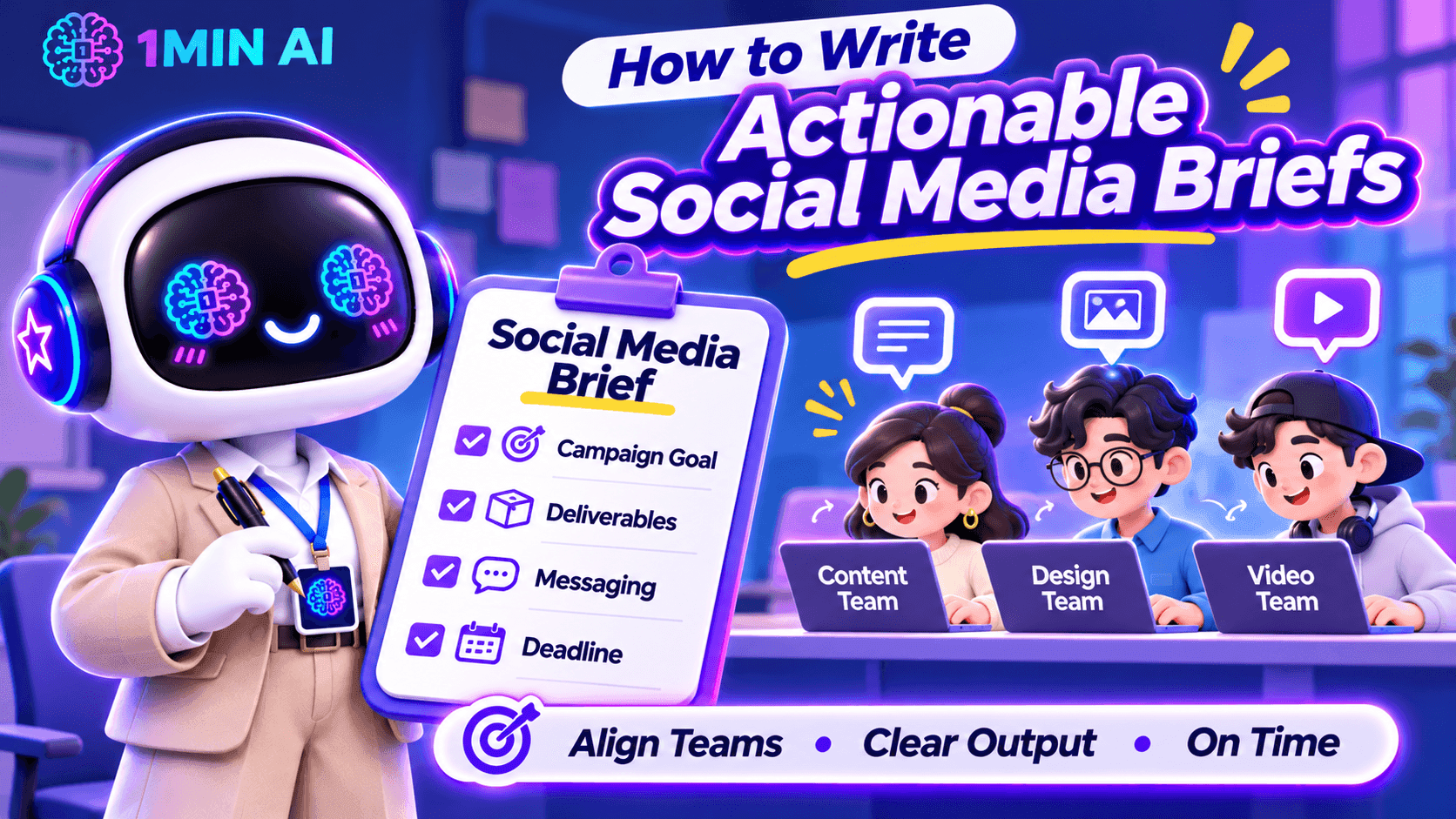
Learn how to write actionable social media briefs that align your content, design, and video teams on campaign goals, deliverables, messaging, and deadlines.
A social media brief can look complete on paper and still leave your team with more questions than answers.
You might tell a designer to create an Instagram carousel, ask a copywriter to write a LinkedIn post, and assign a video editor to produce a short-form video. But when the work comes back, the visuals do not match the campaign direction, the caption misses the intended message, or the video opens with a hook that does not fit the audience.
As a Social Media Manager, this often means spending more time clarifying instructions and requesting revisions than actually managing the campaign. The problem is not necessarily your team's execution. It may be that the brief does not translate your expectations into clear, actionable instructions.
Here is how to write social media briefs that help your team understand not only what to create, but also why it matters and what a successful result should look like.
Start with the Content Objective, Not Just the Deliverable
One common mistake is starting a brief with a list of tasks:
- Create three Instagram posts.
- Write two LinkedIn captions.
- Edit one TikTok video.
- Design a promotional banner.
These instructions explain what needs to be produced, but not what the content is expected to achieve. Without that context, team members may complete the deliverables while missing the actual campaign objective.
Before assigning tasks, define the purpose of each content piece. Is it designed to introduce a new product, increase awareness, drive website traffic, encourage comments, or generate sign-ups?
For example, compare these two instructions:
Vague brief: Create an Instagram carousel about our new AI writing tool.
Clearer brief: Create a five-slide Instagram carousel introducing our new AI writing tool to small business owners. Focus on the time they spend rewriting marketing content and show how the tool can support their workflow. The primary objective is to increase product awareness and encourage users to explore the feature.
The second version gives the team a reason behind the deliverable. The copywriter knows which problem to address, while the designer understands what information the visual needs to communicate.
What to include in your brief:
- Campaign or content objective
- Primary audience
- Main problem or opportunity being addressed
- Desired audience action
- Key message the audience should remember
Define the Target Audience Beyond Basic Demographics
Saying that a post targets people aged 18–35 is rarely enough to guide content creation. Your designer and copywriter need to understand what the audience cares about, what problems they experience, and why they would pay attention to the content.
As a Social Media Manager, you should translate audience research into practical creative direction.
For example, if your audience is small business owners, do not simply write:
“Target audience: Small business owners.”
Give the team more context:
“Target audience: Small business owners who manage their own social media accounts and struggle to produce consistent content while handling daily operations. They value practical tips, affordable tools, and solutions that save time.”
This additional information changes how the team approaches the content. Instead of creating a generic product promotion, the copywriter can focus on time constraints, while the designer can use familiar business scenarios to make the message more relatable.
A useful audience section should answer:
| Question | What the Team Needs to Know |
|---|---|
| Who are we targeting? | Their role, experience level, or relevant audience segment |
| What problem do they face? | A specific frustration, need, or challenge |
| What do they care about? | Their priorities, motivations, and interests |
| What would make them engage? | Useful information, relatable situations, entertainment, or a clear benefit |
Give Each Platform Its Own Content Direction
One campaign does not mean every social platform should receive the same post.
A common challenge for Social Media Managers is adapting one campaign idea across multiple channels without making every piece of content feel like a copy-and-paste version.
For example, a product announcement may require different approaches:
| Platform | Content Direction | What to Prioritize |
|---|---|---|
| Visual-first carousel or Reel | Strong opening visual, concise messaging, and shareability | |
| TikTok | Short-form video | Immediate hook, engaging demonstrations, and natural pacing |
| Professional insight or product use case | Business relevance, practical value, and credibility | |
| Community-oriented post or visual update | Clear information and audience interaction | |
| X | Short, focused post or thread | A strong opening statement and concise messaging |
| Threads | Conversational post | Relatable observations and natural discussion |
These are starting points, not fixed rules. The actual direction should depend on your audience, campaign objective, and the way your brand communicates on each platform.
Your brief should also clarify whether the team is expected to adapt an existing asset or create platform-specific content from scratch.
For example:
“Use the same core campaign message across Instagram and LinkedIn, but do not reuse the exact caption. Instagram should focus on a visual product demonstration, while LinkedIn should explain the business problem and practical application.”
This prevents the team from treating cross-platform distribution as simply resizing a graphic and changing the caption.
Turn Creative Expectations into Specific Instructions
Words such as engaging, eye-catching, modern, and professional appear frequently in social media briefs. However, they are subjective. A designer may interpret “modern” as minimal and clean, while the Social Media Manager expects bold typography, bright colors, and dynamic layouts.
Instead of relying on adjectives, describe what the team should actually produce.
For a design brief, specify:
- Format: Instagram carousel, static post, Story, Reel cover, or other deliverable.
- Dimensions: Required aspect ratio or platform specifications.
- Visual direction: Reference images, layout preferences, color palette, and typography.
- Content hierarchy: Which headline, statistic, product feature, or CTA should receive the most attention.
- Brand requirements: Logo placement, brand colors, fonts, and visual elements that must remain consistent.
For a video brief, include:
- Opening hook: What viewers should see or hear in the first few seconds.
- Scene structure: The main message or action in each scene.
- Pacing: Fast-paced, educational, conversational, or storytelling.
- On-screen text: Key phrases, subtitles, and information that must appear.
- Audio direction: Voiceover, music, sound effects, or dialogue requirements.
- Final CTA: What viewers should do after watching.
You do not need to control every creative decision. The goal is to provide enough direction for the team to make informed decisions without having to guess what you expect.
Include References That Explain What You Want
A reference link can save several rounds of revisions, but simply attaching an example is not enough. Your team needs to know which part of the reference they should follow.
For example, if you share a competitor's Instagram carousel, explain whether you like its storytelling structure, information hierarchy, illustration style, or opening slide.
A useful reference section can look like this:
| Reference | What to Take From It | What to Avoid |
|---|---|---|
| Competitor carousel | Clear slide progression and concise headlines | Copying its exact layout |
| Previous campaign | Consistent brand colors and typography | Reusing outdated messaging |
| TikTok video | Strong opening hook and quick transitions | Its unrelated visual style |
Also distinguish between inspiration and mandatory brand requirements. A reference should guide the creative direction, not automatically become a template that your team must reproduce.
Clarify Deliverables, Deadlines, and Approval Requirements
Even a well-written creative direction can fall apart if the team does not know exactly what needs to be submitted or when.
Instead of writing “Prepare social media content for next week,” break the assignment into specific deliverables.
| Deliverable | Owner | Deadline | Output |
|---|---|---|---|
| Instagram carousel | Designer | Monday, 3 PM | 1 editable design file + exported images |
| Instagram caption | Copywriter | Monday, 3 PM | Final caption with CTA and hashtags |
| TikTok video | Video Editor | Tuesday, 12 PM | Final video with subtitles |
| Content review | Social Media Manager | Tuesday, 4 PM | Consolidated feedback |
| Final approval | Marketing Lead | Wednesday, 10 AM | Approved assets |
You should also define the review process. Who gives the first round of feedback? Who has final approval? Where should team members submit their work? How many revision rounds are expected?
One particularly useful practice is to consolidate feedback before sending it back to the team. When the Social Media Manager, marketing lead, and product team provide separate or conflicting comments, creators can end up revising the same asset multiple times.
A clear approval process helps prevent that situation.
Use AI to Prepare More Actionable Social Media Briefs
Writing a good brief requires more than filling in a template. You need to understand the audience, develop a content angle, communicate the message, and translate campaign goals into instructions different team members can execute.
This is where 1min.AI can support your planning process.
Brainstorm Content Angles with Multi AI Chat
Before writing the brief, you may need to explore different approaches to the same campaign. Multi AI Chat lets you submit a prompt to multiple available AI models and compare their suggestions.
For example, you can compare responses from GPT-4.1, o3, Claude, Gemini, and DeepSeek, depending on model availability in your workspace.
Try this prompt:
“Act as a Social Media Strategist. We are launching a new AI writing tool for small business owners who manage their own social media. Suggest five distinct campaign content angles. For each angle, include the audience pain point, key message, recommended content format, and desired audience action. Avoid generic promotional ideas.”
Comparing the responses can help you identify stronger angles before assigning content to your team.
Turn Campaign Ideas into Clear Instructions with AI for Writing
Once you have selected a direction, use Content Generator in AI for Writing to develop an initial brief structure. You can provide the campaign objective, audience, platform, and key message as input, then refine the output into instructions for your team.
You can also use:
- Rewriter to make unclear instructions more direct and specific.
- Content Expander to add missing context, examples, or creative requirements.
- Content Shortener to remove unnecessary wording and make the brief easier to scan.
For example, you can ask AI to turn a vague instruction such as “Create an engaging product launch post” into a more actionable direction that includes the target audience, content angle, key message, and CTA.
Remember to review the output against your actual campaign strategy. AI can help structure and refine your brief, but it should not invent product claims, campaign objectives, or audience insights.
[GIF 1 – Using Multi AI Chat to brainstorm campaign angles and AI for Writing to refine a social media brief]
A Practical Social Media Brief Template for Your Team
You do not need a complicated document for every social media post. A useful brief should contain enough information for the assigned team member to start working without repeatedly asking for clarification.
Here is a practical structure you can adapt for your next campaign.
| Brief Section | Information to Include |
|---|---|
| Campaign Name | Campaign title and relevant dates |
| Objective | Awareness, engagement, traffic, leads, or conversions |
| Target Audience | Audience segment, pain points, and motivations |
| Key Message | The one takeaway the audience should remember |
| Platform | Instagram, TikTok, LinkedIn, Facebook, X, Threads, etc. |
| Content Format | Carousel, static post, Reel, short-form video, thread, etc. |
| Creative Direction | Tone of voice, visual style, hook, and content structure |
| References | Examples and an explanation of what to take from them |
| CTA | Desired action from the audience |
| Deliverables | Number of assets, formats, copy, and editable files |
| Deadline | Submission and publishing dates |
| Approval | Reviewer, final approver, and feedback process |
Example of a Completed Social Media Brief
Campaign: Introducing an AI Writing Tool
Objective: Increase awareness and encourage small business owners to explore the product.
Target Audience: Small business owners who manage their own social media and struggle to produce consistent marketing content.
Key Message: Create and refine marketing content more efficiently with AI writing tools.
Platform: Instagram and LinkedIn.
Instagram Direction:
- Format: Five-slide carousel.
- Hook: “Still spending hours writing social media captions?”
- Structure: Introduce the problem, show common content challenges, demonstrate relevant product capabilities, and end with a CTA.
- Visual direction: Clean, modern layout with short headlines and clear product screenshots.
- CTA: Explore the AI writing tools.
LinkedIn Direction:
- Format: Single-image post with supporting copy.
- Angle: Explain how small business owners can use AI to support their content workflow.
- Tone: Professional, practical, and informative.
- CTA: Learn more about the product.
Deliverables: Two platform-specific posts, captions, and exported visual assets.
Deadline: First draft by Monday, final approval by Wednesday.
This example gives the team a clear starting point while leaving room for the copywriter and designer to contribute their own creative decisions.
Make Every Social Media Brief Easier to Execute
A good social media brief should reduce uncertainty, not simply document what the Social Media Manager wants. Your team should be able to understand the campaign objective, identify the audience, follow the creative direction, and know exactly what needs to be delivered.
Before sending a brief, ask yourself three questions:
- Can the creator explain why this content is being produced?
- Does the team know what the final deliverable should look like?
- Can someone start working without having to ask basic clarification questions?
If the answer to any of these is no, your brief probably needs more context.
With a clear briefing process and tools like 1min.AI to support brainstorming and content refinement, you can spend less time clarifying instructions and more time focusing on campaign strategy, creative quality, and social media performance.
Alternativ
Upptäck de bästa alternativen till 1minAI och jämför funktioner, priser och användningsområden.

1min.AI vs OpenRouter
1min.AI vs. OpenRouter: Jämför den färdiga AI-skapandeprodukten med det tekniska API-verktyget. Ta reda på om du behöver en kodfri kreativ studio eller en kodinfrastrukturhubb.
 Ngoc Hong

1min.AI vs Jarvis AI
Jämför 1min.AI med Jarvis AI för att upptäcka vilken AI-plattform som är bäst för skrivande, forskning, automatisering och innehållsskapande. Hitta den bästa AI-assistenten för ditt arbetsflöde.
Ngoc Hong
1min. AI vs Dola AI
Letar du efter ett Dola AI-alternativ? Jämför 1min.AI vs Dola AI för videოგenerering, gratisplaner, prissättning och integritet för att välja rätt AI-app.
Ngoc HongAI-verktyg
Upptäck de bästa AI-verktygen för att öka produktiviteten, kreativiteten och ditt dagliga arbete.

Skapa konsekvent tecknad innehåll på bara några steg
Skapa tecknade videor för TikTok och Reels i 3 enkla steg med 1min.AI, från idéresearch till karaktärer och animerade videor.
 Lien Anh Vu

Ett produkt, 10 UGC-kreativer: Så gör AI content-testning enklare
Skapa mer autentiskt UGC med en AI UGC-videogenerator, testa fler kreativa vinklar och skala affiliate-innehåll utan att filma varje version.
Lien Anh Vu
Topp 4 Prisvärda AI-verktyg för startup-grundare
Upptäck de 4 bästa prisvärda AI-verktygen för startup-grundare för att validera idéer, bygga produkter, skapa innehåll och lansera snabbare utan att överskrida budgeten.
 Tram Ta
AI-funktioner
Omfattande AI-funktioner som effektiviserar arbetsflöden, förbättrar effektiviteten och ger team möjlighet att åstadkomma mer.
Skapa konsekvent tecknad innehåll på bara några steg
Skapa tecknade videor för TikTok och Reels i 3 enkla steg med 1min.AI, från idéresearch till karaktärer och animerade videor.
Lien Anh VuEtt produkt, 10 UGC-kreativer: Så gör AI content-testning enklare
Skapa mer autentiskt UGC med en AI UGC-videogenerator, testa fler kreativa vinklar och skala affiliate-innehåll utan att filma varje version.
Lien Anh Vu
1minAI: Gratis AI-grammatikkontroll
Kontrollera grammatiken gratis med 1minAI:s AI-grammatikkontroll. Hitta grammatik-, stavnings- och skrivfel, förbättra tydligheten och finslipa ditt innehåll på några sekunder.
Tram TaAI Användningsfall
En kurerad samling av AI-användningsfall för företag, produktivitet och branschspecifika applikationer.
Skapa konsekvent tecknad innehåll på bara några steg
Skapa tecknade videor för TikTok och Reels i 3 enkla steg med 1min.AI, från idéresearch till karaktärer och animerade videor.
Lien Anh VuEtt produkt, 10 UGC-kreativer: Så gör AI content-testning enklare
Skapa mer autentiskt UGC med en AI UGC-videogenerator, testa fler kreativa vinklar och skala affiliate-innehåll utan att filma varje version.
Lien Anh Vu
Bästa tiden att posta på Instagram: En praktisk guide för bättre engagemang
Upptäck bästa tiden att posta på Instagram, inklusive bästa dagar och tider för olika målgrupper, plus tips för att hitta det perfekta publiceringsschemat för ditt konto.
Tram TaAI-handledningar
Lär dig hur du använder AI med praktiska, steg-för-steg-handledningar
Skapa konsekvent tecknad innehåll på bara några steg
Skapa tecknade videor för TikTok och Reels i 3 enkla steg med 1min.AI, från idéresearch till karaktärer och animerade videor.
Lien Anh Vu
Black Friday AI-verktygsdeals 2026
Upptäck vad Black Friday AI-verktygsdeals 2026 har att erbjuda. Ta reda på hur du säkrar 1min.AI:s lifetime deal via AppSumo, Dealify, Stack Social och verifiera på Trustpilot, Slashdot och Software Advice.
 Hang Nguyen

AI-bild till video för produktkonsistens med Seedance för att stoppa förvrängning och skala produktrecensioner
Stoppa logotypförvrängning med AI-bild till video för produktkonsistens och skapa studioklassade recensionsvideor på 1min.AI i dag.
Lien Anh VuAI-guider
Lär dig AI snabbare med praktiska guider, verkliga exempel och handlingsbara bästa praxis.
Skapa konsekvent tecknad innehåll på bara några steg
Skapa tecknade videor för TikTok och Reels i 3 enkla steg med 1min.AI, från idéresearch till karaktärer och animerade videor.
Lien Anh Vu
Köp AI-verktyg säkert online: Black Friday-guide 2026
Upptäck hur du hittar och säkrar de bästa Black Friday-erbjudandena på AI online. Lär dig experttips för att undvika bedrägerier, motverka prenumerationströtthet och verifiera programvara.
Hang NguyenTopp 4 Prisvärda AI-verktyg för startup-grundare
Upptäck de 4 bästa prisvärda AI-verktygen för startup-grundare för att validera idéer, bygga produkter, skapa innehåll och lansera snabbare utan att överskrida budgeten.
Tram TaAI-lösningar
Bläddra bland de bästa AI-lösningarna för automatisering, kodning, forskning, produktivitet, kundsupport, marknadsföring och affärsprocesser.
Skapa konsekvent tecknad innehåll på bara några steg
Skapa tecknade videor för TikTok och Reels i 3 enkla steg med 1min.AI, från idéresearch till karaktärer och animerade videor.
Lien Anh VuEtt produkt, 10 UGC-kreativer: Så gör AI content-testning enklare
Skapa mer autentiskt UGC med en AI UGC-videogenerator, testa fler kreativa vinklar och skala affiliate-innehåll utan att filma varje version.
Lien Anh Vu
Gratis AI-tatueringsgenerator: Anpassade designer
Förvandla vilken idé som helst till en anpassad tatueringsdesign med 1min.AI:s gratis AI-tatueringsgenerator. Beskriv din idé, välj en stil och ladda ner på sekunder.
 Trang Tran
AI-modeller
Utforska världens ledande AI-modeller på ett ställe.
Skapa konsekvent tecknad innehåll på bara några steg
Skapa tecknade videor för TikTok och Reels i 3 enkla steg med 1min.AI, från idéresearch till karaktärer och animerade videor.
Lien Anh VuEtt produkt, 10 UGC-kreativer: Så gör AI content-testning enklare
Skapa mer autentiskt UGC med en AI UGC-videogenerator, testa fler kreativa vinklar och skala affiliate-innehåll utan att filma varje version.
Lien Anh VuAI-bild till video för produktkonsistens med Seedance för att stoppa förvrängning och skala produktrecensioner
Stoppa logotypförvrängning med AI-bild till video för produktkonsistens och skapa studioklassade recensionsvideor på 1min.AI i dag.
Lien Anh VuAI-jämförelser
Jämför AI-verktyg, modeller och plattformar för att hitta det som passar dina behov bäst.

Kling AI Vs Veo 3: Vilken modell vinner?
Kling AI vs Veo 3: jämför rörelse, inbyggt ljud, priser och gratisnivåer för att se vilken AI-videogenerator som passar ditt projekt bäst - testa båda på 1min.AI.
Trang TranAI-bild till video för produktkonsistens med Seedance för att stoppa förvrängning och skala produktrecensioner
Stoppa logotypförvrängning med AI-bild till video för produktkonsistens och skapa studioklassade recensionsvideor på 1min.AI i dag.
Lien Anh Vu
DeepSeek V4 Pro vs Flash Jämförelse
Jämför DeepSeek V4 Pro vs DeepSeek V4 Flash mätvärden. Optimera dina agentbaserade appar och förbättra AI-faktakontrollen på 1min.ai idag.
AI-integrationer
Integrera sömlöst AI med de verktyg du redan använder för att automatisera arbete och öka produktiviteten.

Hur man använder en AI-fashionsvideogenerator för Fashion Week 2026
Förvandla idéer för Fashion Week 2026 till fantastiska modevideor med AI. Lär dig hur du brainstormar, skapar visuella koncept och omvandlar bilder till videor med ett enkelt arbetsflöde.
Lien Anh Vu
POV: Du har 10+ inlägg att skapa varje dag
Lär dig hur du bygger ett AI-innehållsflöde som hjälper innehållsskapare att producera 10+ inlägg i sociala medier per dag snabbare med AI-brainstorming, bildgenerering och innehållsskapande.
Lien Anh Vu
Sluta växla mellan AI-appar: Hur AI-integration transformerar arbetsgivarvarumärket
Upptäck hur AI-integration hjälper HR-team att effektivisera arbetsgivarvarumärket genom att kombinera AI-skrivning, dokument, bilder, video och flera AI-modeller i en och samma arbetsyta.
Tram TaAI för industrier
Hitta de bästa AI-verktygen och arbetsflödena för hälso- och sjukvård, finans, utbildning, juridik, tillverkning, detaljhandel, fastigheter och mer.

Gratis AI-produktbeskrivningsgenerator
Skriv produktbeskrivningar som säljer på några minuter. Använd denna gratis AI-produktbeskrivningsgenerator för att förvandla detaljer eller ett foto till varumärkesanpassad text. Prova 1min.AI.
Trang Tran
Bästa produktivitetsverktygen för startups för att maximera vinsten | 1minAI
Upptäck de bästa produktivitetsverktygen för startups för att spara tid, effektivisera arbetsflöden, minska repetitiva uppgifter och stödja lönsam tillväxt med AI.
Tram Ta
Bästa AI-verktyget för content marketing |1minAI
Letar du efter det bästa AI-verktyget för content marketing? Se hur 1minAI hjälper marknadsförare att forska, skriva, återanvända, skapa visuellt innehåll och skala content från ett och samma AI-arbetsutrymme.
Tram TaAI-agenter
Upptäck och kör AI-agenter för att automatisera uppgifter i ditt arbete och vardag.
1minAI: Gratis AI-grammatikkontroll
Kontrollera grammatiken gratis med 1minAI:s AI-grammatikkontroll. Hitta grammatik-, stavnings- och skrivfel, förbättra tydligheten och finslipa ditt innehåll på några sekunder.
Tram Ta
AI-agenter för Facebook
Använd en AI-agent för Facebook för att skapa innehåll, generera bilder, schemalägga inlägg och publicera från dina dokument och konversationer.
Ngoc Hong
AI-agent vs AI-assistent: Vilken sparar faktiskt designers mest tid?
Lär dig skillnaden mellan AI-agent och AI-assistent och upptäck vilken lösning som hjälper designers att automatisera repetitivt arbete, minska antalet revisioner och spara mer tid.
Lien Anh VuAI-arbetsflöden
Utforska färdiga AI-arbetsflöden för produktivitet, marknadsföring, försäljning, support och mer.
Skapa konsekvent tecknad innehåll på bara några steg
Skapa tecknade videor för TikTok och Reels i 3 enkla steg med 1min.AI, från idéresearch till karaktärer och animerade videor.
Lien Anh VuEtt produkt, 10 UGC-kreativer: Så gör AI content-testning enklare
Skapa mer autentiskt UGC med en AI UGC-videogenerator, testa fler kreativa vinklar och skala affiliate-innehåll utan att filma varje version.
Lien Anh VuHur man använder en AI-fashionsvideogenerator för Fashion Week 2026
Förvandla idéer för Fashion Week 2026 till fantastiska modevideor med AI. Lär dig hur du brainstormar, skapar visuella koncept och omvandlar bilder till videor med ett enkelt arbetsflöde.
Lien Anh VuNyhetsbrev
Veckovisa AI-innovationer med 1minAI

🔮 Veckans AI-innovationer #142: Grok 4.7, Opus 5.5 & Sonnet 5.5 på 1min.ai
Få tillgång till Grok 4.7, Claude Opus 5.5 och Sonnet 5.5 på 1min.ai. Sänk prenumerationskostnaderna med upp till 70 % och bearbeta miljontals token i ett enda enhetligt arbetsutrymme.
Hang Nguyen
🔮 Veckans AI-innovationer #143: Uppdatering Uppdatering GPT-6, GPT-6.1 & Ideogram 4.0 & Ideogram 4.0
Få tillgång till GPT-6 Sol, Luna, GPT-6.1 Sol och Ideogram 4.0 på 1min.ai. Öka typografisk precision till 98,4 % och minska resonanslatensen med 45 % i en enda plattform.
Hang Nguyen
🔮 Veckans AI-innovationer #141: Seedance 2.5 & Stable Audio 3: AI i nästa generation
Utforska Seedance 2.0, 2.5 och StabilityAI:s Stable Audio 3 på 1min.ai. Skapa ljud i studioklass och synkroniserad rörelse med generativ AI i nästa generation.
Hang Nguyen