
How to Write Clearer Social Media Briefs for Your Team
Uyen Hoang
20 listopada 2026
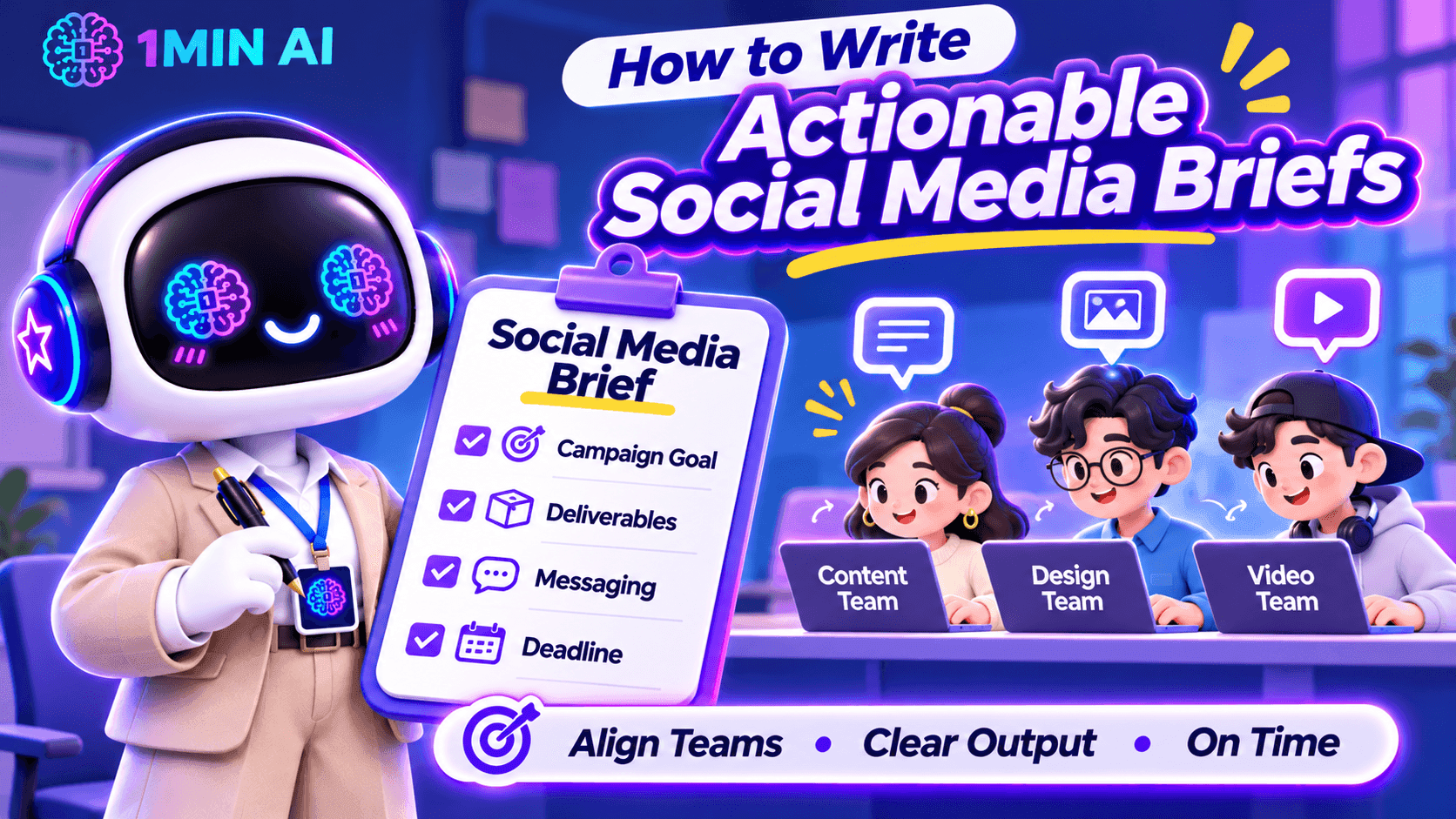
Learn how to write actionable social media briefs that align your content, design, and video teams on campaign goals, deliverables, messaging, and deadlines.
A social media brief can look complete on paper and still leave your team with more questions than answers.
You might tell a designer to create an Instagram carousel, ask a copywriter to write a LinkedIn post, and assign a video editor to produce a short-form video. But when the work comes back, the visuals do not match the campaign direction, the caption misses the intended message, or the video opens with a hook that does not fit the audience.
As a Social Media Manager, this often means spending more time clarifying instructions and requesting revisions than actually managing the campaign. The problem is not necessarily your team's execution. It may be that the brief does not translate your expectations into clear, actionable instructions.
Here is how to write social media briefs that help your team understand not only what to create, but also why it matters and what a successful result should look like.
Start with the Content Objective, Not Just the Deliverable
One common mistake is starting a brief with a list of tasks:
- Create three Instagram posts.
- Write two LinkedIn captions.
- Edit one TikTok video.
- Design a promotional banner.
These instructions explain what needs to be produced, but not what the content is expected to achieve. Without that context, team members may complete the deliverables while missing the actual campaign objective.
Before assigning tasks, define the purpose of each content piece. Is it designed to introduce a new product, increase awareness, drive website traffic, encourage comments, or generate sign-ups?
For example, compare these two instructions:
Vague brief: Create an Instagram carousel about our new AI writing tool.
Clearer brief: Create a five-slide Instagram carousel introducing our new AI writing tool to small business owners. Focus on the time they spend rewriting marketing content and show how the tool can support their workflow. The primary objective is to increase product awareness and encourage users to explore the feature.
The second version gives the team a reason behind the deliverable. The copywriter knows which problem to address, while the designer understands what information the visual needs to communicate.
What to include in your brief:
- Campaign or content objective
- Primary audience
- Main problem or opportunity being addressed
- Desired audience action
- Key message the audience should remember
Define the Target Audience Beyond Basic Demographics
Saying that a post targets people aged 18–35 is rarely enough to guide content creation. Your designer and copywriter need to understand what the audience cares about, what problems they experience, and why they would pay attention to the content.
As a Social Media Manager, you should translate audience research into practical creative direction.
For example, if your audience is small business owners, do not simply write:
“Target audience: Small business owners.”
Give the team more context:
“Target audience: Small business owners who manage their own social media accounts and struggle to produce consistent content while handling daily operations. They value practical tips, affordable tools, and solutions that save time.”
This additional information changes how the team approaches the content. Instead of creating a generic product promotion, the copywriter can focus on time constraints, while the designer can use familiar business scenarios to make the message more relatable.
A useful audience section should answer:
| Question | What the Team Needs to Know |
|---|---|
| Who are we targeting? | Their role, experience level, or relevant audience segment |
| What problem do they face? | A specific frustration, need, or challenge |
| What do they care about? | Their priorities, motivations, and interests |
| What would make them engage? | Useful information, relatable situations, entertainment, or a clear benefit |
Give Each Platform Its Own Content Direction
One campaign does not mean every social platform should receive the same post.
A common challenge for Social Media Managers is adapting one campaign idea across multiple channels without making every piece of content feel like a copy-and-paste version.
For example, a product announcement may require different approaches:
| Platform | Content Direction | What to Prioritize |
|---|---|---|
| Visual-first carousel or Reel | Strong opening visual, concise messaging, and shareability | |
| TikTok | Short-form video | Immediate hook, engaging demonstrations, and natural pacing |
| Professional insight or product use case | Business relevance, practical value, and credibility | |
| Community-oriented post or visual update | Clear information and audience interaction | |
| X | Short, focused post or thread | A strong opening statement and concise messaging |
| Threads | Conversational post | Relatable observations and natural discussion |
These are starting points, not fixed rules. The actual direction should depend on your audience, campaign objective, and the way your brand communicates on each platform.
Your brief should also clarify whether the team is expected to adapt an existing asset or create platform-specific content from scratch.
For example:
“Use the same core campaign message across Instagram and LinkedIn, but do not reuse the exact caption. Instagram should focus on a visual product demonstration, while LinkedIn should explain the business problem and practical application.”
This prevents the team from treating cross-platform distribution as simply resizing a graphic and changing the caption.
Turn Creative Expectations into Specific Instructions
Words such as engaging, eye-catching, modern, and professional appear frequently in social media briefs. However, they are subjective. A designer may interpret “modern” as minimal and clean, while the Social Media Manager expects bold typography, bright colors, and dynamic layouts.
Instead of relying on adjectives, describe what the team should actually produce.
For a design brief, specify:
- Format: Instagram carousel, static post, Story, Reel cover, or other deliverable.
- Dimensions: Required aspect ratio or platform specifications.
- Visual direction: Reference images, layout preferences, color palette, and typography.
- Content hierarchy: Which headline, statistic, product feature, or CTA should receive the most attention.
- Brand requirements: Logo placement, brand colors, fonts, and visual elements that must remain consistent.
For a video brief, include:
- Opening hook: What viewers should see or hear in the first few seconds.
- Scene structure: The main message or action in each scene.
- Pacing: Fast-paced, educational, conversational, or storytelling.
- On-screen text: Key phrases, subtitles, and information that must appear.
- Audio direction: Voiceover, music, sound effects, or dialogue requirements.
- Final CTA: What viewers should do after watching.
You do not need to control every creative decision. The goal is to provide enough direction for the team to make informed decisions without having to guess what you expect.
Include References That Explain What You Want
A reference link can save several rounds of revisions, but simply attaching an example is not enough. Your team needs to know which part of the reference they should follow.
For example, if you share a competitor's Instagram carousel, explain whether you like its storytelling structure, information hierarchy, illustration style, or opening slide.
A useful reference section can look like this:
| Reference | What to Take From It | What to Avoid |
|---|---|---|
| Competitor carousel | Clear slide progression and concise headlines | Copying its exact layout |
| Previous campaign | Consistent brand colors and typography | Reusing outdated messaging |
| TikTok video | Strong opening hook and quick transitions | Its unrelated visual style |
Also distinguish between inspiration and mandatory brand requirements. A reference should guide the creative direction, not automatically become a template that your team must reproduce.
Clarify Deliverables, Deadlines, and Approval Requirements
Even a well-written creative direction can fall apart if the team does not know exactly what needs to be submitted or when.
Instead of writing “Prepare social media content for next week,” break the assignment into specific deliverables.
| Deliverable | Owner | Deadline | Output |
|---|---|---|---|
| Instagram carousel | Designer | Monday, 3 PM | 1 editable design file + exported images |
| Instagram caption | Copywriter | Monday, 3 PM | Final caption with CTA and hashtags |
| TikTok video | Video Editor | Tuesday, 12 PM | Final video with subtitles |
| Content review | Social Media Manager | Tuesday, 4 PM | Consolidated feedback |
| Final approval | Marketing Lead | Wednesday, 10 AM | Approved assets |
You should also define the review process. Who gives the first round of feedback? Who has final approval? Where should team members submit their work? How many revision rounds are expected?
One particularly useful practice is to consolidate feedback before sending it back to the team. When the Social Media Manager, marketing lead, and product team provide separate or conflicting comments, creators can end up revising the same asset multiple times.
A clear approval process helps prevent that situation.
Use AI to Prepare More Actionable Social Media Briefs
Writing a good brief requires more than filling in a template. You need to understand the audience, develop a content angle, communicate the message, and translate campaign goals into instructions different team members can execute.
This is where 1min.AI can support your planning process.
Brainstorm Content Angles with Multi AI Chat
Before writing the brief, you may need to explore different approaches to the same campaign. Multi AI Chat lets you submit a prompt to multiple available AI models and compare their suggestions.
For example, you can compare responses from GPT-4.1, o3, Claude, Gemini, and DeepSeek, depending on model availability in your workspace.
Try this prompt:
“Act as a Social Media Strategist. We are launching a new AI writing tool for small business owners who manage their own social media. Suggest five distinct campaign content angles. For each angle, include the audience pain point, key message, recommended content format, and desired audience action. Avoid generic promotional ideas.”
Comparing the responses can help you identify stronger angles before assigning content to your team.
Turn Campaign Ideas into Clear Instructions with AI for Writing
Once you have selected a direction, use Content Generator in AI for Writing to develop an initial brief structure. You can provide the campaign objective, audience, platform, and key message as input, then refine the output into instructions for your team.
You can also use:
- Rewriter to make unclear instructions more direct and specific.
- Content Expander to add missing context, examples, or creative requirements.
- Content Shortener to remove unnecessary wording and make the brief easier to scan.
For example, you can ask AI to turn a vague instruction such as “Create an engaging product launch post” into a more actionable direction that includes the target audience, content angle, key message, and CTA.
Remember to review the output against your actual campaign strategy. AI can help structure and refine your brief, but it should not invent product claims, campaign objectives, or audience insights.
[GIF 1 – Using Multi AI Chat to brainstorm campaign angles and AI for Writing to refine a social media brief]
A Practical Social Media Brief Template for Your Team
You do not need a complicated document for every social media post. A useful brief should contain enough information for the assigned team member to start working without repeatedly asking for clarification.
Here is a practical structure you can adapt for your next campaign.
| Brief Section | Information to Include |
|---|---|
| Campaign Name | Campaign title and relevant dates |
| Objective | Awareness, engagement, traffic, leads, or conversions |
| Target Audience | Audience segment, pain points, and motivations |
| Key Message | The one takeaway the audience should remember |
| Platform | Instagram, TikTok, LinkedIn, Facebook, X, Threads, etc. |
| Content Format | Carousel, static post, Reel, short-form video, thread, etc. |
| Creative Direction | Tone of voice, visual style, hook, and content structure |
| References | Examples and an explanation of what to take from them |
| CTA | Desired action from the audience |
| Deliverables | Number of assets, formats, copy, and editable files |
| Deadline | Submission and publishing dates |
| Approval | Reviewer, final approver, and feedback process |
Example of a Completed Social Media Brief
Campaign: Introducing an AI Writing Tool
Objective: Increase awareness and encourage small business owners to explore the product.
Target Audience: Small business owners who manage their own social media and struggle to produce consistent marketing content.
Key Message: Create and refine marketing content more efficiently with AI writing tools.
Platform: Instagram and LinkedIn.
Instagram Direction:
- Format: Five-slide carousel.
- Hook: “Still spending hours writing social media captions?”
- Structure: Introduce the problem, show common content challenges, demonstrate relevant product capabilities, and end with a CTA.
- Visual direction: Clean, modern layout with short headlines and clear product screenshots.
- CTA: Explore the AI writing tools.
LinkedIn Direction:
- Format: Single-image post with supporting copy.
- Angle: Explain how small business owners can use AI to support their content workflow.
- Tone: Professional, practical, and informative.
- CTA: Learn more about the product.
Deliverables: Two platform-specific posts, captions, and exported visual assets.
Deadline: First draft by Monday, final approval by Wednesday.
This example gives the team a clear starting point while leaving room for the copywriter and designer to contribute their own creative decisions.
Make Every Social Media Brief Easier to Execute
A good social media brief should reduce uncertainty, not simply document what the Social Media Manager wants. Your team should be able to understand the campaign objective, identify the audience, follow the creative direction, and know exactly what needs to be delivered.
Before sending a brief, ask yourself three questions:
- Can the creator explain why this content is being produced?
- Does the team know what the final deliverable should look like?
- Can someone start working without having to ask basic clarification questions?
If the answer to any of these is no, your brief probably needs more context.
With a clear briefing process and tools like 1min.AI to support brainstorming and content refinement, you can spend less time clarifying instructions and more time focusing on campaign strategy, creative quality, and social media performance.
Alternatywy
Odkryj najlepsze alternatywy dla 1minAI i porównaj funkcje, ceny oraz przypadki użycia.

1min.AI kontra OpenRouter
1min.AI kontra OpenRouter: Porównaj gotowy do użycia produkt do tworzenia AI z technicznym narzędziem API. Dowiedz się, czy potrzebujesz kreatywnego studia bez kodowania, czy centrum infrastruktury do kodowania.
 Ngoc Hong

1min.AI kontra Jarvis AI
Porównaj 1min.AI z Jarvis AI, aby odkryć, która platforma AI jest lepsza do pisania, badań, automatyzacji i tworzenia treści. Znajdź najlepszego asystenta AI dla swojego przepływu pracy.
Ngoc Hong
1min. AI vs Dola AI
Szukasz alternatywy dla Dola AI? Porównaj 1min.AI i Dola AI pod kątem generowania wideo, darmowych planów, cen i prywatności, aby wybrać właściwą aplikację AI.
Ngoc HongNarzędzia AI
Odkryj najlepsze narzędzia AI, aby zwiększyć produktywność, kreatywność i codzienną pracę.

Jeden produkt, 10 kreacji UGC: Jak AI ułatwia testowanie treści
Twórz bardziej autentyczne UGC dzięki generatorowi wideo UGC AI, testuj więcej kreatywnych kątów i skaluj treści afiliacyjne bez filmowania każdej wersji.
 Lien Anh Vu

Twórz spójne treści cartoon w zaledwie kilku krokach
Twórz filmy cartoon na TikToka i Reels w 3 prostych krokach z 1min.AI — od researchu pomysłów po postacie i animowane wideo.
Lien Anh Vu
Top 4 Niedrogie Narzędzia AI dla Założycieli Startupów
Odkryj 4 najlepsze niedrogie narzędzia AI dla założycieli startupów, które pomogą zweryfikować pomysły, budować produkty, tworzyć treści i szybciej startować bez nadmiernych wydatków.
 Tram Ta
Funkcje AI
Kompleksowe funkcje AI, które usprawniają przepływy pracy, poprawiają wydajność i umożliwiają zespołom osiąganie więcej.
Jeden produkt, 10 kreacji UGC: Jak AI ułatwia testowanie treści
Twórz bardziej autentyczne UGC dzięki generatorowi wideo UGC AI, testuj więcej kreatywnych kątów i skaluj treści afiliacyjne bez filmowania każdej wersji.
Lien Anh VuTwórz spójne treści cartoon w zaledwie kilku krokach
Twórz filmy cartoon na TikToka i Reels w 3 prostych krokach z 1min.AI — od researchu pomysłów po postacie i animowane wideo.
Lien Anh Vu
1minAI: Darmowy AI korektor gramatyczny
Sprawdź gramatykę za darmo z AI korektorem gramatycznym 1minAI. Wykrywaj błędy gramatyczne, ortograficzne i stylistyczne, poprawiaj klarowność i dopracuj treść w kilka sekund.
Tram TaPrzykłady zastosowań AI
Wyselekcjonowana kolekcja przypadków użycia AI dla biznesu, produktywności i zastosowań branżowych.
Jeden produkt, 10 kreacji UGC: Jak AI ułatwia testowanie treści
Twórz bardziej autentyczne UGC dzięki generatorowi wideo UGC AI, testuj więcej kreatywnych kątów i skaluj treści afiliacyjne bez filmowania każdej wersji.
Lien Anh VuTwórz spójne treści cartoon w zaledwie kilku krokach
Twórz filmy cartoon na TikToka i Reels w 3 prostych krokach z 1min.AI — od researchu pomysłów po postacie i animowane wideo.
Lien Anh Vu
Najlepszy czas na publikację na Instagramie: praktyczny przewodnik po lepszym zaangażowaniu
Odkryj najlepszy czas na publikację na Instagramie, w tym najlepsze dni i godziny dla różnych odbiorców, a także wskazówki, jak znaleźć idealny harmonogram publikacji dla Twojego konta.
Tram TaSamouczki AI
Naucz się korzystać z AI dzięki praktycznym samouczkom krok po kroku.
Twórz spójne treści cartoon w zaledwie kilku krokach
Twórz filmy cartoon na TikToka i Reels w 3 prostych krokach z 1min.AI — od researchu pomysłów po postacie i animowane wideo.
Lien Anh Vu
Oferty Black Friday na narzędzia AI w 2026 roku
Odkryj, co oferują oferty Black Friday na narzędzia AI w 2026 roku. Dowiedz się, jak zdobyć dożywotnią ofertę 1min.AI przez AppSumo, Dealify i Stack Social oraz jak zweryfikować ją na Trustpilot, Slashdot i Software Advice.
 Hang Nguyen

Spójność produktu w AI Image to Video z Seedance, aby zatrzymać deformacje i skalować recenzje produktów
Zatrzymaj deformacje logotypów dzięki spójności produktu AI image to video i twórz dziś materiały recenzenckie w jakości studyjnej na 1min.AI.
Lien Anh VuPoradniki AI
Ucz się AI szybciej dzięki praktycznym przewodnikom, rzeczywistym przykładom i praktycznym najlepszym praktykom.
Twórz spójne treści cartoon w zaledwie kilku krokach
Twórz filmy cartoon na TikToka i Reels w 3 prostych krokach z 1min.AI — od researchu pomysłów po postacie i animowane wideo.
Lien Anh Vu
Bezpieczny zakup narzędzi AI online: przewodnik na Black Friday 2026
Dowiedz się, jak znaleźć i zabezpieczyć najlepsze okazje na AI w Black Friday online. Poznaj sprawdzone strategie, by unikać oszustw, walczyć z subskrypcyjnym zmęczeniem i weryfikować oprogramowanie.
Hang NguyenTop 4 Niedrogie Narzędzia AI dla Założycieli Startupów
Odkryj 4 najlepsze niedrogie narzędzia AI dla założycieli startupów, które pomogą zweryfikować pomysły, budować produkty, tworzyć treści i szybciej startować bez nadmiernych wydatków.
Tram TaRozwiązania AI
Przeglądaj najlepsze rozwiązania AI dla automatyzacji, kodowania, badań, produktywności, obsługi klienta, marketingu i przepływów pracy biznesowych.
Jeden produkt, 10 kreacji UGC: Jak AI ułatwia testowanie treści
Twórz bardziej autentyczne UGC dzięki generatorowi wideo UGC AI, testuj więcej kreatywnych kątów i skaluj treści afiliacyjne bez filmowania każdej wersji.
Lien Anh VuTwórz spójne treści cartoon w zaledwie kilku krokach
Twórz filmy cartoon na TikToka i Reels w 3 prostych krokach z 1min.AI — od researchu pomysłów po postacie i animowane wideo.
Lien Anh Vu
Darmowy generator tatuaży AI: projekty na zamówienie
Przekształć każdy pomysł w indywidualny projekt tatuażu dzięki darmowemu generatorowi tatuaży AI od 1min.AI. Opisz swój pomysł, wybierz styl i pobierz w kilka sekund.
 Trang Tran
Modele AI
Odkryj wiodące modele AI na świecie w jednym miejscu.
Jeden produkt, 10 kreacji UGC: Jak AI ułatwia testowanie treści
Twórz bardziej autentyczne UGC dzięki generatorowi wideo UGC AI, testuj więcej kreatywnych kątów i skaluj treści afiliacyjne bez filmowania każdej wersji.
Lien Anh VuTwórz spójne treści cartoon w zaledwie kilku krokach
Twórz filmy cartoon na TikToka i Reels w 3 prostych krokach z 1min.AI — od researchu pomysłów po postacie i animowane wideo.
Lien Anh VuSpójność produktu w AI Image to Video z Seedance, aby zatrzymać deformacje i skalować recenzje produktów
Zatrzymaj deformacje logotypów dzięki spójności produktu AI image to video i twórz dziś materiały recenzenckie w jakości studyjnej na 1min.AI.
Lien Anh VuPorównania AI
Porównaj narzędzia, modele i platformy AI, aby znaleźć najlepsze dopasowanie do swoich potrzeb.

Kling AI vs Veo 3: Który model wygrywa?
Kling AI vs Veo 3: porównaj ruch, natywne audio, ceny i darmowe plany, aby sprawdzić, który generator wideo AI wygra w Twoim projekcie — wypróbuj oba w 1min.AI.
Trang TranSpójność produktu w AI Image to Video z Seedance, aby zatrzymać deformacje i skalować recenzje produktów
Zatrzymaj deformacje logotypów dzięki spójności produktu AI image to video i twórz dziś materiały recenzenckie w jakości studyjnej na 1min.AI.
Lien Anh Vu
Porównanie DeepSeek V4 Pro vs Flash
Porównaj metryki DeepSeek V4 Pro vs DeepSeek V4 Flash. Zoptymalizuj swoje aplikacje agentowe i popraw weryfikację faktów AI na 1min.ai już dziś.
Integracje AI
Bezproblemowo integruj AI z narzędziami, których już używasz, aby automatyzować pracę i zwiększać produktywność.

Jak używać generatora wideo modowego AI na Fashion Week 2026
Przekształć pomysły na Fashion Week 2026 w zachwycające filmy modowe dzięki AI. Dowiedz się, jak burzyć pomysły, tworzyć wizualizacje i zamieniać obrazy w filmy w jednym prostym workflow.
Lien Anh Vu
POV: Masz ponad 10 postów do stworzenia każdego dnia
Dowiedz się, jak zbudować workflow treści AI, który pomaga twórcom treści szybciej tworzyć ponad 10 postów w mediach społecznościowych dziennie dzięki burzy mózgów z AI, generowaniu obrazów i tworzeniu treści.
Lien Anh Vu
Przestań przełączać się między aplikacjami AI: jak integracja AI zmienia Employer Branding
Odkryj, jak integracja AI pomaga zespołom HR usprawnić employer branding, łącząc pisanie AI, dokumenty, obrazy, wideo i wiele modeli AI w jednym obszarze roboczym.
Tram TaAI dla Przemysłu
Znajdź najlepsze narzędzia i przepływy pracy AI dla opieki zdrowotnej, finansów, edukacji, prawa, produkcji, handlu detalicznego, nieruchomości i innych.

Darmowy generator opisów produktów AI
Pisz opisy produktów, które sprzedają, w kilka minut. Użyj tego darmowego generatora opisów produktów AI, aby zamienić szczegóły lub zdjęcie w tekst zgodny z marką. Wypróbuj 1min.AI.
Trang Tran
Najlepsze narzędzia do produktywności biznesowej dla startupów, by maksymalizować zyski | 1minAI
Odkryj najlepsze narzędzia do produktywności biznesowej dla startupów, aby oszczędzać czas, usprawniać przepływy pracy, ograniczać powtarzalne zadania i wspierać rentowny wzrost dzięki AI.
Tram Ta
Najlepsze narzędzie AI do content marketingu |1minAI
Szukasz najlepszego narzędzia AI do content marketingu? Zobacz, jak 1minAI pomaga marketerom badać, pisać, przerabiać, tworzyć grafiki i skalować treści w jednym środowisku AI.
Tram TaAgenci AI
Odkrywaj i uruchamiaj agentów AI, aby automatyzować zadania w pracy i życiu codziennym.
1minAI: Darmowy AI korektor gramatyczny
Sprawdź gramatykę za darmo z AI korektorem gramatycznym 1minAI. Wykrywaj błędy gramatyczne, ortograficzne i stylistyczne, poprawiaj klarowność i dopracuj treść w kilka sekund.
Tram Ta
Agenci AI dla Facebooka
Użyj Agenta AI do Facebooka, aby tworzyć treści, generować obrazy, planować posty i publikować materiały na podstawie dokumentów oraz rozmów.
Ngoc Hong
AI Agent vs AI Assistant: Który naprawdę oszczędza designerom więcej czasu?
Poznaj różnicę między AI Agent vs AI Assistant i sprawdź, które rozwiązanie pomaga designerom automatyzować powtarzalną pracę, ograniczać poprawki i oszczędzać więcej czasu.
Lien Anh VuPrzepływy pracy AI
Poznaj gotowe do użycia przepływy pracy AI dla produktywności, marketingu, sprzedaży, wsparcia i wielu innych.
Jeden produkt, 10 kreacji UGC: Jak AI ułatwia testowanie treści
Twórz bardziej autentyczne UGC dzięki generatorowi wideo UGC AI, testuj więcej kreatywnych kątów i skaluj treści afiliacyjne bez filmowania każdej wersji.
Lien Anh VuTwórz spójne treści cartoon w zaledwie kilku krokach
Twórz filmy cartoon na TikToka i Reels w 3 prostych krokach z 1min.AI — od researchu pomysłów po postacie i animowane wideo.
Lien Anh VuJak używać generatora wideo modowego AI na Fashion Week 2026
Przekształć pomysły na Fashion Week 2026 w zachwycające filmy modowe dzięki AI. Dowiedz się, jak burzyć pomysły, tworzyć wizualizacje i zamieniać obrazy w filmy w jednym prostym workflow.
Lien Anh VuNewsletter
Cotygodniowe innowacje AI z 1minAI

🔮 Tygodniowe nowości AI #142: Grok 4.7, Opus 5.5 i Sonnet 5.5 w 1min.ai
Uzyskaj dostęp do Grok 4.7, Claude Opus 5.5 i Sonnet 5.5 w 1min.ai. Obniż koszty subskrypcji nawet o 70% i przetwarzaj miliony tokenów w jednym, ujednoliconym środowisku pracy.
Hang Nguyen
🔮 Tygodniowe innowacje AI #143: Aktualizacja Aktualizacja GPT-6, GPT-6.1 i Ideogram 4.0 & Ideogram 4.0
Uzyskaj dostęp do GPT-6 Sol, Luna, GPT-6.1 Sol i Ideogram 4.0 na 1min.ai. Zwiększ dokładność typografii do 98,4% i skróć opóźnienie wnioskowania o 45% na jednej platformie.
Hang Nguyen
🔮 Cotygodniowe innowacje AI #141: Seedance 2.5 i Stable Audio 3: AI nowej generacji
Odkryj Seedance 2.0, 2.5 oraz Stable Audio 3 od StabilityAI na 1min.ai. Generuj dźwięk klasy studyjnej i zsynchronizowany ruch dzięki generatywnej AI nowej generacji.
Hang Nguyen