
How to Create SVG Animations With Claude Fable 5.1

Lien Anh Vu
२० नोव्हेंबर, २०२६
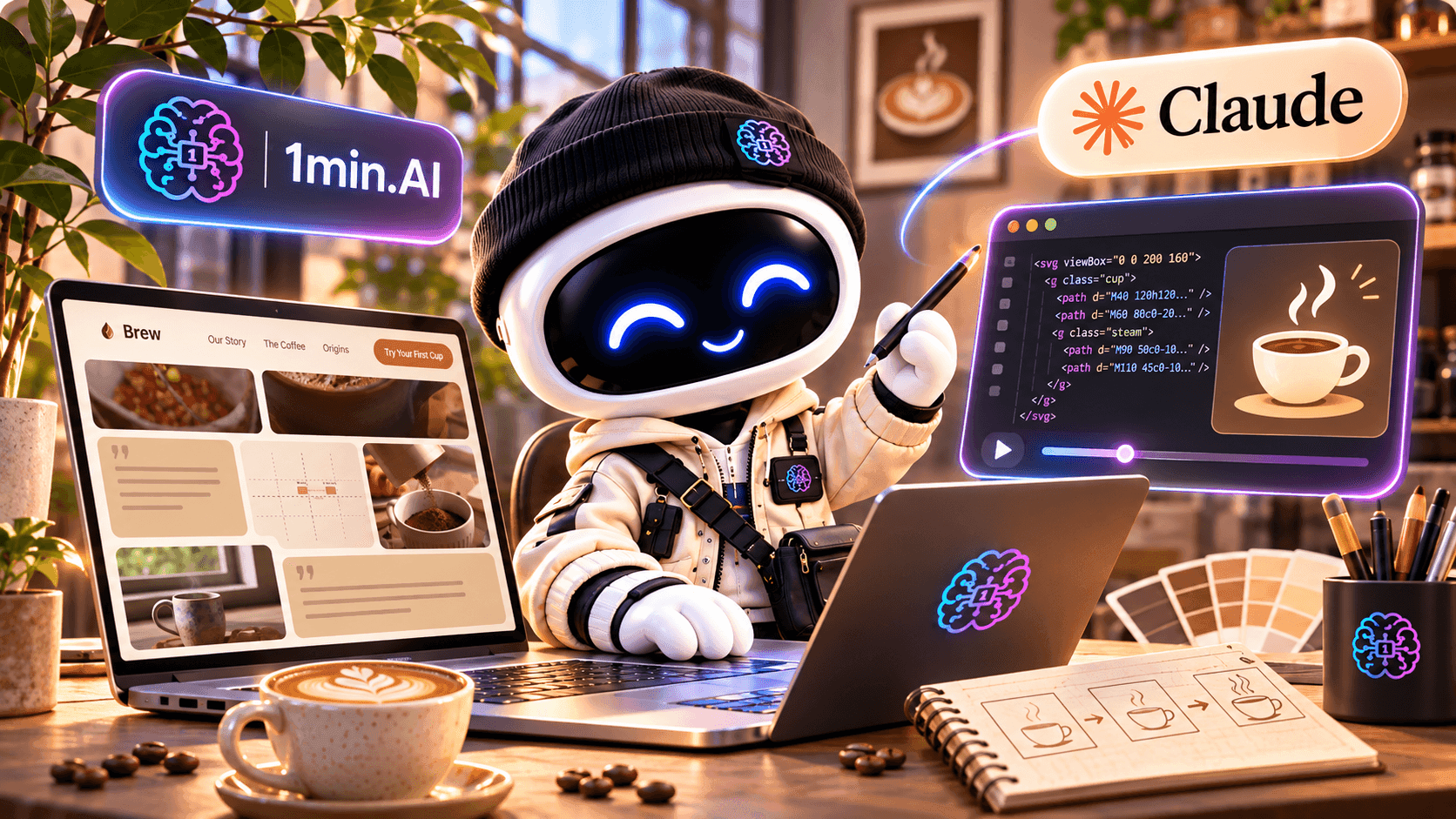
Learn how to create SVG animations with Claude Fable 5.1 on 1min.AI. Follow a simple tutorial to generate, preview, and refine animated designs.
Want to add smooth animations to your designs but don't know how to code?
Claude Fable 5.1 can help you create SVG animations by turning simple text prompts into HTML, SVG, and CSS code. Instead of building every animation from scratch, you can describe what you want, generate the code, and preview the result in your browser.
In this tutorial, we'll use Claude Fable 5.1 on 1min.AI to create an animated coffee cup for our fictional Morrow Coffee branding project.
You'll learn how to generate, preview, and customize your first SVG animation, even if you're new to coding.
What Is SVG Animation?
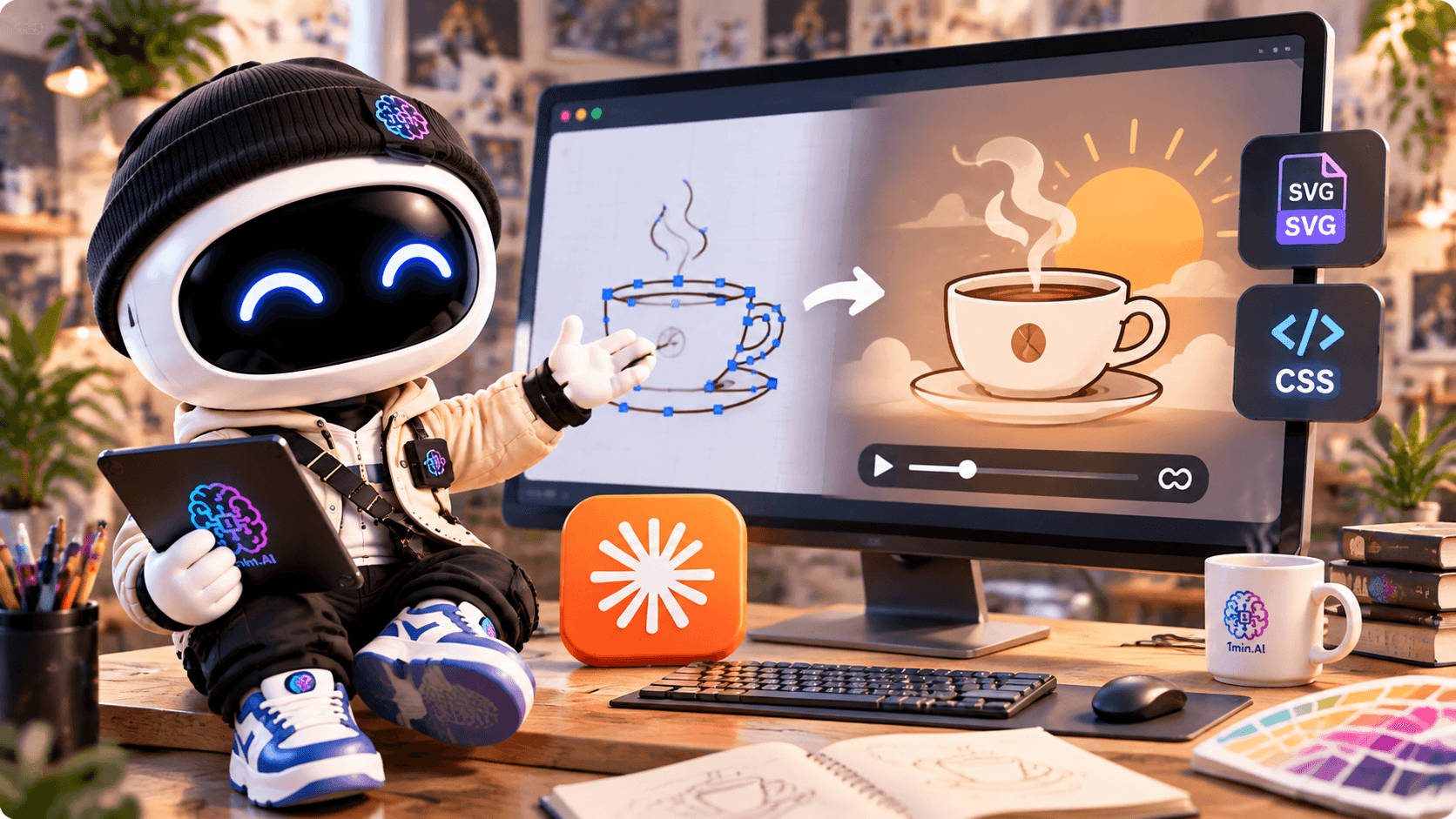
SVG (Scalable Vector Graphics) is a vector image format commonly used for icons, logos, illustrations, and website graphics.
Unlike regular images, SVG graphics can scale without losing sharpness. By adding CSS or SVG animation, you can bring individual elements to life.
For example, you can animate:
- A logo appearing smoothly.
- Steam rising from a coffee cup.
- A sun slowly moving across the background.
- Simple illustrations used in websites or portfolios.
SVG animations are especially useful for designers who want to add subtle movement to digital projects without relying on a video.
The challenge? Creating them manually often requires knowledge of SVG and CSS.
That's where Claude Fable 5.1 can help.
How to Create SVG Animations With Claude on 1min.AI
Let's create a simple coffee cup animation using Claude Fable 5.1.
Our example is inspired by Morrow Coffee — First Light, a fictional branding concept built around warm morning sunlight, calm colors, and minimal design.
Step 1: Open AI Code and Select Claude Fable 5.1
First, visit 1min.AI's Code Generator.
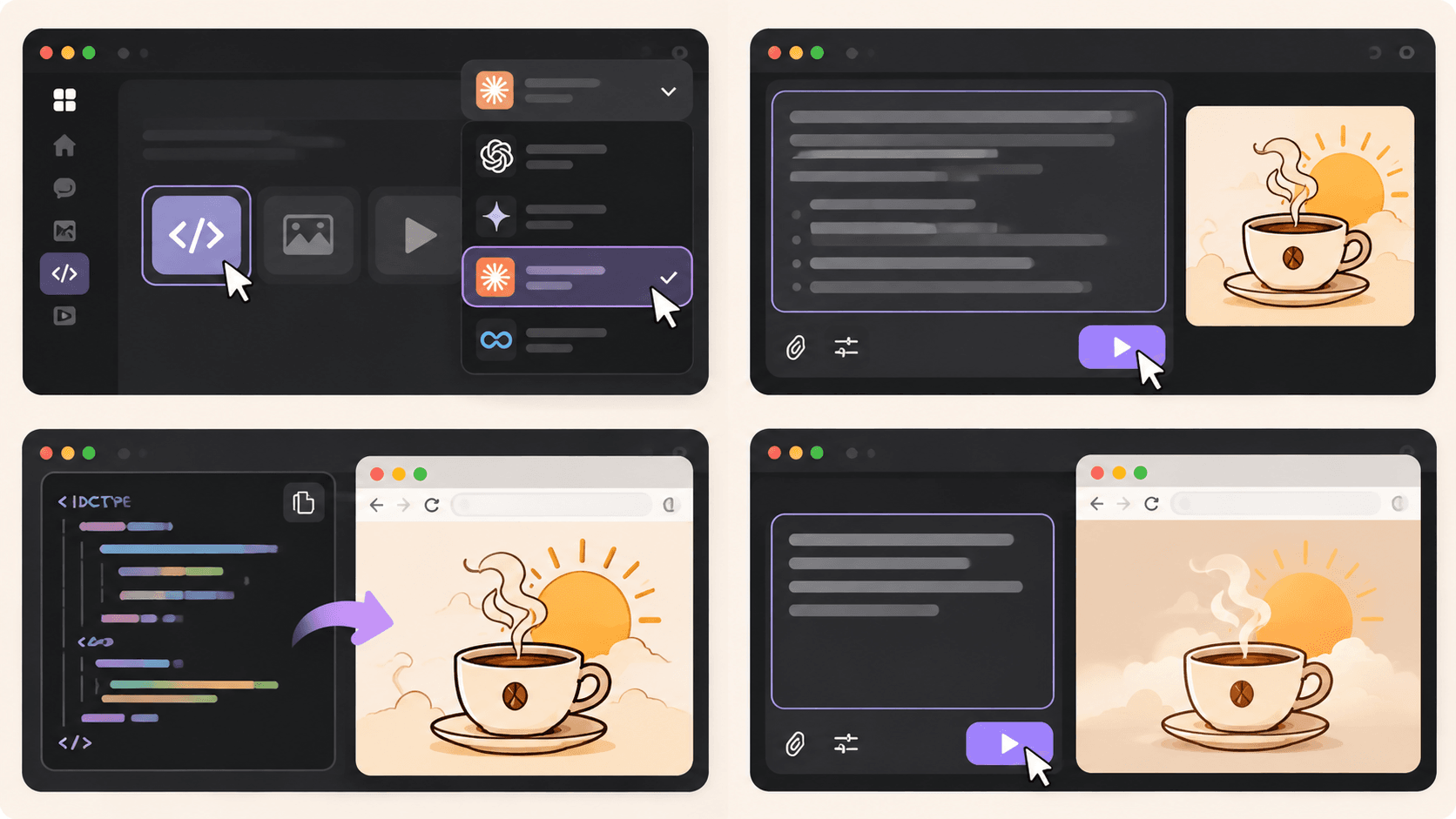
Open AI for Code → Code Generator and select Claude Fable 5.1 from the available AI models.
Next, think about the animation you want to create.
For our coffee brand, we want a hand-drawn coffee cup with gently rising steam and a warm sunrise in the background.
The more clearly you describe your idea, the easier it is for Claude to understand the intended design.
Step 2: Enter Your SVG Animation Prompt
Now, let's turn that idea into an animation.
You don't need to write the SVG or CSS yourself. Start with a detailed prompt that describes the illustration, colors, and movement.
Copy-Ready Prompt — Animated Coffee Cup
Act as a creative front-end developer specializing in SVG animations.
Create a complete, self-contained HTML file with an animated SVG illustration for Morrow Coffee, a fictional specialty coffee brand.
Creative direction: First Light — warm, minimal, calm, and inspired by peaceful mornings.
Design requirements:
- A hand-drawn coffee cup as the main illustration.
- Soft steam gently rising from the cup.
- A golden sun slowly appearing behind the cup.
- A minimal background with warm cream colors.
Brand color palette:
- First Light: #F2C98A
- Dawn Blush: #E7B497
- Morning Linen: #EADFCB
- Roast: #6B4A3A
Animation requirements:
- Use inline SVG and CSS animations.
- Make the steam move naturally and continuously.
- Add a slow, subtle sunrise effect.
- Keep the animation smooth, responsive, and seamlessly looping.
- Support
prefers-reduced-motionwith a static version.- Do not use external libraries, images, or fonts.
- Include all HTML, CSS, and SVG in one file.
Return the complete HTML code so I can save it as
coffee-animation.htmland open it directly in Chrome.
Once you've entered the prompt, click Run and let Claude generate the code.
The result should be a complete HTML file containing your SVG illustration and animation styles.
Step 3: Preview Your SVG Animation
Once Claude finishes generating the code, it's time to see your design in action.
Follow these simple steps:
- Copy the complete HTML code generated by Claude.
- Open a text editor such as Notepad or Visual Studio Code.
- Paste the code and save it as
coffee-animation.html. If you're using Notepad, choose All Files as the file type. - Double-click the HTML file to open it in Chrome.
You should now see your animated coffee cup in the browser.
For our Morrow Coffee concept, the illustration features a minimal coffee cup, rising steam, and a soft golden sun.
Tip: Save the generated code as an .html file, not a .txt file. This lets the browser render the SVG and run its CSS animations.
The preview is a web page containing an animated SVG, rather than an exported GIF or video.
Step 4: Customize Your Animation
Your first result doesn't have to be perfect.
Maybe the steam moves too quickly, the sun feels too bright, or the illustration doesn't quite match your brand.
You can return to Claude and describe what you'd like to change.
Try this follow-up prompt:
Refine the SVG animation to make it feel more natural and elegant.
Slow down the rising steam, soften the sunrise effect, and keep the movement subtle.
Maintain the original First Light color palette and illustration style.
Return the complete updated HTML code so I can replace my previous version.
Generate the updated code, save your file again, and refresh the browser to compare the results.
This process makes it easier to experiment with different animation styles without manually editing every line of CSS.
For better visual results, you can also explore our guide on how to write more intentional AI design prompts.
Real Example: Morrow Coffee SVG Animation
For our Morrow Coffee project, we wanted to create an animation that matched the brand's calm, premium personality.
Instead of using fast transitions or dramatic effects, we focused on three simple elements:
The coffee cup: A minimal, hand-drawn illustration representing the brand.
The rising steam: Gentle movement that makes the illustration feel warm and inviting.
The morning sun: A subtle sunrise effect that connects the animation to the First Light concept.
Together, these elements create a small animated illustration that could be used in a website hero section or a creative portfolio.
The most important lesson is that a good SVG animation doesn't need complicated effects. A few carefully chosen movements can make a design more engaging while preserving its visual identity.
Watch the Full Claude Animation Tutorial
Want to see the actual workflow?
In our video, we use Claude on 1min.AI to brainstorm the Morrow Coffee concept, generate an animated SVG illustration, and build a creative portfolio website.
You'll see how a simple creative idea can become working animation code.
Tips for Creating Better SVG Animations With AI
If you're using an AI SVG animation generator, a few small changes to your prompts can make a big difference.
1. Describe the movement clearly
Instead of asking for "a cool animation," explain exactly what should move and how. For example, ask for steam that rises slowly and fades naturally.
- Keep the animation simple
Start with one or two moving elements. Too many effects can distract from the design and make the animation feel overwhelming.
3. Use your brand colors
Provide specific HEX codes so Claude can keep the illustration consistent with your visual identity.
4. Test your animation in the browser
Check that everything displays correctly, loops smoothly, and works at different screen sizes. Reduce unnecessary motion and provide a static alternative when appropriate.
Where Can You Use SVG Animations?
Once your animation is working, you can use similar techniques for website illustrations, animated brand graphics, loading indicators, and portfolio presentations.
For example, a freelance designer could use an animated illustration to make a project case study more engaging.
If you want to take the next step, our guide on building a portfolio website with 1min.AI explains how to create a website using AI-generated code.
For a broader creative process, you can also explore how to organize your design workflow with 1min.AI.
Before publishing, test the animation in its intended environment. Some platforms restrict inline SVG or custom CSS, so you may need to adjust how the animation is embedded.
Start Creating SVG Animations With Claude
Creating SVG animations doesn't have to mean writing code from scratch.
With Claude Fable 5.1 on 1min.AI, you can describe an illustration, generate the HTML and SVG code, preview the animation, and refine the result until it matches your creative direction.
Whether you're experimenting with animated logos, website illustrations, or personal branding projects, start with a simple idea and build from there.
🚀 Try Claude Fable 5.1 on 1min.AI and bring your designs to life with SVG animation.
- #Informational
पर्याय
1minAI चे सर्वोत्तम पर्याय शोधा आणि वैशिष्ट्ये, किंमत आणि वापर प्रकरणे यांची तुलना करा.

1min.AI विरुद्ध OpenRouter
1min.AI विरुद्ध OpenRouter: वापरण्यास तयार AI निर्मिती उत्पादनाची तांत्रिक API साधनाशी तुलना करा. तुम्हाला झिरो-कोड क्रिएटिव्ह स्टुडिओ हवा आहे की कोडिंग इन्फ्रास्ट्रक्चर हब, ते शोधा.
 Ngoc Hong

1 मिनिट. AI विरुद्ध Dola AI
Dola AI चा पर्याय शोधत आहात? व्हिडिओ निर्मिती, मोफत योजना, किंमत आणि गोपनीयता याबाबत 1min.AI आणि Dola AI ची तुलना करून योग्य AI अॅप निवडा.
Ngoc Hong
1minAI विरुद्ध Hix AI
AI चॅट, संशोधन, लेखन, प्रतिमा, व्हिडिओ, किंमत, आणि लवचिक AI वर्कफ्लो यांसाठी 5 HIX AI पर्यायांची तुलना करा.
Ngoc HongAI साधने
उत्पादकता, सर्जनशीलता आणि दैनंदिन काम वाढवण्यासाठी सर्वोत्तम AI साधने शोधा.

एक उत्पादन, 10 UGC क्रिएटिव्ह्स: AI कंटेंट टेस्टिंग कशी सोपी करते
AI UGC व्हिडिओ जनरेटरसह अधिक प्रामाणिक UGC तयार करा, अधिक क्रिएटिव्ह अँगल्सची चाचणी घ्या आणि प्रत्येक आवृत्ती चित्रीत न करता अफिलिएट कंटेंट स्केल करा.
 Lien Anh Vu

फक्त काही पायऱ्यांत सातत्यपूर्ण कार्टून कंटेंट तयार करा
1min.AI वापरून 3 सोप्या पायऱ्यांत TikTok आणि Reels साठी कार्टून व्हिडिओ तयार करा — आयडिया रिसर्चपासून पात्रे आणि अॅनिमेटेड व्हिडिओंपर्यंत.
Lien Anh Vu
स्टार्टअप संस्थापकांसाठी 4 परवडणारी सर्वोत्तम AI साधने
स्टार्टअप संस्थापकांसाठी कल्पना पडताळणे, उत्पादने तयार करणे, सामग्री निर्माण करणे आणि जास्त खर्च न करता जलद लॉन्च करणे यासाठीची 4 सर्वोत्तम परवडणारी AI साधने शोधा.
 Tram Ta
एआय वैशिष्ट्ये
वर्कफ्लो सुलभ करणारी, कार्यक्षमता सुधारणारी आणि संघांना अधिक साध्य करण्यात सक्षम सर्वसमावेशक एआय वैशिष्ट्ये.
एक उत्पादन, 10 UGC क्रिएटिव्ह्स: AI कंटेंट टेस्टिंग कशी सोपी करते
AI UGC व्हिडिओ जनरेटरसह अधिक प्रामाणिक UGC तयार करा, अधिक क्रिएटिव्ह अँगल्सची चाचणी घ्या आणि प्रत्येक आवृत्ती चित्रीत न करता अफिलिएट कंटेंट स्केल करा.
Lien Anh Vuफक्त काही पायऱ्यांत सातत्यपूर्ण कार्टून कंटेंट तयार करा
1min.AI वापरून 3 सोप्या पायऱ्यांत TikTok आणि Reels साठी कार्टून व्हिडिओ तयार करा — आयडिया रिसर्चपासून पात्रे आणि अॅनिमेटेड व्हिडिओंपर्यंत.
Lien Anh Vu
1minAI: मोफत AI व्याकरण तपासक
1minAI च्या AI व्याकरण तपासकासह मोफत व्याकरण तपासा. व्याकरण, शब्दलेखन आणि लेखनातील चुका शोधा, स्पष्टता वाढवा आणि काही सेकंदांत तुमचा मजकूर परिष्कृत करा.
Tram Taएआय वापर प्रकरणे
व्यवसाय, उत्पादकता आणि उद्योगविशेष अनुप्रयोगांसाठी विचारपूर्वक निवडलेली एआय वापरप्रकरणे.
एक उत्पादन, 10 UGC क्रिएटिव्ह्स: AI कंटेंट टेस्टिंग कशी सोपी करते
AI UGC व्हिडिओ जनरेटरसह अधिक प्रामाणिक UGC तयार करा, अधिक क्रिएटिव्ह अँगल्सची चाचणी घ्या आणि प्रत्येक आवृत्ती चित्रीत न करता अफिलिएट कंटेंट स्केल करा.
Lien Anh Vuफक्त काही पायऱ्यांत सातत्यपूर्ण कार्टून कंटेंट तयार करा
1min.AI वापरून 3 सोप्या पायऱ्यांत TikTok आणि Reels साठी कार्टून व्हिडिओ तयार करा — आयडिया रिसर्चपासून पात्रे आणि अॅनिमेटेड व्हिडिओंपर्यंत.
Lien Anh Vu
इंस्टाग्रामवर पोस्ट करण्याची सर्वोत्तम वेळ: अधिक एंगेजमेंटसाठी एक व्यावहारिक मार्गदर्शक
इंस्टाग्रामवर पोस्ट करण्याची सर्वोत्तम वेळ शोधा, ज्यात वेगवेगळ्या प्रेक्षकांसाठी सर्वोत्तम दिवस आणि वेळा, तसेच तुमच्या खात्यासाठी आदर्श पोस्टिंग शेड्यूल शोधण्याच्या टिप्सचा समावेश आहे.
Tram TaAI ट्यूटोरियल्स
व्यावहारिक, चरण-दर-चरण ट्यूटोरियल्ससह AI कसे वापरावे ते शिका.
फक्त काही पायऱ्यांत सातत्यपूर्ण कार्टून कंटेंट तयार करा
1min.AI वापरून 3 सोप्या पायऱ्यांत TikTok आणि Reels साठी कार्टून व्हिडिओ तयार करा — आयडिया रिसर्चपासून पात्रे आणि अॅनिमेटेड व्हिडिओंपर्यंत.
Lien Anh Vu
2026 मधील ब्लॅक फ्रायडे AI टूल डील्स
2026 मधील ब्लॅक फ्रायडे AI टूल डील्स काय देऊ शकतात ते शोधा. AppSumo, Dealify, Stack Social वरून 1min.AI लाइफटाइम डील कशी मिळवायची ते जाणून घ्या, आणि Trustpilot, Slashdot व Software Advice वर पडताळणी करा.
 Hang Nguyen

Seedance सह AI इमेज-टू-व्हिडिओ उत्पादन सुसंगतता: वाकडेपणा थांबवा आणि उत्पादन पुनरावलोकने स्केल करा
AI इमेज-टू-व्हिडिओ उत्पादन सुसंगततेने लोगोचा वाकडेपणा थांबवा आणि आजच 1min.AI वर स्टुडिओ-गुणवत्तेची रिव्ह्यू व्हिडिओ तयार करा.
Lien Anh VuAI मार्गदर्शक
व्यावहारिक मार्गदर्शक, वास्तविक जगातील उदाहरणे आणि कृतीशील सर्वोत्तम पद्धतींसह AI जलद शिका.
फक्त काही पायऱ्यांत सातत्यपूर्ण कार्टून कंटेंट तयार करा
1min.AI वापरून 3 सोप्या पायऱ्यांत TikTok आणि Reels साठी कार्टून व्हिडिओ तयार करा — आयडिया रिसर्चपासून पात्रे आणि अॅनिमेटेड व्हिडिओंपर्यंत.
Lien Anh Vu
AI साधने ऑनलाइन सुरक्षितपणे खरेदी करा: 2026 ब्लॅक फ्रायडे मार्गदर्शक
ऑनलाइन सर्वोत्तम ब्लॅक फ्रायडे AI डील्स कशा शोधायच्या आणि सुरक्षित करायच्या ते जाणून घ्या. फसवणुकीपासून वाचण्यासाठी, सबस्क्रिप्शन थकवा कमी करण्यासाठी आणि सॉफ्टवेअरची खातरजमा करण्यासाठी तज्ज्ञ रणनीती शिका.
Hang NguyenSeedance सह AI इमेज-टू-व्हिडिओ उत्पादन सुसंगतता: वाकडेपणा थांबवा आणि उत्पादन पुनरावलोकने स्केल करा
AI इमेज-टू-व्हिडिओ उत्पादन सुसंगततेने लोगोचा वाकडेपणा थांबवा आणि आजच 1min.AI वर स्टुडिओ-गुणवत्तेची रिव्ह्यू व्हिडिओ तयार करा.
Lien Anh Vuएआय सोल्यूशन्स
ऑटोमेशन, कोडिंग, संशोधन, उत्पादकता, ग्राहक समर्थन, मार्केटिंग आणि व्यवसाय वर्कफ्लोसाठी सर्वोत्तम एआय सोल्यूशन्स ब्राउझ करा.
एक उत्पादन, 10 UGC क्रिएटिव्ह्स: AI कंटेंट टेस्टिंग कशी सोपी करते
AI UGC व्हिडिओ जनरेटरसह अधिक प्रामाणिक UGC तयार करा, अधिक क्रिएटिव्ह अँगल्सची चाचणी घ्या आणि प्रत्येक आवृत्ती चित्रीत न करता अफिलिएट कंटेंट स्केल करा.
Lien Anh Vuफक्त काही पायऱ्यांत सातत्यपूर्ण कार्टून कंटेंट तयार करा
1min.AI वापरून 3 सोप्या पायऱ्यांत TikTok आणि Reels साठी कार्टून व्हिडिओ तयार करा — आयडिया रिसर्चपासून पात्रे आणि अॅनिमेटेड व्हिडिओंपर्यंत.
Lien Anh Vu
मोफत एआय टॅटू जनरेटर: कस्टम डिझाइन्स
1min.AI च्या मोफत एआय टॅटू जनरेटरसह कोणतीही कल्पना कस्टम टॅटू डिझाइनमध्ये बदला. तुमची कल्पना वर्णन करा, स्टाइल निवडा, आणि काही सेकंदांत डाउनलोड करा.
 Trang Tran
AI मॉडेल्स
जगातील अग्रगण्य AI मॉडेल्स एकाच ठिकाणी एक्सप्लोर करा.
एक उत्पादन, 10 UGC क्रिएटिव्ह्स: AI कंटेंट टेस्टिंग कशी सोपी करते
AI UGC व्हिडिओ जनरेटरसह अधिक प्रामाणिक UGC तयार करा, अधिक क्रिएटिव्ह अँगल्सची चाचणी घ्या आणि प्रत्येक आवृत्ती चित्रीत न करता अफिलिएट कंटेंट स्केल करा.
Lien Anh Vuफक्त काही पायऱ्यांत सातत्यपूर्ण कार्टून कंटेंट तयार करा
1min.AI वापरून 3 सोप्या पायऱ्यांत TikTok आणि Reels साठी कार्टून व्हिडिओ तयार करा — आयडिया रिसर्चपासून पात्रे आणि अॅनिमेटेड व्हिडिओंपर्यंत.
Lien Anh VuSeedance सह AI इमेज-टू-व्हिडिओ उत्पादन सुसंगतता: वाकडेपणा थांबवा आणि उत्पादन पुनरावलोकने स्केल करा
AI इमेज-टू-व्हिडिओ उत्पादन सुसंगततेने लोगोचा वाकडेपणा थांबवा आणि आजच 1min.AI वर स्टुडिओ-गुणवत्तेची रिव्ह्यू व्हिडिओ तयार करा.
Lien Anh VuAI तुलना
आपल्या गरजेनुसार सर्वोत्तम AI साधने, मॉडेल्स आणि प्लॅटफॉर्म शोधण्यासाठी त्यांची तुलना करा.

Kling AI Vs Veo 3: कोणता मॉडेल जिंकतो?
Kling AI vs Veo 3: motion, native audio, pricing आणि free tiers यांची तुलना करून तुमच्या प्रोजेक्टसाठी कोणता AI video generator जिंकतो ते पाहा - 1min.AI वर दोन्ही ट्राय करा.
Trang TranSeedance सह AI इमेज-टू-व्हिडिओ उत्पादन सुसंगतता: वाकडेपणा थांबवा आणि उत्पादन पुनरावलोकने स्केल करा
AI इमेज-टू-व्हिडिओ उत्पादन सुसंगततेने लोगोचा वाकडेपणा थांबवा आणि आजच 1min.AI वर स्टुडिओ-गुणवत्तेची रिव्ह्यू व्हिडिओ तयार करा.
Lien Anh Vu
DeepSeek V4 Pro vs Flash तुलना
DeepSeek V4 Pro आणि DeepSeek V4 Flash चे मेट्रिक्स तुलना करा. आजच 1min.ai वर तुमच्या एजंटिक ॲप्सचे ऑप्टिमायझेशन करा आणि AI फॅक्ट-चेकिंग सुधारवा.
Ngoc Hongएआय एकत्रीकरण
आपण आधीच वापरत असलेल्या साधनांसोबत एआय सुलभपणे एकत्र करा, कामे स्वयंचलित करा आणि उत्पादकता वाढवा.

फॅशन वीक 2026 साठी AI फॅशन व्हिडिओ जनरेटर कसा वापरावा
AI सोबत Fashion Week 2026 च्या कल्पनांना आकर्षक फॅशन व्हिडिओमध्ये बदला. एका सोप्या वर्कफ्लोमध्ये ब्रेनस्टॉर्मिंग, व्हिज्युअल्स तयार करणे आणि प्रतिमा व्हिडिओमध्ये रूपांतरित करणे कसे करायचे ते शिका.
Lien Anh Vu
POV: तुम्हाला रोज 10+ पोस्ट तयार करायच्या आहेत
AI ब्रेनस्टॉर्मिंग, इमेज जनरेशन आणि कंटेंट क्रिएशनच्या मदतीने कंटेंट क्रिएटर्सना दररोज 10+ सोशल मीडिया पोस्ट जलद तयार करता येतील असा AI कंटेंट वर्कफ्लो कसा तयार करायचा ते शिका.
Lien Anh Vu
AI अॅप्समध्ये सतत स्विच करणे थांबवा: AI इंटिग्रेशन नियोक्ता ब्रँडिंग कसे बदलते
AI इंटिग्रेशन HR टीम्सना AI लेखन, दस्तऐवज, प्रतिमा, व्हिडिओ आणि अनेक AI मॉडेल्स एका वर्कस्पेसमध्ये एकत्र आणून नियोक्ता ब्रँडिंग सुलभ करण्यात कशी मदत करते ते जाणून घ्या.
Tram Taउद्योग क्षेत्रासाठी AI
आरोग्य सेवा, वित्त, शिक्षण, कायदेशीर, उत्पादन, किरकोळ विक्री, स्थावर मालमत्ता आणि अधिकसाठी सर्वोत्तम AI साधने आणि कार्यप्रवाह शोधा.

मोफत AI उत्पादन वर्णन जनरेटर
मिनिटांत विकणारी उत्पादन वर्णने लिहा. तपशील किंवा फोटोला ब्रँडशी सुसंगत कॉपीमध्ये बदलण्यासाठी हा मोफत AI उत्पादन वर्णन जनरेटर वापरा. 1min.AI वापरून पहा.
Trang Tran
स्टार्टअप्ससाठी नफा वाढवण्यासाठी सर्वोत्तम व्यवसाय उत्पादकता साधने | 1minAI
स्टार्टअप्ससाठी सर्वोत्तम व्यवसाय उत्पादकता साधने शोधा, ज्यामुळे वेळ वाचेल, वर्कफ्लो सुलभ होतील, पुनरावृत्तीची कामे कमी होतील आणि AI सह नफ्याच्या वाढीस मदत होईल.
Tram Ta
सामग्री विपणनासाठी सर्वोत्तम AI साधन |1minAI
सामग्री विपणनासाठी सर्वोत्तम AI साधन शोधत आहात? 1minAI मार्केटर्सना एका AI वर्कस्पेसमधून संशोधन, लेखन, पुनर्वापर, दृश्य निर्मिती आणि सामग्री स्केल करण्यात कशी मदत करते ते पहा.
Tram Taएआय एजंट्स
तुमच्या कामातील आणि दैनंदिन जीवनातील कार्ये स्वयंचलित करण्यासाठी एआय एजंट्स शोधा आणि चालवा.
1minAI: मोफत AI व्याकरण तपासक
1minAI च्या AI व्याकरण तपासकासह मोफत व्याकरण तपासा. व्याकरण, शब्दलेखन आणि लेखनातील चुका शोधा, स्पष्टता वाढवा आणि काही सेकंदांत तुमचा मजकूर परिष्कृत करा.
Tram Ta
Facebook साठी AI Agents
Facebook साठी AI Agent वापरून कंटेंट तयार करा, इमेजेस जनरेट करा, पोस्ट्स शेड्यूल करा, आणि तुमच्या दस्तऐवज व संभाषणांमधून प्रकाशित करा.
Ngoc Hong
एआय एजंट विरुद्ध एआय असिस्टंट: डिझायनर्सचा खरा वेळ कोण वाचवतो?
एआय एजंट आणि एआय असिस्टंटमधील फरक जाणून घ्या आणि कोणता उपाय डिझायनर्सना पुनरावृत्तीचे काम स्वयंचलित करायला, दुरुस्त्या कमी करायला आणि अधिक वेळ वाचवायला मदत करतो ते शोधा.
Lien Anh VuAI कार्यप्रवाह
उत्पादकता, विपणन, विक्री, समर्थन आणि अधिकसाठी तयार AI कार्यप्रवाह एक्सप्लोर करा.
एक उत्पादन, 10 UGC क्रिएटिव्ह्स: AI कंटेंट टेस्टिंग कशी सोपी करते
AI UGC व्हिडिओ जनरेटरसह अधिक प्रामाणिक UGC तयार करा, अधिक क्रिएटिव्ह अँगल्सची चाचणी घ्या आणि प्रत्येक आवृत्ती चित्रीत न करता अफिलिएट कंटेंट स्केल करा.
Lien Anh Vuफक्त काही पायऱ्यांत सातत्यपूर्ण कार्टून कंटेंट तयार करा
1min.AI वापरून 3 सोप्या पायऱ्यांत TikTok आणि Reels साठी कार्टून व्हिडिओ तयार करा — आयडिया रिसर्चपासून पात्रे आणि अॅनिमेटेड व्हिडिओंपर्यंत.
Lien Anh Vuफॅशन वीक 2026 साठी AI फॅशन व्हिडिओ जनरेटर कसा वापरावा
AI सोबत Fashion Week 2026 च्या कल्पनांना आकर्षक फॅशन व्हिडिओमध्ये बदला. एका सोप्या वर्कफ्लोमध्ये ब्रेनस्टॉर्मिंग, व्हिज्युअल्स तयार करणे आणि प्रतिमा व्हिडिओमध्ये रूपांतरित करणे कसे करायचे ते शिका.
Lien Anh Vuन्यूजलेटर
1minAI सह साप्ताहिक AI नवकल्पना

🔮 साप्ताहिक AI नवकल्पना #143: Update Update GPT-6, GPT-6.1 & Ideogram 4.0 & Ideogram 4.0
1min.ai वर GPT-6 Sol, Luna, GPT-6.1 Sol, आणि Ideogram 4.0 वापरा. 98.4% टायपोग्राफी अचूकता मिळवा आणि एका प्लॅटफॉर्मवर reasoning latency 45% ने कमी करा.
Hang Nguyen
🔮 साप्ताहिक AI नवकल्पना #142: Grok 4.7, Opus 5.5 आणि Sonnet 5.5 on 1min.ai
1min.ai वर Grok 4.7, Claude Opus 5.5, आणि Sonnet 5.5 मिळवा. सदस्यता खर्च 70% पर्यंत कमी करा आणि एका एकत्रित वर्कस्पेसमध्ये लाखो टोकन्स प्रक्रिया करा.
Hang Nguyen
🔮 साप्ताहिक AI नवकल्पना #141: Seedance 2.5 & Stable Audio 3: पुढील पिढीचे AI
1min.ai वर Seedance 2.0, 2.5 आणि StabilityAI चे Stable Audio 3 एक्सप्लोर करा. पुढील पिढीच्या जनरेटिव्ह AI सह स्टुडिओ-ग्रेड ऑडिओ आणि समकालित मोशन तयार करा.
Hang Nguyen