
How to Create Facebook Content More Efficiently with 1minAI
Uyen Hoang
20. nóvember 2026
Discover how 1minAI Facebook Content Agent helps businesses research topics, create Facebook posts, design visuals, and streamline social media publishing.
Facebook remains an important platform for businesses to connect with customers, build brand awareness, share updates, and promote their products or services. According to DataReportal's Digital 2026 Mid-Year Update, 56.3% of internet users aged 16 and above worldwide said they had used Facebook in the past month. In Vietnam, Meta's advertising resources indicated a potential Facebook advertising audience of approximately 79 million in late 2025. Although advertising reach is not the same as the number of monthly active users, these figures demonstrate why Facebook continues to be a relevant channel for businesses looking to reach a broad audience.
However, having access to a large audience does not automatically translate into an effective Facebook presence. Businesses need to publish content consistently, understand what their audiences are interested in, and create posts that encourage meaningful interactions. From product updates and promotional campaigns to educational content and community discussions, maintaining an active Facebook Page requires ongoing planning and content production.
This process can become time-consuming when businesses rely on multiple tools to manage different activities. Marketers may use one AI tool to research content ideas, another to write Facebook captions, a separate design platform to create images, and yet another tool to manage social media publishing. Switching between these platforms adds unnecessary steps, makes content management more complicated, and can interrupt the creative workflow.
AI tools have made content creation faster, but speed alone does not solve every problem. According to a June 2026 Gartner survey, 49% of surveyed U.S. consumers said generative AI had made the quality of available content worse. Another Gartner survey found that 65% of consumers believed brands were producing too much AI-generated content in their marketing materials, while 57% said this made them less trusting of brand messaging. These findings highlight an important challenge for businesses: using AI to create more content is not enough if the results lack originality, relevance, or a recognizable brand voice.
A more connected workflow can help address this challenge. Instead of managing research, writing, image creation, and publishing separately, businesses can use an AI agent that brings these activities into one process. This allows marketers to spend less time coordinating different tools and more time reviewing whether their Facebook content is useful, engaging, and aligned with their brand.
Meet the Facebook Content Agent on 1minAI
1minAI brings AI tools and workflows together in one workspace. Within this environment, Social Agents offers a selection of AI agents designed to support social media content creation for different platforms.
The Facebook Content Agent is designed to help users create, optimize, and publish Facebook content through a structured workflow. It connects four essential stages: gathering information, writing content, designing an image, and posting to social media.
For businesses, this provides a more organized starting point for creating Facebook posts, promotional content, product announcements, educational posts, and brand updates. Rather than coordinating every task independently, users can follow a predefined Agent Flow and work through the content creation process step by step.
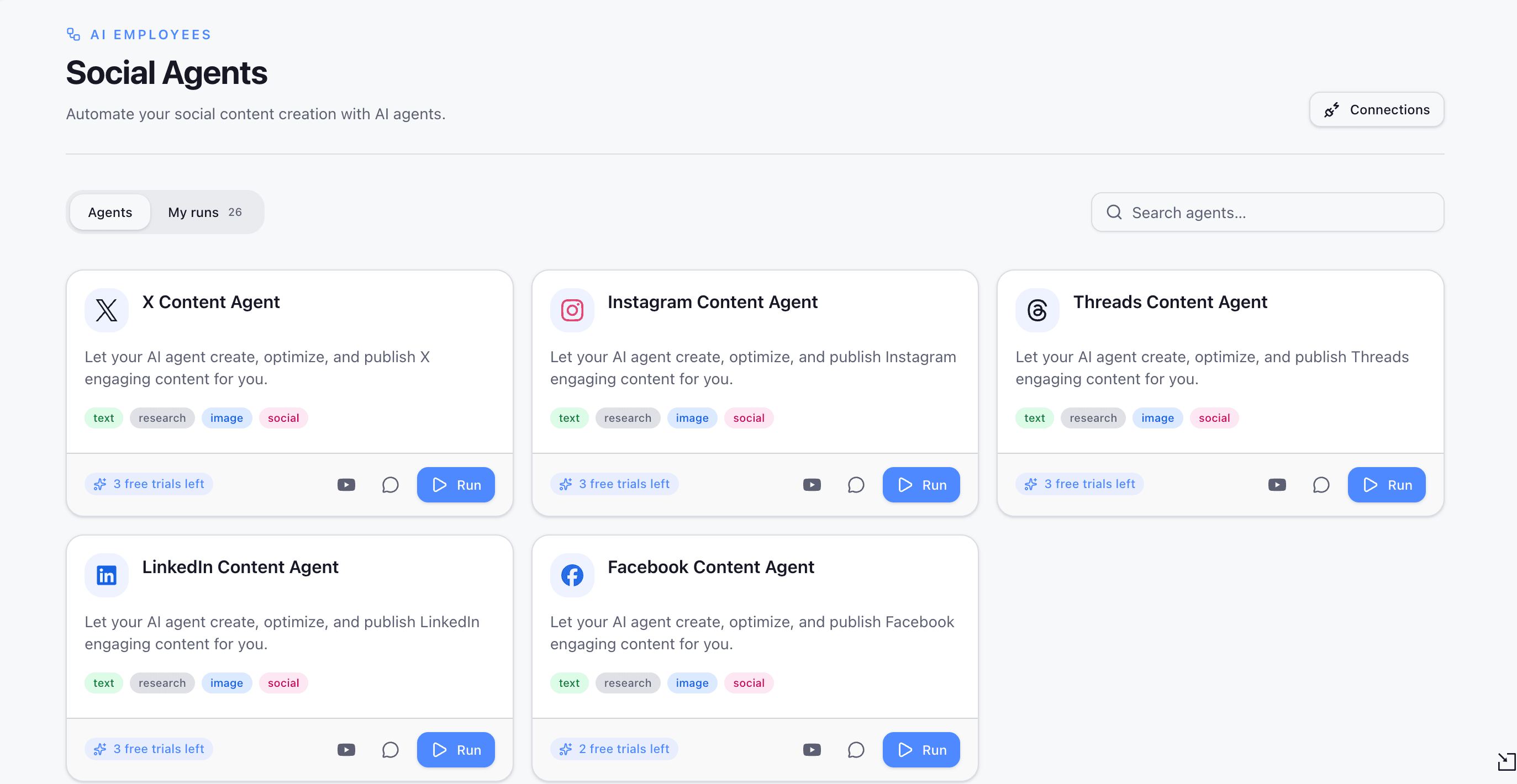
The Facebook Content Agent on 1minAI brings information gathering, content writing, image design, and social publishing together in one workflow.
What Businesses Can Gain from Using the Agent
The main advantage of the Facebook Content Agent is its connected workflow. Instead of treating research, writing, visual creation, and publishing as unrelated activities, the agent organizes them into sequential steps. This makes it easier for marketers and business owners to understand how each stage contributes to the final Facebook post.
| Facebook Content Challenge | How the Facebook Content Agent Helps |
|---|---|
| Finding relevant content ideas | The Gather Information step starts the process with information gathering. |
| Spending too much time writing captions | The Write Content step supports the development of Facebook posts. |
| Creating visuals separately | The Design Image step brings image creation into the workflow. |
| Managing publishing tasks | The Post to Social step connects content creation with social publishing. |
| Keeping content activities organized | Agent Flow organizes the process into four visible stages. |
| Revising content without repeating everything | Users can run a selected step or continue from that step to the end. |
For marketers, small business owners, and social media managers, this structured approach can reduce the effort involved in coordinating separate content creation tools. It also provides a practical way to incorporate AI into an existing Facebook marketing workflow without relying entirely on disconnected applications.
How to Use the Facebook Content Agent on 1minAI
The Facebook Content Agent follows a four-stage workflow. Each stage has a specific role, helping users understand how information moves through the content creation process. The following steps explain how to access the agent and work through its content creation stages.
Step 1. Select Facebook Content Agent from Social Agents
Log in to your 1minAI account and open Social Agents from the main sidebar. Browse the available agents and select Facebook Content Agent to access its overview.
The agent card displays its supported capabilities, including text, research, image, and social. These labels indicate the types of activities associated with the agent.
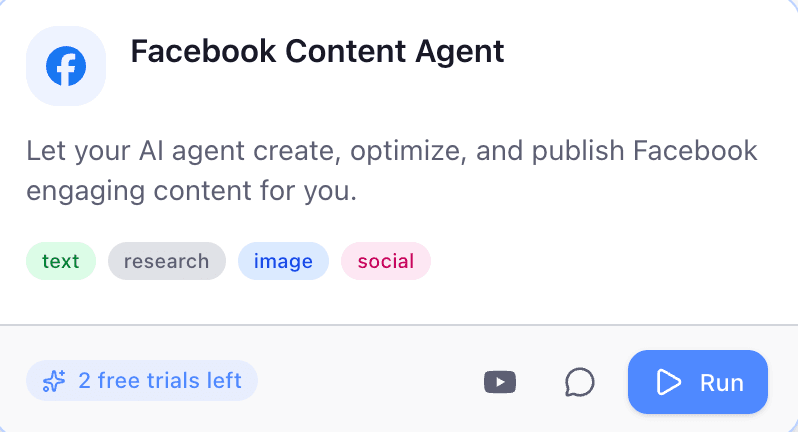
Open Social Agents, select Facebook Content Agent, and click Run to begin creating Facebook content.
Click Run to enter the Agent Flow interface. This opens the workflow where you can review the four stages and start working through the content creation process.
Step 2. Understand the Four-Stage Agent Flow
The Agent Flow interface organizes the workflow into four stages:
- Gather Information
- Write Content
- Design Image
- Post to Social
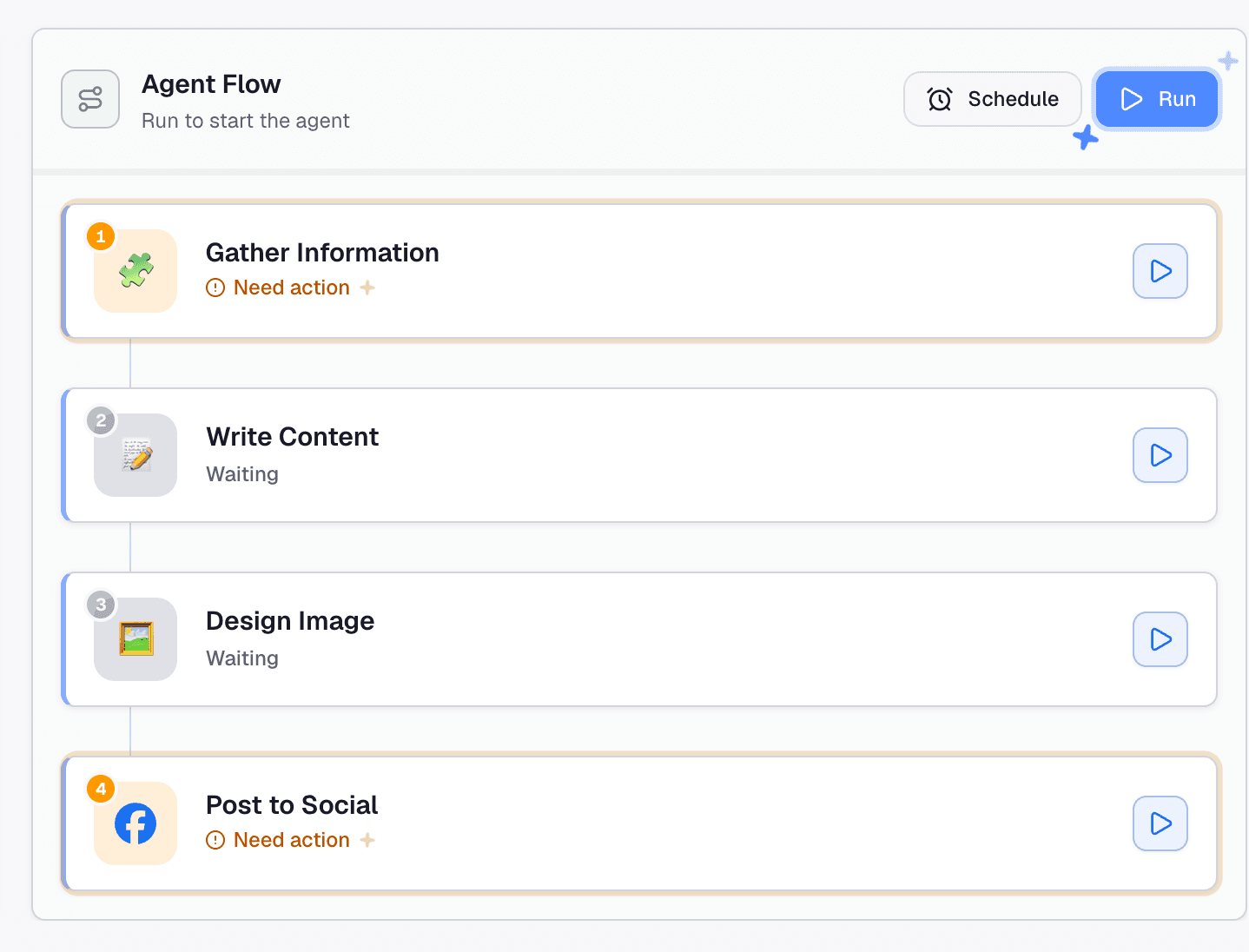
The Facebook Content Agent uses a four-stage workflow to move from information gathering to social publishing.
Each stage represents a different part of the process. This structure makes it easier to identify what needs to be completed, review individual stages, and understand how one stage leads into the next.
The workflow also provides individual run buttons for each stage. This means users can interact with a specific step rather than always treating the process as one single action. For example, if the written content is ready but the visual needs improvement, users can focus on the relevant stage instead of repeating the entire workflow.
Step 3. Gather Information for Your Facebook Post
The first stage, Gather Information, focuses on collecting information before the content is written. For businesses, this is an important starting point because effective Facebook content should reflect the audience's interests, the brand's communication goals, and the purpose of each post.
Possible content directions include:
- Product announcements and new launches.
- Promotional campaigns and special offers.
- Educational posts and industry insights.
- Customer stories and user-generated content ideas.
- Brand updates and behind-the-scenes content.
- Community discussions and audience engagement topics.
For example: a small business owner who wants to introduce a new product can begin by gathering relevant information about its features, benefits, and target audience. This provides a clearer direction for the next stage and helps the resulting Facebook post communicate the product's value more effectively.
If the step displays Need action, click it to open its configuration. Review the fields and instructions presented in the interface, provide the required information, and run the step to generate its output.
The available inputs depend on the agent's configuration. Review the generated information before continuing, especially when the post includes product specifications, promotional details, industry statistics, or claims that need reliable sources.
Step 4. Write Engaging Facebook Content
Once the information-gathering stage is complete, the workflow moves to Write Content. This stage supports the creation of written content for the Facebook post.
Writing for Facebook requires more than simply presenting information. Businesses need to communicate their message clearly, capture attention, and give readers a reason to interact with the post. A promotional post may focus on a product's key benefits and offer details, while an educational post may introduce a useful tip or answer a common customer question.
Businesses can use this stage as a starting point for different types of Facebook content:
- Product introductions and promotional announcements.
- Brand storytelling and company updates.
- Educational posts and practical tips.
- Customer testimonials and community stories.
- Seasonal campaigns and event announcements.
- Questions and discussion-based posts.
The content should match the brand's tone of voice and the expectations of its target audience. For example, a local business may prefer a friendly and conversational tone, while a professional service provider may need a more informative approach.
AI-generated text should still be reviewed before publication. Check product names, prices, promotional conditions, links, contact information, and factual claims to ensure the post accurately represents the business. This review also helps prevent generic AI-generated wording from weakening the brand's identity.
Step 5. Design an Image for Your Facebook Post
Visual content plays an important role in Facebook communication. A well-designed image can help explain a product, reinforce a campaign message, and make a post more recognizable as part of a brand's social media presence.
The third stage, Design Image, brings visual content into the same workflow. This helps connect the written message with an accompanying image without requiring users to treat visual creation as an entirely separate task.
For businesses, visuals can support different marketing objectives. Product promotions may need images that highlight key features or special offers, while educational posts may benefit from infographics or simple illustrations. Brand updates and community-focused content can use visuals that reflect the organization's identity and communication style.
For example: a Facebook post introducing a new product could use an image that highlights the product and its main selling points. A post sharing practical tips could use a visual that organizes the information into an easy-to-follow format.
Review the generated image before publication to make sure it supports the written content, follows the brand's visual guidelines, and does not introduce misleading information. Pay particular attention to text included in the image, such as product names, prices, and promotional details.
Step 6. Post Your Content to Social Media
The final stage, Post to Social, connects the content creation workflow with social publishing. This stage is designed to move the completed content toward publication rather than leaving users to manage the publishing task entirely outside the workflow.
Click the step to review its configuration and complete any required actions. If the interface displays Need action, follow the instructions shown and check the available social account or publishing settings.
Before confirming a publishing action, review the post text, accompanying image, destination account, and other details presented in the interface. For businesses running promotional campaigns or communicating important product information, a final review is especially important to ensure that customers receive accurate and consistent information.
Note: Not sure which option to choose? The Agent Flow offers two ways to run an individual stage, giving you more flexibility to manage the workflow:
| Option | How It Works | When to Use It |
|---|---|---|
| Run this step | Runs only the selected step and leaves the other steps unchanged. | Use it when you want to retry or update one stage without running the entire workflow. |
| Run from this step | Runs the selected step and continues through the remaining stages until the end, leaving earlier steps unchanged. | Use it when you want to continue the workflow from a particular point. |
For example, if you are satisfied with the research and written content but want to revise the visual, you can run the Design Image step independently. If you want to continue the workflow from a selected stage through the remaining steps, Run from this step allows you to do so.
This flexibility can be useful when refining content, correcting an output, or repeating part of the process without unnecessarily revisiting earlier stages.
Plan Your Facebook Content Workflow with Schedule
Consistency is an important part of maintaining an active Facebook Page. Businesses may need to prepare product announcements, promotional campaigns, educational posts, and brand updates around specific marketing activities. Planning these topics in advance can make social media management more organized and reduce the pressure of creating content at the last minute.
The Agent Flow interface also displays a Schedule option. Users can explore the available scheduling settings to determine how the workflow can be scheduled based on their needs.
For marketers and business owners managing recurring content activities, this option may help organize when an agent workflow runs. For example, a business could prepare content around an upcoming product launch or plan a series of posts for a seasonal campaign.
It is important to distinguish between scheduling an agent workflow and scheduling a finished Facebook post for publication. The Schedule option shown in the interface relates to the agent flow; users should check the available settings before relying on it for a specific publishing timetable.
A practical approach is to plan content topics in advance, provide the necessary information, review the generated text and visuals, and confirm the publishing arrangements before content goes live.
Create Better Facebook Content with 1minAI
Maintaining an effective Facebook presence involves more than publishing posts regularly. Businesses need to identify relevant topics, create useful content, prepare visuals, and manage publishing while keeping their brand voice consistent. When these activities are scattered across different platforms, even a simple Facebook post can require more time and coordination than expected.
The Facebook Content Agent on 1minAI brings these activities into a structured four-stage workflow. It helps users move from information gathering to content writing, image design, and social publishing within one connected process.
Whether you are a small business owner promoting products, a marketer managing Facebook campaigns, or a social media manager handling multiple content activities, the agent offers a practical way to organize Facebook content creation with AI.
Spend less time switching between tools and more time creating relevant content for your audience. Explore 1minAI Social Agents and try Facebook Content Agent for your next Facebook post.
Valmöguleikar
Uppgötvaðu bestu valmöguleikana við 1minAI og berðu saman eiginleika, verð og notkunartilvik.

1min.AI vs OpenRouter
1min.AI vs. OpenRouter: Berðu saman tilbúna gervigreindarhönnunarvöruna og tæknilega API-verkfærið. Finndu út hvort þú þurfir skapandi vinnustofu án kóðunar eða miðstöð fyrir kóðunarinnviði.
 Ngoc Hong

1 mín. AI vs Dola AI
Ertu að leita að valkosti við Dola AI? Berðu saman 1min.AI og Dola AI út frá myndbandsgerð, ókeypis áætlunum, verðlagningu og friðhelgi til að velja rétta AI-forritið.
Ngoc Hong
1minAI vs Hix AI
Berðu saman 5 HIX AI valkosti fyrir AI spjall, rannsóknir, skrif, myndir, myndband, verðlagningu og sveigjanleg AI vinnuflæði.
Ngoc HongGervafræðitól
Uppgötvaðu bestu gervigreindartólin til að auka framleiðni, sköpunargáfu og daglegt starf.

Búðu til samræmt teiknimyndaefni á örfáum skrefum
Búðu til teiknimyndbönd fyrir TikTok og Reels í 3 einföldum skrefum með 1min.AI, frá hugmyndaleit til persóna og hreyfimynda.
 Lien Anh Vu

Eitt vörum, 10 UGC-útfærslur: Hvernig gervigreind gerir efnisprófanir auðveldari
Búðu til meira ekta UGC með AI UGC myndbandagerð, prófaðu fleiri skapandi vinkla og skalaðu tengdarefnið án þess að taka upp hverja útgáfu.
Lien Anh Vu
4 hagkvæmustu gervigreindarverkfærin fyrir stofnendur sprotafyrirtækja
Skoðaðu 4 hagkvæmustu gervigreindarverkfærin fyrir stofnendur sprotafyrirtækja til að sannprófa hugmyndir, byggja vörur, skapa efni og hefja vöxt hraðar án þess að eyða of miklu.
 Tram Ta
Gervigreindareiginleikar
Alhliða gervigreindareiginleikar sem einfalda vinnuflæði, auka skilvirkni og gera teymum kleift að ná meira.
Búðu til samræmt teiknimyndaefni á örfáum skrefum
Búðu til teiknimyndbönd fyrir TikTok og Reels í 3 einföldum skrefum með 1min.AI, frá hugmyndaleit til persóna og hreyfimynda.
Lien Anh VuEitt vörum, 10 UGC-útfærslur: Hvernig gervigreind gerir efnisprófanir auðveldari
Búðu til meira ekta UGC með AI UGC myndbandagerð, prófaðu fleiri skapandi vinkla og skalaðu tengdarefnið án þess að taka upp hverja útgáfu.
Lien Anh Vu
1minAI: Ókeypis gervigreindar málfræðiprófari
Athugaðu málfræði ókeypis með gervigreindar málfræðiprófara 1minAI. Finndu málfræði-, stafsetningar- og skrifvillur, bættu skýrleika og pússaðu efnið þitt á nokkrum sekúndum.
Tram TaNotkunartilvik gervigreindar
Vandað safn notkunartilvika gervigreindar fyrir fyrirtæki, aukna skilvirkni og greinasértækar lausnir.
Búðu til samræmt teiknimyndaefni á örfáum skrefum
Búðu til teiknimyndbönd fyrir TikTok og Reels í 3 einföldum skrefum með 1min.AI, frá hugmyndaleit til persóna og hreyfimynda.
Lien Anh VuEitt vörum, 10 UGC-útfærslur: Hvernig gervigreind gerir efnisprófanir auðveldari
Búðu til meira ekta UGC með AI UGC myndbandagerð, prófaðu fleiri skapandi vinkla og skalaðu tengdarefnið án þess að taka upp hverja útgáfu.
Lien Anh Vu
Besti tíminn til að birta á Instagram: Hagnýt leiðarvísir fyrir betri þátttöku
Finndu út hvenær best er að birta á Instagram, þar á meðal bestu daga og tíma fyrir ólíka markhópa, ásamt ráðum til að finna kjöráætlun fyrir reikninginn þinn.
Tram TaGervigreindarkennslur
Lærðu að nota gervigreind með hagnýtum, skref-fyrir-skref kennslum.
Búðu til samræmt teiknimyndaefni á örfáum skrefum
Búðu til teiknimyndbönd fyrir TikTok og Reels í 3 einföldum skrefum með 1min.AI, frá hugmyndaleit til persóna og hreyfimynda.
Lien Anh Vu
Black Friday gervigreindartilboð á verkfærum árið 2026
Kynntu þér hvað Black Friday gervigreindartilboð á verkfærum árið 2026 hefur upp á að bjóða. Finndu út hvernig þú getur tryggt þér ævintilboðið á 1min.AI í gegnum AppSumo, Dealify, Stack Social og staðfest á Trustpilot, Slashdot og Software Advice.
 Hang Nguyen

Samræmi vöru í AI mynd í myndband með Seedance til að stöðva skekkju og skala vöruumsagnir
Stöðvaðu skekkju í lógóum með samræmi vöru í AI mynd í myndband og búðu til umsagnarmyndbönd á stúdíó-sterkasta stigi á 1min.AI í dag.
Lien Anh VuLeiðbeiningar um gervigreind
Lærðu gervigreind hraðar með hagnýtum leiðbeiningum, raunverulegum dæmum og framkvæmanlegum bestu venjum.
Búðu til samræmt teiknimyndaefni á örfáum skrefum
Búðu til teiknimyndbönd fyrir TikTok og Reels í 3 einföldum skrefum með 1min.AI, frá hugmyndaleit til persóna og hreyfimynda.
Lien Anh Vu
Kauptu gervigreindarverkfæri á öruggan hátt á netinu: leiðarvísir fyrir svartan föstudag 2026
Sjáðu hvernig þú finnur og tryggir þér bestu Black Friday tilboðin á gervigreind á netinu. Lærðu ráð frá sérfræðingum til að forðast svindl, vinna gegn áskriftarþreytu og sannreyna hugbúnað.
Hang NguyenSamræmi vöru í AI mynd í myndband með Seedance til að stöðva skekkju og skala vöruumsagnir
Stöðvaðu skekkju í lógóum með samræmi vöru í AI mynd í myndband og búðu til umsagnarmyndbönd á stúdíó-sterkasta stigi á 1min.AI í dag.
Lien Anh VuGervigreindarlausnir
Skoðaðu bestu gervigreindarlausnirnar fyrir sjálfvirkni, kóðun, rannsóknir, framleiðni, þjónustuver, markaðssetningu og viðskiptaferla.
Búðu til samræmt teiknimyndaefni á örfáum skrefum
Búðu til teiknimyndbönd fyrir TikTok og Reels í 3 einföldum skrefum með 1min.AI, frá hugmyndaleit til persóna og hreyfimynda.
Lien Anh VuEitt vörum, 10 UGC-útfærslur: Hvernig gervigreind gerir efnisprófanir auðveldari
Búðu til meira ekta UGC með AI UGC myndbandagerð, prófaðu fleiri skapandi vinkla og skalaðu tengdarefnið án þess að taka upp hverja útgáfu.
Lien Anh Vu
Ókeypis gervigreindar húðflúrsgjafi: Sérsniðnar hönnunir
Gerðu hvaða hugmynd sem er að sérsniðnu húðflúrmynstri með ókeypis gervigreindar húðflúrsgjafa 1min.AI. Lýstu hugmyndinni, veldu stíl og halaðu niður á sekúndum.
 Trang Tran
Gervigreindarlíkön
Kannaðu leiðandi gervigreindarlíkön heims á einum stað.
Búðu til samræmt teiknimyndaefni á örfáum skrefum
Búðu til teiknimyndbönd fyrir TikTok og Reels í 3 einföldum skrefum með 1min.AI, frá hugmyndaleit til persóna og hreyfimynda.
Lien Anh VuEitt vörum, 10 UGC-útfærslur: Hvernig gervigreind gerir efnisprófanir auðveldari
Búðu til meira ekta UGC með AI UGC myndbandagerð, prófaðu fleiri skapandi vinkla og skalaðu tengdarefnið án þess að taka upp hverja útgáfu.
Lien Anh VuSamræmi vöru í AI mynd í myndband með Seedance til að stöðva skekkju og skala vöruumsagnir
Stöðvaðu skekkju í lógóum með samræmi vöru í AI mynd í myndband og búðu til umsagnarmyndbönd á stúdíó-sterkasta stigi á 1min.AI í dag.
Lien Anh VuGervigreindarsamanburður
Berðu saman gervigreindarverkfæri, líkön og vettvanga til að finna það sem hentar þínum þörfum best.

Kling AI vs Veo 3: Hvor kemur sigurvegarinn fram?
Kling AI vs Veo 3: berðu saman hreyfingu, innbyggt hljóð, verð og ókeypis áskriftir til að sjá hvor gervigreindarmyndbandsgeneratorinn hentar verkefninu þínu best - prófaðu báða á 1min.AI.
Trang TranSamræmi vöru í AI mynd í myndband með Seedance til að stöðva skekkju og skala vöruumsagnir
Stöðvaðu skekkju í lógóum með samræmi vöru í AI mynd í myndband og búðu til umsagnarmyndbönd á stúdíó-sterkasta stigi á 1min.AI í dag.
Lien Anh Vu
DeepSeek V4 Pro vs Flash samanburður
Berðu saman mælikvarða DeepSeek V4 Pro og DeepSeek V4 Flash. Fínstilltu agentic forritin þín og bættu staðreyndaskoðun gervigreindar á 1min.ai í dag.
Ngoc HongGervigreindarsamþættingar
Samþættu gervigreind hnökralaust við verkfærin sem þú notar nú þegar til að sjálfvirknivæða vinnu og auka framleiðni.

Hvernig á að nota gervigreindar myndbandsgerð fyrir tískuvikuna 2026
Gerðu hugmyndir að Tískuviku 2026 að glæsilegum tískumyndböndum með gervigreind. Lærðu hvernig á að hugmynda, skapa myndefni og breyta myndum í myndbönd með einu einföldu vinnuflæði.
Lien Anh Vu
POV: Þú þarft að búa til 10+ færslur á hverjum degi
Lærðu hvernig á að byggja AI-efnisvinnuflæði sem hjálpar efnissköpurum að framleiða 10+ færslur á samfélagsmiðlum á dag hraðar með AI hugmyndavinnu, myndagerð og efnissköpun.
Lien Anh Vu
Hættu að skipta á milli AI-forrita: Hvernig AI-samþætting umbreytir vinnustaðaímyndun
Kynntu þér hvernig AI-samþætting hjálpar mannauðsteymum að einfalda vinnustaðaímyndun með því að sameina AI-skrif, skjöl, myndir, myndbönd og margar AI-líkön í eitt vinnusvæði.
Tram TaGervigreind fyrir iðnaðinn
Finndu bestu gervigreindarverkfærin og vinnuflæðin fyrir heilbrigðisþjónustu, fjármál, menntun, lögfræði, framleiðslu, smásölu, fasteignir og fleira.

Ókeypis AI rafall fyrir vörulýsingar
Skrifaðu vörulýsingar sem selja á nokkrum mínútum. Notaðu þennan ókeypis AI rafal fyrir vörulýsingar til að breyta upplýsingum eða mynd í texta sem passar vörumerkinu þínu. Prófaðu 1min.AI.
Trang Tran
Bestu verkfæri til framleiðni í viðskiptum fyrir sprotafyrirtæki til að hámarka hagnað | 1minAI
Uppgötvaðu bestu verkfærin til framleiðni í viðskiptum fyrir sprotafyrirtæki til að spara tíma, einfalda vinnuflæði, draga úr endurteknum verkefnum og styðja arðbæran vöxt með gervigreind.
Tram Ta
Bestu AI tólið fyrir efnis markaðssetningu |1minAI
Ertu að leita að besta AI tólinu fyrir efnis markaðssetningu? Sjáðu hvernig 1minAI hjálpar markaðsfólki að rannsaka, skrifa, endurnýta, búa til myndefni og skalera efni úr einu AI vinnurými.
Tram TaGervigreindarumboðsmenn
Uppgötvaðu og keyrðu gervigreindarumboðsmenn til að sjálfvirka verkefni í vinnunni og daglegu lífi.
1minAI: Ókeypis gervigreindar málfræðiprófari
Athugaðu málfræði ókeypis með gervigreindar málfræðiprófara 1minAI. Finndu málfræði-, stafsetningar- og skrifvillur, bættu skýrleika og pússaðu efnið þitt á nokkrum sekúndum.
Tram Ta
AI-umboðir fyrir Facebook
Notaðu AI-umboð fyrir Facebook til að búa til efni, skapa myndir, tímasetja færslur og birta úr skjölum og samtölum þínum.
Ngoc Hong
AI-umboðsaðili vs. AI-aðstoðarmaður: Hvor sparar hönnuðum í raun meiri tíma?
Lærðu muninn á AI-umboðsmanni og AI-aðstoðarmanni og uppgötvaðu hvaða lausn hjálpar hönnuðum að sjálfvirknivæða endurtekið vinnu, minnka endurskoðanir og spara meiri tíma.
Lien Anh VuGervigreindarverkflæði
Kannaðu tilbúin gervigreindarverkflæði fyrir framleiðni, markaðssetningu, sölu, þjónustu og fleira.
Búðu til samræmt teiknimyndaefni á örfáum skrefum
Búðu til teiknimyndbönd fyrir TikTok og Reels í 3 einföldum skrefum með 1min.AI, frá hugmyndaleit til persóna og hreyfimynda.
Lien Anh VuEitt vörum, 10 UGC-útfærslur: Hvernig gervigreind gerir efnisprófanir auðveldari
Búðu til meira ekta UGC með AI UGC myndbandagerð, prófaðu fleiri skapandi vinkla og skalaðu tengdarefnið án þess að taka upp hverja útgáfu.
Lien Anh VuHvernig á að nota gervigreindar myndbandsgerð fyrir tískuvikuna 2026
Gerðu hugmyndir að Tískuviku 2026 að glæsilegum tískumyndböndum með gervigreind. Lærðu hvernig á að hugmynda, skapa myndefni og breyta myndum í myndbönd með einu einföldu vinnuflæði.
Lien Anh VuFréttabréf
Vikulegar nýjungar í gervigreind með 1minAI

🔮 Vikulegar nýjungar í gervigreind #142: Grok 4.7, Opus 5.5 og Sonnet 5.5 á 1min.ai
Fáðu aðgang að Grok 4.7, Claude Opus 5.5 og Sonnet 5.5 á 1min.ai. Lækkaðu áskriftarkostnað um allt að 70% og vinndu með milljónir tákna í einu sameinuðu vinnusvæði.
Hang Nguyen
🔮 Vikulegar nýjungar í gervigreind #143: Uppfærsla Uppfærsla GPT-6, GPT-6.1 & Ideogram 4.0 & Ideogram 4.0
Fáðu aðgang að GPT-6 Sol, Luna, GPT-6.1 Sol og Ideogram 4.0 á 1min.ai. Bættu nákvæmni leturgerðar upp í 98,4% og minnkaðu rökhugsunarbið um 45% á einum vettvangi.
Hang Nguyen
🔮 Vikulegar nýjungar í gervigreind #141: Seedance 2.5 og Stable Audio 3: Næsta kynslóð gervigreindar
Kynntu þér Seedance 2.0, 2.5 og Stable Audio 3 frá StabilityAI á 1min.ai. Búðu til hljóð á stúdíóstigi og samstillta hreyfingu með skapandi gervigreind næstu kynslóðar.
Hang Nguyen