
Deja de cambiar entre herramientas de IA: crea un solo flujo de trabajo de IA

Lien Anh Vu
18 de agosto de 2026
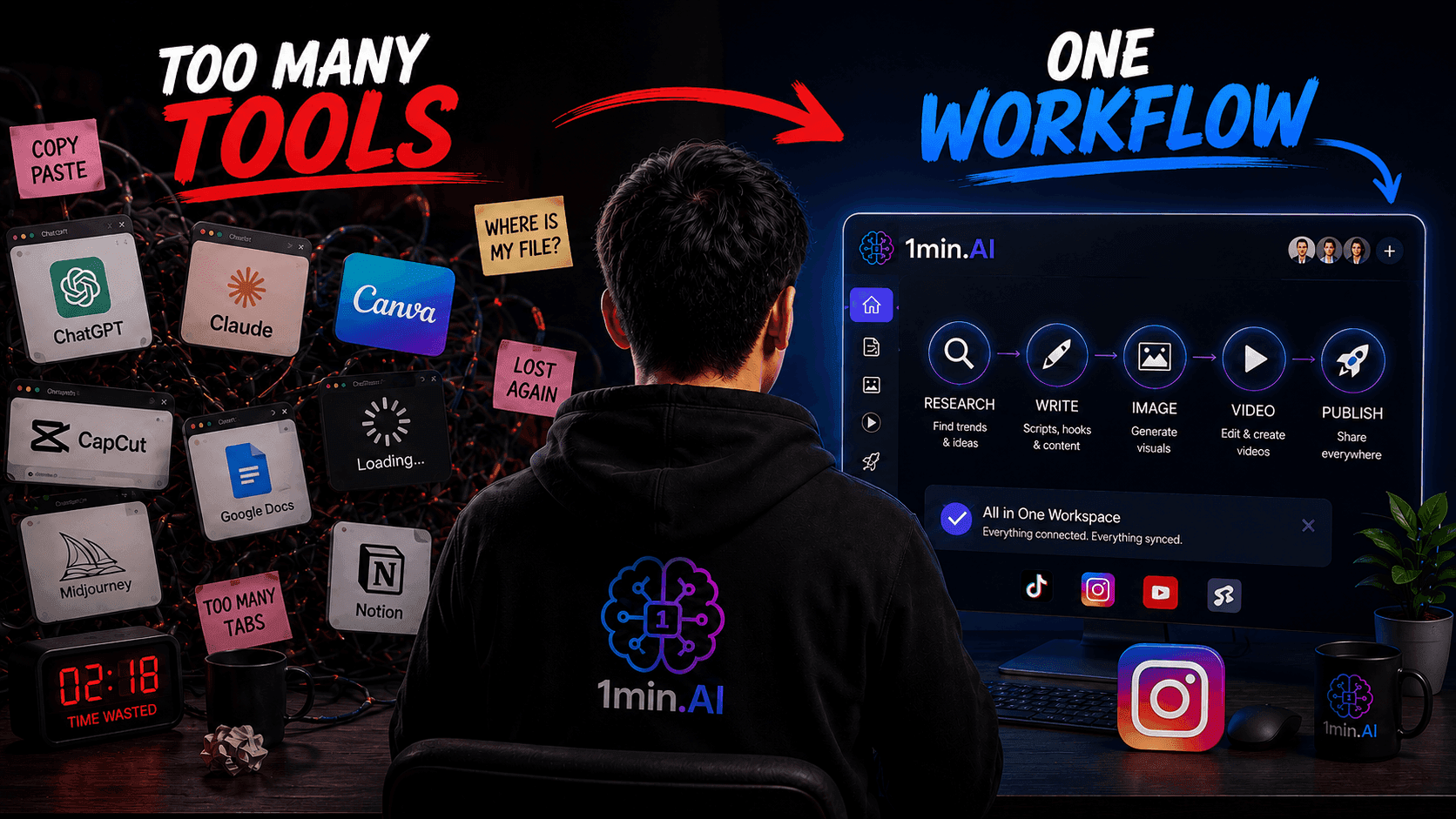
Descubre por qué cambiar entre herramientas de IA ralentiza a los creadores y aprende cómo un flujo de trabajo de IA puede agilizar la creación de contenido, impulsar la productividad y reducir el agotamiento.
Cada vez que saltas de ChatGPT a Canva, CapCut, Google Docs y de vuelta otra vez, pierdes más que unos pocos segundos. Pierdes la idea que estabas desarrollando, las instrucciones que ya habías escrito y el impulso creativo que hacía que el contenido resultara emocionante desde el principio.
Muchos creadores de contenido asumen que la solución es encontrar una herramienta de IA todavía mejor. En realidad, el problema mayor suele ser el sistema fragmentado que rodea a esas herramientas. En lugar de acumular más apps, los creadores necesitan un flujo de trabajo de IA conectado que lleve el contenido desde una idea inicial hasta un recurso listo para publicar con la menor fricción posible.
Esta guía explica por qué cambiar constantemente de herramienta frena a los creadores, cómo diseñar un flujo de trabajo práctico para TikTok e Instagram Reels, y cómo un espacio de trabajo de IA como 1min.AI puede unificar más de ese proceso.
Más herramientas de IA no siempre te hacen más productivo
Las herramientas de IA pueden acelerar tareas individuales. Un chatbot puede sugerir ganchos, un generador de imágenes puede crear conceptos visuales y una herramienta de vídeo puede animar una imagen estática. Pero hacer más rápido cada paso aislado no convierte automáticamente todo el proceso de creación de contenido en algo más eficiente.
El problema empieza cuando cada etapa vive en una aplicación distinta.
Un creador típico podría:
- Buscar un tema en Google Trends.
- Pedirle a ChatGPT o Claude que desarrolle la idea.
- Pasar el resultado a Google Docs.
- Abrir otra herramienta de IA para reescribir el gancho.
- Generar una imagen en una plataforma separada.
- Importar el recurso en Canva.
- Editar el vídeo en CapCut.
- Volver a un chatbot para el texto del post.
- Guardar el contenido final en Notion.
Cada plataforma puede funcionar bien por separado. Sin embargo, el creador sigue teniendo que mover el proyecto entre ellas.
Eso significa reabrir archivos, copiar prompts, adaptar formatos, encontrar resultados anteriores, aprender distintas interfaces y recordar qué versión es la más reciente. El tiempo que ahorra la IA en una etapa puede consumirse fácilmente en coordinar la siguiente.
Este problema no se limita a los creadores. El Work Trend Index 2025 de Microsoft encontró que los empleados eran interrumpidos por una reunión, un correo o una notificación cada dos minutos durante el horario laboral principal. Aunque los creadores tienen entornos de trabajo distintos, ese hallazgo ilustra lo rápido que una actividad digital fragmentada puede destruir la concentración continua.
Los creadores se enfrentan a un desafío adicional: el trabajo creativo depende mucho del impulso. Escribir un gancho no está completamente separado de imaginar el visual, marcar el ritmo del vídeo o elegir el texto del post. Estas decisiones se influyen entre sí. Cuando el proceso se divide entre demasiadas herramientas, los creadores tienen que reconstruir repetidamente el mismo contexto.
Por eso, más herramientas de IA pueden crear la ilusión de productividad. Pareces tener más capacidades, pero acabas dedicando cada vez más tiempo a gestionar el propio sistema.
La mejor pregunta no es:
“¿Qué herramienta de IA debería añadir ahora?”
Es:
“¿Cómo puedo pasar de la idea al contenido publicado con menos interrupciones?”
Ese cambio desplaza el foco de acumular software a diseñar un flujo de trabajo de IA más sólido.
Herramienta de IA vs flujo de trabajo de IA vs espacio de trabajo de IA: ¿cuál es la diferencia?
Una herramienta de IA realiza una tarea. Un flujo de trabajo de IA conecta varias tareas en un proceso repetible. Un espacio de trabajo de IA ofrece el entorno en el que esas tareas conectadas pueden completarse y gestionarse.
Entender esta diferencia es esencial porque los creadores suelen comprar herramientas antes de definir cómo deberían funcionar juntas.
Una herramienta de IA suele resolver un problema concreto. Puede generar textos, eliminar fondos de imágenes, transcribir audio, crear locuciones o convertir texto en vídeo.
Por ejemplo, un creador puede usar un generador de texto para producir diez ganchos para TikTok. La herramienta ha hecho su trabajo, pero el creador aún tiene que decidir qué ocurre después. ¿Dónde se guardará el gancho elegido? ¿Cómo se convertirá en un guion? ¿Qué estilo visual lo acompañará? ¿Cómo se reutilizará el vídeo final?
Un flujo de trabajo de IA define esa secuencia.
Un flujo de trabajo sencillo para creadores podría verse así:
Investigación de tendencias → ángulo del contenido → gancho → guion → concepto visual → recurso de vídeo → texto del post → adaptación a la plataforma
El valor está en la conexión entre las etapas. La investigación informa el ángulo. El ángulo da forma al gancho. El gancho establece la promesa del guion. El guion determina qué visuales hacen falta. Y el mensaje final guía el texto y la llamada a la acción.
Un espacio de trabajo de IA es el entorno donde los creadores pueden realizar varias de esas etapas sin reconstruir el proyecto cada vez que cambian de tarea.
En lugar de ver la redacción, la generación de imágenes, la creación de vídeo y la producción de audio como actividades sin relación, un espacio de trabajo las trata como componentes de un solo sistema de contenido.
Por ejemplo, 1min.AI reúne herramientas de texto, imágenes, audio y vídeo en una sola plataforma. También ofrece acceso a múltiples modelos de IA y funciones pensadas para creadores dentro del mismo espacio de trabajo general.
Esta diferencia no significa que todos los creadores deban usar una sola plataforma. Las herramientas especializadas siguen siendo valiosas cuando aportan una capacidad central para tu estilo de contenido. Un editor de vídeo profesional, por ejemplo, puede seguir siendo necesario para líneas de tiempo complejas y una posproducción detallada.
El objetivo no es eliminar todas las herramientas externas. Es crear un flujo de trabajo principal y usar aplicaciones especializadas de forma intencional en lugar de cambiar de plataforma por defecto.
El coste oculto de cambiar de contexto para los creadores de contenido
Cambiar de contexto es el acto de mover tu atención de una tarea, aplicación o entorno de información a otro. Para los creadores, suele parecer inofensivo porque cada cambio solo toma unos segundos. El coste real aparece en el esfuerzo mental necesario para volver a concentrarse.
La investigación dirigida por Gloria Mark en la Universidad de California, Irvine ha estudiado repetidamente las interrupciones y el trabajo digital fragmentado. La UCI señala que recuperar por completo la atención sobre un proyecto después de una interrupción puede llevar hasta unos 25 minutos.
Un creador no pierde necesariamente 25 minutos cada vez que cambia una pestaña del navegador. Sin embargo, la investigación pone de relieve un principio importante: la atención no se reinicia al instante. Parte de tu mente puede seguir ligada a la tarea anterior mientras intentas empezar la siguiente.
Imagina que estás desarrollando un vídeo corto sobre un hábito de productividad. Has identificado el problema de la audiencia y empezado a escribir un gancho prometedor. Luego sales de la conversación para buscar una referencia visual. Aparece una notificación. Abres otra plataforma, descargas un recurso, lo renombras y vuelves a tu guion.
El gancho sigue en la pantalla, pero puede que el pensamiento que lo sostenía ya no esté.
Repetidas a lo largo del día, estas pequeñas interrupciones generan varios costes ocultos.
Primero, los creadores tienen que reconstruir el contexto de forma continua. Una nueva plataforma no conoce automáticamente la audiencia, la voz de marca, el objetivo de la campaña, el formato preferido ni las ideas ya descartadas. Puede que tengas que pegar la misma información de fondo en varias herramientas.
Segundo, los flujos fragmentados producen confusión de versiones. Un guion puede existir en un chatbot, otro en un documento y un tercero dentro del software de edición. Las pequeñas revisiones se vuelven difíciles de seguir, especialmente cuando hay varias personas implicadas.
Tercero, distintas herramientas introducen fatiga de interfaz. Cada aplicación tiene sus propios menús, terminología, sistema de créditos, ajustes de exportación y estilo de prompting. Aunque estas diferencias sean pequeñas, aprenderlas y recordarlas añade carga cognitiva.
Por último, cambiar constantemente puede convertir la producción creativa en administración de software. El creador pasa menos tiempo pensando en la audiencia y más tiempo localizando archivos, convirtiendo formatos, comprobando límites de uso y moviendo resultados.
Esto importa porque los creadores ya sienten mucha presión para publicar con constancia. Una encuesta de Adobe Express publicada en 2025 informó que siete de cada diez propietarios de negocios encuestados se sentían agotados por la creación de contenido, mientras que el 68 % dijo que había dejado de publicar durante un tiempo por fatiga. Entre los participantes que usaban TikTok, el agotamiento por publicar era especialmente alto.
La IA debería reducir esa presión. Pero cuando su adopción genera más pasos, suscripciones e interfaces, puede convertirse en parte del problema.
Un buen flujo de trabajo protege la energía creativa eliminando decisiones innecesarias. El creador no debería tener que preguntarse: “¿Dónde hago esto?” en cada etapa. El sistema ya debería ofrecer la respuesta.
Cómo construir un flujo de trabajo de IA para crear contenido más rápido
Un flujo de trabajo de IA útil debe ser lo bastante simple como para repetirse, lo bastante flexible como para admitir distintos temas y lo bastante claro como para que otro miembro del equipo pueda seguirlo.
Para creadores de TikTok y Reels, el siguiente sistema de seis etapas ofrece un punto de partida práctico.
1. Investiga el tema y la señal de la audiencia
Empieza con una tendencia, una pregunta frecuente, un comentario de la audiencia, una oportunidad frente a la competencia, una función del producto o un problema recurrente. No empieces pidiéndole a la IA que “haga algo viral”. Dale al flujo de trabajo una señal real sobre la que trabajar.
Recopila:
- El problema de la audiencia.
- El resultado deseado.
- Términos de búsqueda relevantes.
- Preguntas comunes.
- Ángulos de contenido existentes.
- Pruebas o ejemplos que merezca la pena incluir.
El propósito de la investigación no es acumular información sin fin. Es identificar una promesa útil para el espectador.
2. Convierte la investigación en un ángulo de contenido claro
Pídele a la IA que desarrolle varios ángulos a partir de la misma investigación. Por ejemplo, un tema sobre herramientas de IA podría convertirse en:
- Una advertencia: “Más herramientas de IA pueden estar haciéndote más lento.”
- Una comparación: “Herramienta de IA frente a flujo de trabajo de IA.”
- Una transformación: “De siete apps a un solo flujo de trabajo.”
- Un tutorial: “Construye un flujo de trabajo para creadores en seis pasos.”
- Un vídeo que derriba mitos: “La IA no ahorra tiempo automáticamente.”
Elige el ángulo que encaje con el nivel de conocimiento de la audiencia. Las audiencias ya familiarizadas entienden la categoría general del producto, así que suelen necesitar una razón más precisa para replantearse su configuración actual, no una explicación básica de qué es la IA.
3. Crea juntos el gancho y el guion
Evita tratar el gancho como una frase aislada. Debe hacer una promesa que el resto del guion pueda cumplir.
Para un vídeo corto de 30 segundos, la estructura podría ser:
- Gancho: identificar el problema oculto.
- Reconocimiento: describir el comportamiento actual del creador.
- Idea: explicar por qué ese comportamiento es ineficiente.
- Solución: introducir el flujo de trabajo conectado.
- Prueba o demostración: mostrar las etapas.
- CTA: dirigir al espectador a la siguiente acción.
Genera varias opciones de gancho, pero evalúalas en función del guion. Un gancho dramático que tenga poca relación con el cuerpo puede aumentar la atención inicial y, al mismo tiempo, debilitar la confianza.
4. Convierte el guion en un plan visual
Divide el guion en escenas antes de generar recursos.
Para cada escena, define:
- Línea hablada.
- Texto en pantalla.
- Visual principal.
- Movimiento o transición.
- Relación de aspecto necesaria.
- Fuente del recurso.
Esto evita generar imágenes aleatorias. En lugar de producir visuales atractivos e intentar encajarlos después en el vídeo, creas solo lo que el guion necesita de verdad.
Un espacio de trabajo de IA puede apoyar esta etapa permitiendo a los creadores pasar de conceptos escritos a herramientas de imágenes, edición de imágenes, texto a vídeo o imagen a vídeo sin reconstruir la idea desde cero. 1min.AI presenta actualmente generación de texto, imagen, audio y vídeo dentro de su plataforma, incluidas herramientas diseñadas para producción de imagen a vídeo y texto a vídeo.
5. Crea el recurso principal de contenido
Genera o monta las escenas visuales, la voz en off, los subtítulos y los elementos de apoyo. Mantén una dirección visual coherente definiendo instrucciones de estilo antes de empezar la producción.
Por ejemplo:
Estilo visual SaaS minimalista y premium, paleta negra y morada, iluminación cinematográfica, elementos de interfaz limpios, texto en pantalla limitado, composición vertical 9:16.
Guardar una dirección de estilo reutilizable evita que cada escena parezca pertenecer a un vídeo distinto.
La IA puede acelerar la producción, pero la revisión humana sigue siendo necesaria. Comprueba si:
- El gancho encaja con el vídeo final.
- Los visuales apoyan el mensaje en lugar de distraer.
- El texto se lee bien en móvil.
- Las afirmaciones son precisas.
- El ritmo resulta natural.
- La CTA es relevante para la etapa de conciencia del espectador.
6. Reutiliza la idea finalizada
Una buena idea no debería terminar en una sola publicación.
Usa el guion y los recursos originales para producir:
- Una versión para TikTok con una apertura rápida.
- Un Reel de Instagram con un texto más pulido.
- Un YouTube Short con un título orientado a la búsqueda.
- Un carrusel que resuma el flujo de trabajo.
- Una publicación en Threads o LinkedIn que explique la idea.
- Un tutorial más largo que muestre el proceso completo.
La reutilización debe incluirse en el flujo de trabajo original y no añadirse al final como una ocurrencia tardía. El objetivo no es publicar contenido idéntico en todas partes. Es adaptar una idea central al comportamiento y formato de cada plataforma.
Una vez documentadas estas seis etapas, los creadores ya no necesitan rediseñar su proceso para cada publicación. Pueden mejorar el mismo sistema con el tiempo.
Por qué un espacio de trabajo de IA todo en uno tiene más sentido que decenas de apps de IA
Un espacio de trabajo de IA todo en uno puede reducir la fricción del flujo de trabajo al centralizar más del proceso creativo, pero su mayor ventaja no es simplemente la cantidad de funciones que incluye. Su valor está en reducir la distancia entre una tarea y la siguiente.
Cuando la investigación, la redacción, la generación de imágenes, el trabajo de audio y la creación de vídeo existen dentro de un mismo entorno general, los creadores pueden dedicar menos tiempo a coordinar aplicaciones.
Eso genera varias ventajas prácticas.
Menos prompts repetidos
Los creadores pueden mantener una dirección de proyecto más clara en lugar de explicar la audiencia y la voz de marca por separado a cada herramienta.
Un proceso más coherente
Se pueden seguir las mismas etapas para cada contenido. La coherencia hace que el flujo de trabajo sea más fácil de evaluar, mejorar y delegar.
Colaboración más sencilla
Los pequeños equipos de creadores pueden acordar dónde se almacena la investigación, dónde se desarrollan los guiones y cómo se mueven los recursos por la producción. Un sistema definido reduce el riesgo de que los miembros del equipo usen versiones incompatibles.
Menor complejidad de suscripciones
Una plataforma todo en uno puede reemplazar varias suscripciones de uso general, aunque el ahorro real depende de los modelos necesarios, el volumen de uso y las herramientas especializadas del creador. Por ello, el precio debe compararse en función del flujo de trabajo completo y no del coste anunciado de una sola función.
Experimentación más rápida
Los creadores pueden probar más ganchos, direcciones visuales o formatos de contenido cuando es más fácil pasar de uno a otro. Esto no garantiza un mejor rendimiento, pero sí reduce el coste operativo de aprender qué funciona.
La necesidad de sistemas conectados se ve en el trabajo digital en general. La investigación Anatomy of Work de Asana informó de que los trabajadores cambiaban entre diez aplicaciones unas 25 veces al día, lo que ilustra cómo el software fragmentado puede generar coordinación adicional en lugar de mayor eficiencia.
Un espacio de trabajo todo en uno no es automáticamente la solución correcta para todos. Una plataforma con muchas herramientas puede seguir resultando abrumadora cuando el creador no tiene un proceso definido. El flujo de trabajo debe ir primero.
Empieza por identificar las etapas repetidas de tu trabajo. Después, elige un espacio de trabajo que admita tantas de esas etapas como sea posible sin sacrificar la calidad que más importa para tu contenido.
¿Es 1min.AI el flujo de trabajo de IA adecuado para creadores de contenido?
1min.AI es especialmente relevante para creadores que usan IA con regularidad en varios formatos de contenido y quieren reducir el número de plataformas separadas implicadas en su proceso.
La plataforma combina capacidades para texto, redacción, imágenes, audio y vídeo, y además ofrece acceso a múltiples modelos de IA dentro de un mismo espacio de trabajo general.
Eso la hace potencialmente adecuada para:
- Creadores en solitario que producen contenido frecuente para TikTok o Reels.
- Freelancers que gestionan contenido para varios clientes.
- Pequeños equipos que necesitan un sistema de producción repetible.
- Creadores que reutilizan podcasts, vídeos o entrevistas.
- Usuarios que quieren comparar distintos modelos de IA sin mantener cuentas separadas.
- Profesionales de marketing que producen una mezcla de recursos escritos, visuales, de audio y de vídeo.
Un flujo de trabajo práctico para creadores en 1min.AI podría empezar comparando varias respuestas de IA para encontrar un ángulo de contenido sólido. La dirección elegida podría convertirse después en un gancho, un guion, un texto, un prompt visual, una imagen generada, un concepto de vídeo o un recurso de voz dentro del mismo ecosistema de la plataforma. Su flujo de trabajo Multiple AI Chat, por ejemplo, está diseñado para permitir a los usuarios comparar respuestas antes de convertir la dirección preferida en contenido.
Sin embargo, 1min.AI puede no sustituir a todos los productos especializados.
Los creadores que necesiten edición manual avanzada de vídeo, motion graphics complejos, etalonaje profesional o controles de diseño muy específicos pueden seguir necesitando software dedicado. Del mismo modo, los creadores que solo usan una capacidad de IA de forma ocasional quizá no se beneficien tanto de un espacio de trabajo más amplio.
Por eso la decisión debe basarse en la adecuación al flujo de trabajo.
Pregúntate:
- ¿Cambio con regularidad entre varias plataformas de IA?
- ¿Repito las mismas instrucciones en distintas herramientas?
- ¿Estoy perdiendo de vista resultados o pagando por funciones que se solapan?
- ¿Creo más de un tipo de contenido?
- ¿Me ayudaría un flujo de trabajo centralizado a publicar con más constancia?
Cuando varias respuestas son sí, pasar a un espacio de trabajo todo en uno puede ser más útil que añadir otra herramienta independiente.
La verdadera ventaja no es tener todas las funciones de IA disponibles. Es saber cómo se conectan esas funciones para llevar una idea hasta su publicación. 🎥 ¿Prefieres una demostración? Mira aquí nuestro tutorial paso a paso de flujo de trabajo de IA:
👉 Prueba 1min.AI hoy y experimenta cómo se siente un flujo de trabajo de IA fluido: https://app.1min.ai/
Alternativas
Descubre las mejores alternativas a 1minAI y compara características, precios y casos de uso.

1min.AI vs OpenRouter
1min.AI vs. OpenRouter: Compare el producto de creación de IA listo para usar con la herramienta API técnica. Descubra si necesita un estudio creativo sin código o un centro de infraestructura de codificación.
 Ngoc Hong
1min.AI vs Jarvis AI
Compare 1min.AI con Jarvis AI para descubrir qué plataforma de IA es mejor para la escritura, la investigación, la automatización y la creación de contenido. Encuentre el mejor asistente de IA para su flujo de trabajo.
Ngoc Hong
1min. AI vs Dola AI
¿Buscas una alternativa a Dola AI? Compara 1min.AI vs Dola AI en generación de video, planes gratis, precios y privacidad para elegir la app de IA adecuada.
Ngoc HongHerramientas de IA
Descubre las mejores herramientas de IA para aumentar la productividad, la creatividad y el trabajo diario.

Un producto, 10 creatividades UGC: cómo la IA facilita las pruebas de contenido
Crea UGC más auténtico con un generador de video UGC con IA, prueba más ángulos creativos y escala el contenido de afiliados sin grabar cada versión.
 Lien Anh Vu
Crea contenido animado consistente en solo unos pocos pasos
Crea videos animados para TikTok y Reels en 3 sencillos pasos con 1min.AI, desde la investigación de ideas hasta los personajes y los videos animados.
Lien Anh Vu
Las 4 herramientas de IA asequibles principales para fundadores de startups
Descubre las 4 herramientas de IA asequibles principales para fundadores de startups para validar ideas, construir productos, crear contenido y lanzar más rápido sin gastar de más.
 Tram Ta
Funciones de IA
Funciones de IA completas que optimizan los flujos de trabajo, mejoran la eficiencia y capacitan a los equipos para lograr más.
Un producto, 10 creatividades UGC: cómo la IA facilita las pruebas de contenido
Crea UGC más auténtico con un generador de video UGC con IA, prueba más ángulos creativos y escala el contenido de afiliados sin grabar cada versión.
Lien Anh VuCrea contenido animado consistente en solo unos pocos pasos
Crea videos animados para TikTok y Reels en 3 sencillos pasos con 1min.AI, desde la investigación de ideas hasta los personajes y los videos animados.
Lien Anh Vu
1minAI: Corrector gramatical con IA gratis
Comprueba la gramática gratis con el corrector gramatical con IA de 1minAI. Encuentra errores de gramática, ortografía y redacción, mejora la claridad y pule tu contenido en segundos.
Tram TaCasos de Uso de la IA
Una colección curada de casos de uso de IA para negocios, productividad y aplicaciones específicas de la industria.
Un producto, 10 creatividades UGC: cómo la IA facilita las pruebas de contenido
Crea UGC más auténtico con un generador de video UGC con IA, prueba más ángulos creativos y escala el contenido de afiliados sin grabar cada versión.
Lien Anh VuCrea contenido animado consistente en solo unos pocos pasos
Crea videos animados para TikTok y Reels en 3 sencillos pasos con 1min.AI, desde la investigación de ideas hasta los personajes y los videos animados.
Lien Anh Vu
Mejor momento para publicar en Instagram: una guía práctica para mejorar la interacción
Descubre el mejor momento para publicar en Instagram, incluidos los mejores días y horas para distintas audiencias, además de consejos para encontrar el horario ideal para tu cuenta.
Tram TaTutoriales de IA
Aprende a usar la IA con tutoriales prácticos y paso a paso.
Crea contenido animado consistente en solo unos pocos pasos
Crea videos animados para TikTok y Reels en 3 sencillos pasos con 1min.AI, desde la investigación de ideas hasta los personajes y los videos animados.
Lien Anh Vu
Ofertas de herramientas de IA para Black Friday en 2026
Descubre qué ofrecen las ofertas de herramientas de IA para Black Friday 2026. Averigua cómo conseguir la oferta de por vida de 1min.AI a través de AppSumo, Dealify, Stack Social, y verifica en Trustpilot, Slashdot y Software Advice.
 Hang Nguyen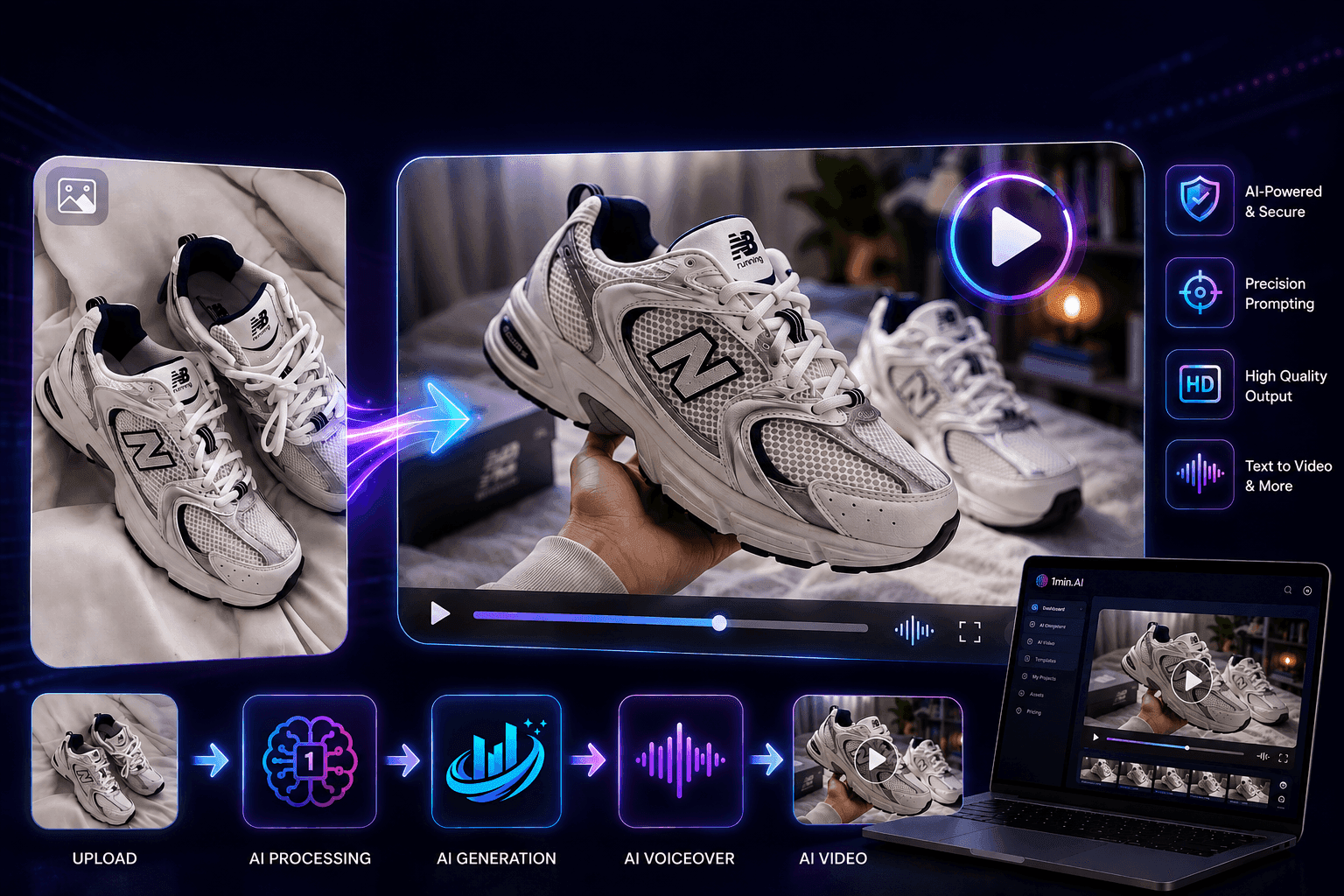
Consistencia de imagen a video con IA para productos con Seedance para detener la deformación y escalar reseñas de productos
Detén la deformación de logos con consistencia de imagen a video para productos con IA y genera hoy videos de reseñas de calidad de estudio en 1min.AI.
Lien Anh VuGuías de IA
Aprenda IA más rápido con guías prácticas, ejemplos del mundo real y mejores prácticas aplicables.
Crea contenido animado consistente en solo unos pocos pasos
Crea videos animados para TikTok y Reels en 3 sencillos pasos con 1min.AI, desde la investigación de ideas hasta los personajes y los videos animados.
Lien Anh Vu
Compra con seguridad herramientas de IA online: Guía de Black Friday 2026
Descubre cómo encontrar y asegurar las mejores ofertas de Black Friday en IA online. Aprende estrategias de expertos para evitar estafas, combatir la fatiga de suscripciones y verificar software.
Hang NguyenConsistencia de imagen a video con IA para productos con Seedance para detener la deformación y escalar reseñas de productos
Detén la deformación de logos con consistencia de imagen a video para productos con IA y genera hoy videos de reseñas de calidad de estudio en 1min.AI.
Lien Anh VuSoluciones de IA
Explore las mejores soluciones de IA para automatización, codificación, investigación, productividad, atención al cliente, marketing y flujos de trabajo empresariales.
Un producto, 10 creatividades UGC: cómo la IA facilita las pruebas de contenido
Crea UGC más auténtico con un generador de video UGC con IA, prueba más ángulos creativos y escala el contenido de afiliados sin grabar cada versión.
Lien Anh VuCrea contenido animado consistente en solo unos pocos pasos
Crea videos animados para TikTok y Reels en 3 sencillos pasos con 1min.AI, desde la investigación de ideas hasta los personajes y los videos animados.
Lien Anh Vu
Generador Gratis de Tatuajes con IA: Diseños Personalizados
Convierte cualquier idea en un diseño de tatuaje personalizado con el generador gratis de tatuajes con IA de 1min.AI. Describe tu idea, elige un estilo y descárgalo en segundos.
 Trang Tran
Modelos de IA
Explore los modelos de IA líderes en el mundo en un solo lugar.
Un producto, 10 creatividades UGC: cómo la IA facilita las pruebas de contenido
Crea UGC más auténtico con un generador de video UGC con IA, prueba más ángulos creativos y escala el contenido de afiliados sin grabar cada versión.
Lien Anh VuCrea contenido animado consistente en solo unos pocos pasos
Crea videos animados para TikTok y Reels en 3 sencillos pasos con 1min.AI, desde la investigación de ideas hasta los personajes y los videos animados.
Lien Anh VuConsistencia de imagen a video con IA para productos con Seedance para detener la deformación y escalar reseñas de productos
Detén la deformación de logos con consistencia de imagen a video para productos con IA y genera hoy videos de reseñas de calidad de estudio en 1min.AI.
Lien Anh VuComparativas de IA
Compare herramientas, modelos y plataformas de IA para encontrar la que mejor se adapte a sus necesidades.

Kling AI vs Veo 3: ¿qué modelo gana?
Kling AI vs Veo 3: compara movimiento, audio nativo, precios y planes gratis para ver qué generador de video con IA gana para tu proyecto - prueba ambos en 1min.AI.
Trang TranConsistencia de imagen a video con IA para productos con Seedance para detener la deformación y escalar reseñas de productos
Detén la deformación de logos con consistencia de imagen a video para productos con IA y genera hoy videos de reseñas de calidad de estudio en 1min.AI.
Lien Anh Vu
Comparación DeepSeek V4 Pro vs. Flash
Compare las métricas de DeepSeek V4 Pro vs. DeepSeek V4 Flash. Optimice sus aplicaciones de agentes y mejore la verificación de hechos de IA en 1min.ai hoy mismo.
Integraciones de IA
Integre la IA sin problemas con las herramientas que ya utiliza para automatizar el trabajo y aumentar la productividad.

Cómo usar un generador de videos de moda con IA para la Fashion Week 2026
Convierte ideas de la Fashion Week 2026 en videos de moda impactantes con IA. Aprende a idear, crear visuales y transformar imágenes en videos con un flujo de trabajo sencillo.
Lien Anh Vu
POV: Tienes más de 10 publicaciones que hacer cada día
Aprende a crear un flujo de trabajo de contenido con IA que ayuda a los creadores a producir más de 10 publicaciones al día más rápido con lluvia de ideas, generación de imágenes y creación de contenido con IA.
Lien Anh Vu
Deja de cambiar entre aplicaciones de IA: Cómo la integración de IA transforma el Employer Branding
Descubre cómo la integración de IA ayuda a los equipos de RRHH a optimizar el employer branding al combinar escritura con IA, documentos, imágenes, vídeo y múltiples modelos de IA en un solo espacio de trabajo.
Tram TaIA para Industrias
Encuentre las mejores herramientas y flujos de trabajo de IA para atención médica, finanzas, educación, legal, manufactura, comercio minorista, bienes raíces y más.

Generador gratuito de descripciones de productos con IA
Escribe descripciones de producto que vendan en minutos. Usa este generador gratuito de descripciones de productos con IA para convertir detalles o una foto en texto alineado con tu marca. Prueba 1min.AI.
Trang Tran
Las mejores herramientas de productividad empresarial para startups para maximizar beneficios | 1minAI
Descubre las mejores herramientas de productividad empresarial para startups para ahorrar tiempo, agilizar flujos de trabajo, reducir tareas repetitivas y apoyar un crecimiento rentable con IA.
Tram Ta
La mejor herramienta de IA para marketing de contenidos |1minAI
¿Buscas la mejor herramienta de IA para marketing de contenidos? Descubre cómo 1minAI ayuda a los profesionales del marketing a investigar, escribir, reutilizar, crear visuales y escalar contenido desde un solo espacio de trabajo con IA.
Tram TaAgentes de IA
Descubre y ejecuta agentes de IA para automatizar tareas en tu trabajo y vida diaria.
1minAI: Corrector gramatical con IA gratis
Comprueba la gramática gratis con el corrector gramatical con IA de 1minAI. Encuentra errores de gramática, ortografía y redacción, mejora la claridad y pule tu contenido en segundos.
Tram Ta
Agentes de IA para Facebook
Usa un Agente de IA para Facebook para crear contenido, generar imágenes, programar publicaciones y publicar desde tus documentos y conversaciones.
Ngoc Hong
AI Agent vs AI Assistant: ¿Cuál realmente ahorra más tiempo a los diseñadores?
Aprende la diferencia entre AI Agent y AI Assistant y descubre qué solución ayuda a los diseñadores a automatizar el trabajo repetitivo, reducir revisiones y ahorrar más tiempo.
Lien Anh VuFlujos de trabajo de IA
Explore flujos de trabajo de IA listos para usar para productividad, marketing, ventas, soporte y más.
Un producto, 10 creatividades UGC: cómo la IA facilita las pruebas de contenido
Crea UGC más auténtico con un generador de video UGC con IA, prueba más ángulos creativos y escala el contenido de afiliados sin grabar cada versión.
Lien Anh VuCrea contenido animado consistente en solo unos pocos pasos
Crea videos animados para TikTok y Reels en 3 sencillos pasos con 1min.AI, desde la investigación de ideas hasta los personajes y los videos animados.
Lien Anh VuCómo usar un generador de videos de moda con IA para la Fashion Week 2026
Convierte ideas de la Fashion Week 2026 en videos de moda impactantes con IA. Aprende a idear, crear visuales y transformar imágenes en videos con un flujo de trabajo sencillo.
Lien Anh VuBoletín informativo
Innovaciones semanales de IA con 1minAI

🔮 Innovaciones semanales de IA #141: Seedance 2.5 y Stable Audio 3: IA de próxima generación
Explora Seedance 2.0, 2.5 y Stable Audio 3 de StabilityAI en 1min.ai. Genera audio de calidad de estudio y movimiento sincronizado con IA generativa de próxima generación.
Hang Nguyen
🔮 Innovaciones semanales de IA #121: Ideogram 3.0 y Claude Opus 4.7 ya están disponibles en 1min.ai
Ideogram 3.0 y Claude Opus 4.7 ya están disponibles en 1min.ai. Genera tipografía de imagen impecable y copy avanzado en una sola plataforma.
Hang Nguyen
🔮 Innovaciones semanales de IA #134: prueba gratis Qwen en AI Chat; actualización de las series 3.7 y 3.6
¿Buscas un asistente de IA potente y gratis? Explora las últimas series Qwen 3.7 y 3.6 en 1min.ai. ¡Disfruta hoy mismo de un chat de IA rápido y preciso sin costo!
Hang Nguyen