
DeepSeek API: A Complete Guide to Getting Started and Building AI Applications

Tram Ta
20. listopadu 2026
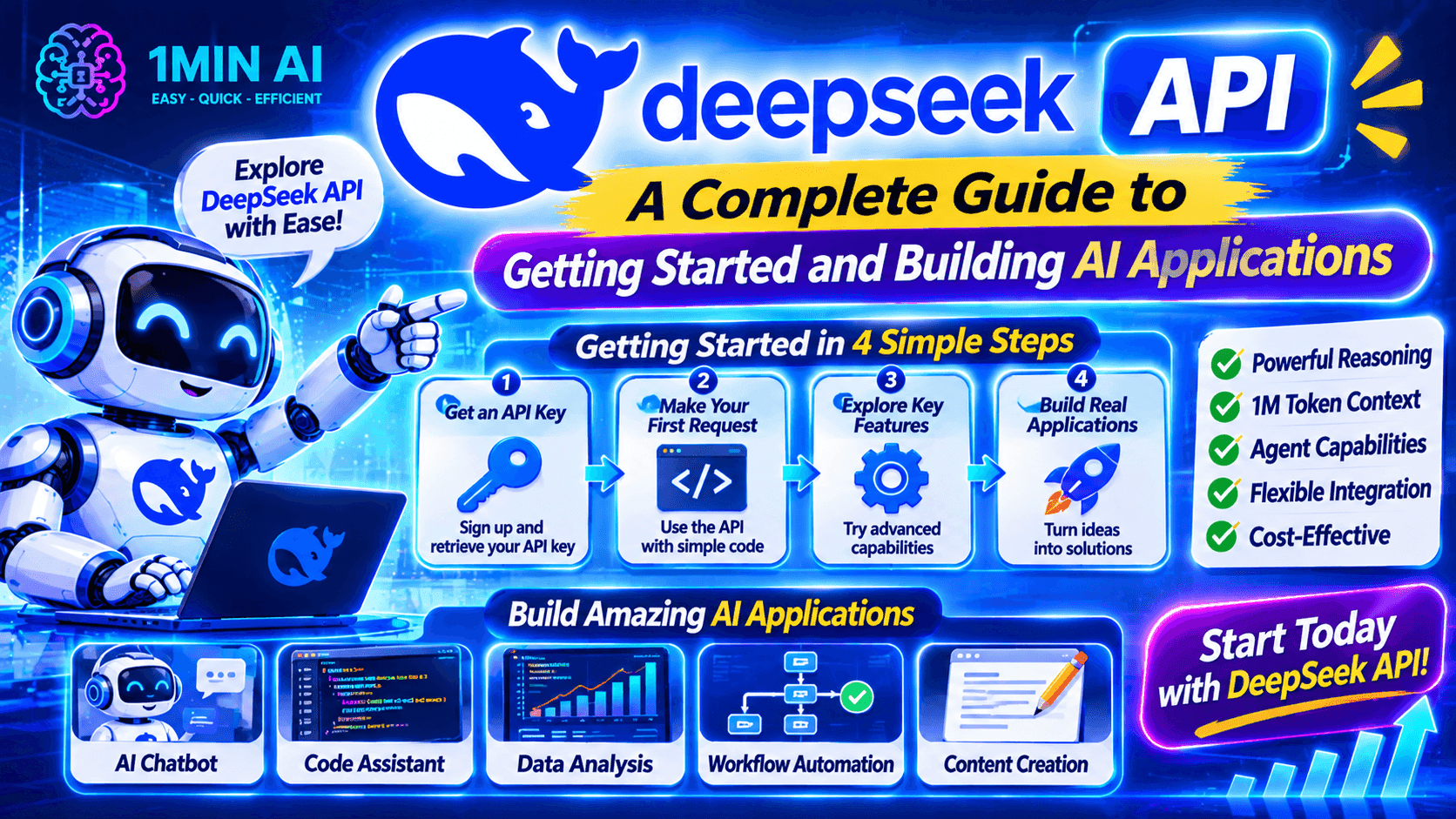
Learn how to use the DeepSeek API, get your API key, make your first request, and build AI applications. Explore DeepSeek models and developer tools with 1minAI.
AI APIs make it possible for developers to add powerful language models to their own applications without building an AI model from scratch.
One option worth exploring is the DeepSeek API. It gives developers programmatic access to DeepSeek models for tasks such as text generation, reasoning, coding assistance, structured output, and tool calling.
Whether you're building a chatbot, developing an AI coding assistant, or experimenting with autonomous agent workflows, the DeepSeek API provides a way to connect AI capabilities to your software.
But how do you get started? Which model should you choose? How do you create an API key and send your first request?
This guide walks through the essential steps, with practical examples and tips for developers. We'll also explore how 1minAI can help you discover AI APIs and build AI-powered workflows.
What Is the DeepSeek API?
The DeepSeek API is a developer interface that allows applications to communicate with DeepSeek AI models through programmatic requests.
Instead of opening a chatbot and manually entering prompts, developers can send requests from their own applications and receive model-generated responses.
For example, you could integrate the DeepSeek API into:
- A customer support chatbot.
- An AI writing assistant.
- A code-generation application.
- A document summarization tool.
- A research assistant.
- An AI agent that uses external tools.
The API supports an OpenAI-compatible format, making it easier for developers familiar with the OpenAI SDK to adapt their existing code.
DeepSeek also provides an Anthropic-compatible API format, giving developers additional integration options.
Key Features of the DeepSeek API
1. Access to DeepSeek models
Developers can access DeepSeek's supported models through API requests. The current model identifiers include:
deepseek-flash: Serves the latest DeepSeek Flash release.deepseek-v4-pro: Provides access to the current V4 Pro model.
These identifiers point to model versions documented by DeepSeek. Check the official model documentation before selecting one for a new project.
2. OpenAI-compatible API format
The DeepSeek API uses an OpenAI-compatible interface for common chat-completion requests.
This means developers can often reuse familiar SDKs and request structures by changing the API base URL and model identifier.
3. Thinking and non-thinking modes
Supported models provide thinking and non-thinking modes.
- Non-thinking mode is useful for straightforward tasks where you want a direct response.
- Thinking mode is useful for tasks that benefit from additional reasoning.
Developers can configure reasoning effort where supported.
4. Tool calling
The API supports function-based tool calling.
This allows a model to request an external function, such as searching a database or retrieving information from another service. Your application executes the function and sends the result back to the model.
5. Structured output
DeepSeek supports JSON output, which is useful when an application needs predictable data rather than free-form text.
For example, you can ask a model to return product information, task lists, or categorized results in JSON format.
6. Streaming responses
Streaming allows an application to receive generated content progressively rather than waiting for the entire response.
This can make chat interfaces feel more responsive, especially when generating longer answers.
DeepSeek API Models: Which One Should You Use?
Choosing the right model is one of the first decisions when integrating an API.
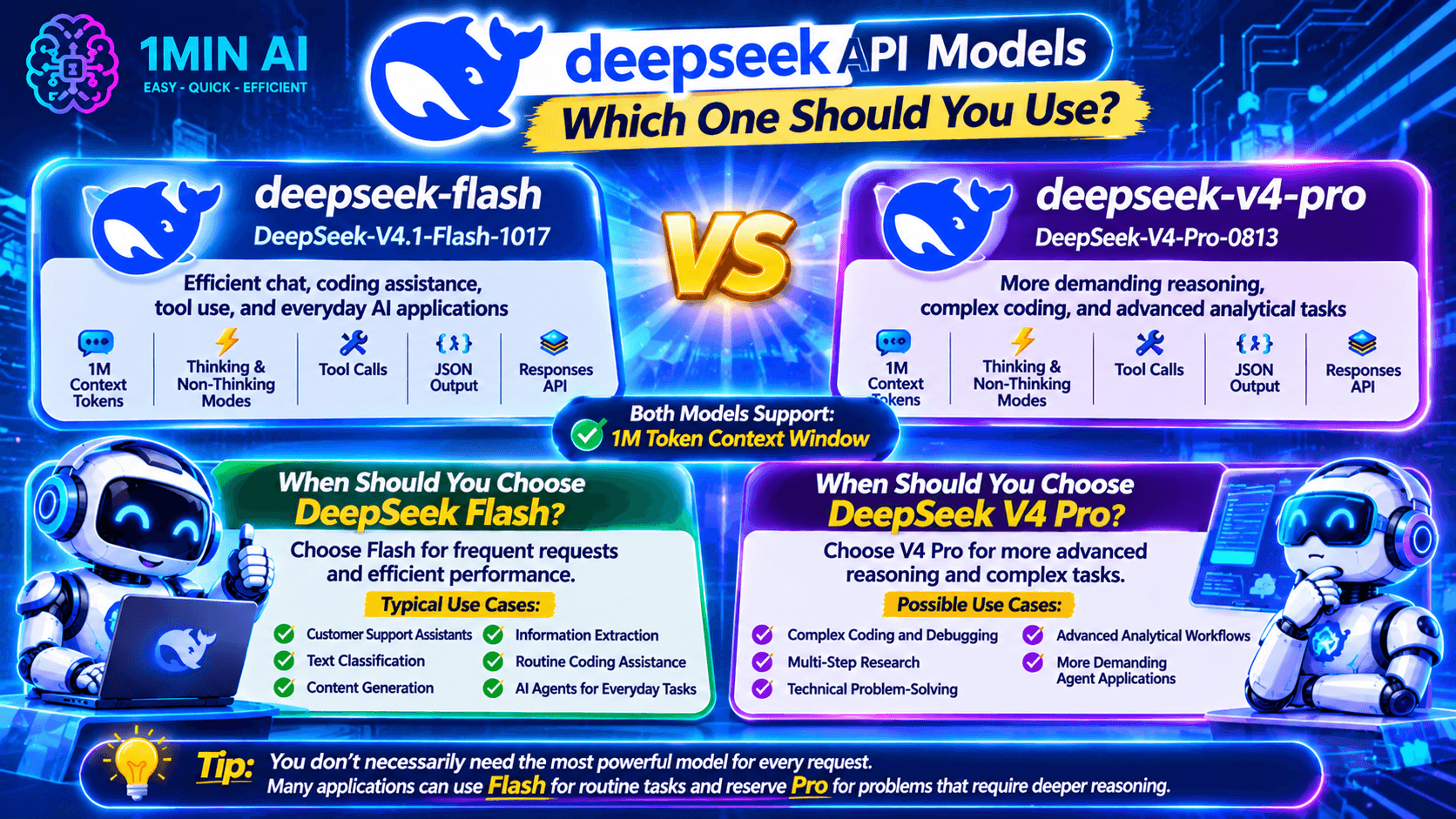
DeepSeek's current API documentation lists two main model identifiers.
| Model identifier | Model version | Best suited for |
|---|---|---|
deepseek-flash | DeepSeek-V4.1-Flash-1017 | Efficient chat, coding assistance, tool use, and everyday AI applications |
deepseek-v4-pro | DeepSeek-V4-Pro-0813 | More demanding reasoning, complex coding, and advanced analytical tasks |
Both models support a 1-million-token context window, thinking and non-thinking modes, tool calls, JSON output, and the Responses API.
When Should You Choose DeepSeek Flash?
Choose Flash when your application needs frequent AI requests and efficient performance.
Typical use cases include:
- Customer support assistants.
- Text classification.
- Content generation.
- Information extraction.
- Routine coding assistance.
- AI agents handling everyday tasks.
When Should You Choose DeepSeek V4 Pro?
Choose V4 Pro when your application needs more advanced reasoning for difficult tasks.
It may be suitable for:
- Complex coding and debugging.
- Multi-step research.
- Technical problem-solving.
- Advanced analytical workflows.
- More demanding agent applications.
Tip: You don't necessarily need to use the most capable model for every request. Many applications can use Flash for routine tasks and reserve Pro for problems that require deeper reasoning.
How to Get a DeepSeek API Key
Before making API requests, you need an API key.
An API key is a credential that identifies and authorizes your application when communicating with the DeepSeek API.
Follow these steps to get started.
Step 1: Create a DeepSeek Platform Account
Visit the official DeepSeek platform and sign in or create an account.
Go to the API platform:
https://platform.deepseek.com/
Step 2: Open the API Keys Section
After signing in, navigate to the API key management section.
This is where you can create and manage the credentials used by your applications.
Step 3: Generate a New API Key
Select the option to create a new API key.
Give it a recognizable name so you can identify which project uses it.
Step 4: Copy and Secure Your API Key
Copy the generated key and store it securely.
Important security practices:
- Never publish your API key in public code repositories.
- Avoid placing secret keys directly in frontend JavaScript.
- Use environment variables or a secure secrets manager.
- Rotate keys if you suspect they have been exposed.
- Use separate keys for different applications when appropriate.
Once you have your key, you're ready to make your first API request.
How to Use DeepSeek API for AI Agent Development
One of the most interesting applications of the DeepSeek API is building AI agents.
An ordinary chatbot generates responses based on user input. An AI agent can use connected tools to perform additional steps, retrieve information, and work toward completing a task.
DeepSeek supports function-based tool calling, allowing developers to connect models to external functions.
DeepSeek API Pricing: How Much Does It Cost?
DeepSeek uses token-based API pricing. Your cost depends on the model, the number of input and output tokens, and whether input tokens are served from the cache.
The current published pricing for the main V4 API models is:
| Model | Input – cache miss | Input – cache hit | Output |
|---|---|---|---|
| DeepSeek V4.1 Flash | $0.15 / 1M tokens off-peak | $0.003 / 1M tokens off-peak | $0.60 / 1M tokens off-peak |
| DeepSeek V4 Pro | $0.66 / 1M tokens off-peak | $0.022 / 1M tokens off-peak | $1.98 / 1M tokens off-peak |
Peak-period rates are higher. DeepSeek publishes separate peak and off-peak pricing, so check its official pricing page before estimating your application budget.
What Is a Token?
A token is a unit of text processed by an AI model. It can represent a word, part of a word, a number, or punctuation.
API usage generally includes:
- Input tokens: Instructions, conversation history, and other information sent to the model.
- Output tokens: The text or structured response generated by the model.
- Cached input tokens: Previously processed input that can qualify for a reduced rate when caching applies.
For example, a chatbot that receives long conversation histories may consume more input tokens than a simple question-and-answer application.
How to Reduce DeepSeek API Costs
Here are several practical ways to manage your API spending:
- Choose the right model: Use Flash for routine tasks and reserve Pro for more demanding requests.
- Keep prompts focused: Remove unnecessary instructions and repeated context.
- Manage conversation history: Send only the relevant information needed for the current request.
- Use caching where appropriate: Take advantage of supported prompt caching for repeated prefixes.
- Set output limits: Configure maximum output tokens based on your application's needs.
- Monitor usage: Track token consumption and API spending as your application grows.
For current model identifiers and rates, refer to the official DeepSeek Models & Pricing documentation.
DeepSeek API vs. 1minAI API: What's the Difference?
If you're exploring AI development, you may come across both DeepSeek's API and 1minAI's developer API resources.
They serve related but different purposes.
| Comparison | DeepSeek API | 1minAI API |
|---|---|---|
| Provider | DeepSeek | 1minAI |
| Main purpose | Programmatic access to DeepSeek models | Access to AI capabilities available through the 1minAI ecosystem |
| Model access | DeepSeek-supported models | Models and tools supported by 1minAI |
| Integration | Direct API integration | Integration through 1minAI's developer services |
| Best for | Developers building directly with DeepSeek | Developers exploring multiple AI capabilities through one platform |
If you want to work directly with DeepSeek models, its official API is the natural starting point.
If you want to explore a broader set of AI capabilities, 1minAI also provides developer-focused resources.
For example, explore:
Check each service's current documentation for supported models, API access conditions, pricing, and usage limits.
Explore More AI Agent Workflows with 1minAI
The DeepSeek API gives developers a way to connect AI models to software. But building a complete agent workflow can require more than an API connection.
You may also need a model interface, connected tools, workflow instructions, and a way to organize tasks.
1minAI offers several AI agent-related experiences worth exploring.
1. Try 1minAI DeepSeek Super Agent
Visit 1minAI DeepSeek Super Agent to explore a DeepSeek-focused agent experience.
This is a useful starting point if you want to experiment with AI-powered task workflows without building an entire agent application from scratch.
Check the page for its current capabilities and usage conditions.
2. Explore Multi AI Chat and AI Agents
Visit 1minAI Multi AI Chat & AI Agent to discover broader AI assistant and agent workflows.
Comparing different models can help you evaluate their responses and find an approach that works for your task.
3. Automate Social Media Workflows
AI agents can also support recurring marketing activities.
Explore 1minAI AI Agent for Social Media Management to see how AI can assist with content planning and social media workflows.
This is particularly relevant for marketers, creators, and small business owners.
4. Discover More AI Agents
You can also explore the 1minAI AI Agents page to discover other agent-related applications.
Think about repetitive work in your daily routine. Research, writing, planning, and organizing information are all potential areas where AI assistance may help.
Frequently Asked Questions
1. What is the DeepSeek API used for?
The DeepSeek API allows developers to integrate DeepSeek AI models into their own applications. Common use cases include chatbots, coding assistants, content generators, document analysis tools, and AI agents.
2. Is the DeepSeek API free?
DeepSeek API access uses token-based pricing. It is not the same as using a free chat interface. Check DeepSeek's official pricing page for current rates and any available credits or promotions.
3. How do I get a DeepSeek API key?
Create an account on the official DeepSeek platform, navigate to API key management, generate a key, and store it securely. You can then use it to authenticate your API requests.
4. Is the DeepSeek API compatible with OpenAI?
Yes. DeepSeek provides an OpenAI-compatible API format. Developers can use familiar OpenAI SDKs by configuring the DeepSeek base URL and selecting a supported DeepSeek model.
5. Can I use DeepSeek API with Python?
Yes. You can use the OpenAI Python SDK with the DeepSeek API by configuring the API key and base URL. The example in this guide demonstrates a basic chat-completion request.
Final: Start Building with the DeepSeek API
The DeepSeek API gives developers a practical way to integrate advanced AI capabilities into their applications.
From chatbots and coding assistants to document analysis and tool-powered agents, it provides building blocks for a wide range of AI projects.
To get started, create your API key, choose a supported model, and make a simple request. Once the basic integration works, you can explore streaming, structured output, and tool calling to build more advanced workflows.
If you want to explore more AI development possibilities, check out the 1minAI AI API Aggregator for Developers, the Free AI API for Developers, and the available 1minAI AI Agents.
Start with one useful application, test it carefully, and build from there.
- #Commerce
Alternativy
Objevte nejlepší alternativy k 1minAI a porovnejte funkce, ceny a případy použití.

1min.AI vs OpenRouter
1min.AI vs. OpenRouter: Porovnejte hotový AI nástroj pro tvorbu s technickým API řešením. Zjistěte, zda potřebujete kreativní studio bez kódu, nebo vývojářský infrastrukturu hub.
 Ngoc Hong

1min AI vs Buffer
Compare 1min.AI vs Buffer for Facebook content creation, AI writing, image generation, scheduling, pricing, and everyday marketing workflows.
Ngoc Hong
1min.AI vs. Hootsuite: Which Social Media Tool Fits Your Workflow?
Compare 1min.AI vs. Hootsuite to explore their AI content creation, social media publishing, analytics, pricing, and collaboration features. Find the right tool for your workflow.
Nástroje AI
Objevte nejlepší nástroje AI pro zvýšení produktivity, kreativity a každodenní práce.

Top 4 cenově dostupné AI nástroje pro zakladatele startupů
Objevte 4 nejlepší cenově dostupné AI nástroje pro zakladatele startupů, které pomohou ověřovat nápady, vyvíjet produkty, tvořit obsah a spouštět je rychleji bez zbytečných výdajů.
 Tram Ta

POV: Máte každý den vytvořit 10+ příspěvků
Zjistěte, jak si vybudovat AI workflow pro tvorbu obsahu, které pomůže tvůrcům obsahu vytvářet 10+ příspěvků na sociální sítě denně rychleji díky AI brainstormingu, generování obrázků a tvorbě obsahu.
 Lien Anh Vu

Proměňte „Udělejte to lepší“ v lepší obsah s AI
Využijte AI k tomu, abyste z vágní zpětné vazby klienta vytvořili jasné úpravy, omezili zbytečné revize a dodávali lepší obsah rychleji.
Lien Anh VuFunkce AI
Komplexní funkce AI, které zjednodušují pracovní postupy, zvyšují efektivitu a umožňují týmům dosahovat více.

1minAI: Bezplatná AI kontrola gramatiky
Zkontrolujte gramatiku zdarma s AI kontrolou gramatiky od 1minAI. Najděte gramatické, pravopisné a stylistické chyby, zlepšete srozumitelnost a vylepšete svůj obsah během několika sekund.
Tram Ta
Vytvořte portfolio web rychleji s 1min.AI
Zjistěte, jak mohou freelance kreativci použít 1min.AI k plánování, psaní, návrhu a generování profesionálního portfoliového webu rychleji, i bez silných programátorských dovedností.
Lien Anh Vu
Zdarma AI X Komentář
Vytvářejte vtipné, duchaplné nebo pronikavé komentáře pro Twitter s naším AI-poháněným Generátorem komentářů pro Twitter. Zvyšte svou angažovanost a vynikněte v davu!
 Trang Tran
Případy použití AI
Pečlivě vybraná sbírka případů použití AI pro podnikání, produktivitu a oborová řešení.

Nejlepší čas pro zveřejňování na Instagramu: Praktický průvodce pro vyšší zapojení
Zjistěte, kdy je nejlepší čas zveřejňovat na Instagramu, včetně nejlepších dnů a časů pro různé publikum, a tipů, jak najít ideální harmonogram publikování pro váš účet.
Tram TaVytvořte portfolio web rychleji s 1min.AI
Zjistěte, jak mohou freelance kreativci použít 1min.AI k plánování, psaní, návrhu a generování profesionálního portfoliového webu rychleji, i bez silných programátorských dovedností.
Lien Anh VuProměňte „Udělejte to lepší“ v lepší obsah s AI
Využijte AI k tomu, abyste z vágní zpětné vazby klienta vytvořili jasné úpravy, omezili zbytečné revize a dodávali lepší obsah rychleji.
Lien Anh VuAI Návody
Naučte se používat AI s praktickými, krok za krokem návody.

Black Friday AI tool nabídky v roce 2026
Objevte, co Black Friday AI tool nabídky 2026 nabízí. Zjistěte, jak získat doživotní nabídku 1min.AI přes AppSumo, Dealify, Stack Social a ověřit ji na Trustpilot, Slashdot a Software Advice.
 Hang Nguyen

Zažijte Fashion Week za $0 s 1minAI Face Swap
Zažijte Fashion Week za $0 s 1minAI Face Swap. Nahrajte svou fotku, vyberte video z Fashion Weeku a vytvořte si vlastní AI módní moment.
Ngoc Hong
Viral Reels za minuty: Jak používat převod textu na řeč od 1minAI pro satirické voiceovery
Zjistěte, jak správci satirických stránek používají funkci převodu textu na řeč od 1minAI k vytváření okamžitých hlasů zpravodajského moderátora a dramatických voiceoverů pro TikToky, Shorts a Instagram Reels.
Průvodce AI
Učte se AI rychleji s praktickými průvodci, reálnými příklady a ověřenými postupy.

Bezpečně kupujte AI nástroje online: průvodce Black Friday 2026
Zjistěte, jak online najít a zajistit ty nejlepší Black Friday nabídky na AI. Naučte se odborné strategie, jak se vyhnout podvodům, bojovat proti únavě ze předplatného a ověřovat software.
Hang Nguyen
Jak začít s AI byznysem bez stavění od nuly
Zjistěte, jak začít s AI byznysem, ověřit svůj nápad a spustit ho rychleji bez nákladného budování AI infrastruktury od nuly.
Ngoc Hong
AI Fashion Video Generator With Seedance 2.5 and HeyGen
Learn how to create AI fashion videos with Seedance 2.5 and HeyGen. Turn outfit photos into cinematic videos featuring your own face with 1min.AI.
Lien Anh VuŘešení AI
Prohlédněte si nejlepší řešení AI pro automatizaci, kódování, výzkum, produktivitu, zákaznickou podporu, marketing a obchodní procesy.

Bezplatný AI generátor tetování: návrhy na míru
Proměňte jakýkoli nápad v návrh tetování s bezplatným AI generátorem tetování od 1min.AI. Popište svůj nápad, vyberte styl a stáhněte během několika sekund.
Trang TranBezpečně kupujte AI nástroje online: průvodce Black Friday 2026
Zjistěte, jak online najít a zajistit ty nejlepší Black Friday nabídky na AI. Naučte se odborné strategie, jak se vyhnout podvodům, bojovat proti únavě ze předplatného a ověřovat software.
Hang NguyenZažijte Fashion Week za $0 s 1minAI Face Swap
Zažijte Fashion Week za $0 s 1minAI Face Swap. Nahrajte svou fotku, vyberte video z Fashion Weeku a vytvořte si vlastní AI módní moment.
Ngoc HongModely AI
Prozkoumejte přední světové modely AI na jednom místě.

Free AI Chat With Claude Fable 5.2 On 1min.AI
Free AI chat with Claude Fable 5.2 on 1min.AI. Compare Fable 5.2 vs Opus 5.5, see Fable 5.2 benchmarks, and start chatting in minutes.
Trang Tran
GPT-6.2 Sol: Specs, Pricing & Free Access
Explore GPT-6.2 Sol specs, pricing, and how it compares with GPT-6.1 Sol and Claude Opus 5.5, then try it free in 1min.AI Multi AI Chat.
Trang Tran
GPT 6.2 Astra: Pricing, Benchmarks & Free Access
GPT 6.2 Astra release date, pricing, Reddit feedback and Opus 5.5 comparison. See what it does best and chat with it on 1min.AI for free.
Trang TranSrovnání AI
Porovnejte nástroje, modely a platformy AI, abyste našli to nejlepší pro vaše potřeby.

Gemini 4 Neon vs Hydrogen: Specs, Price & Picks
Gemini 4 Neon vs Hydrogen, Carbon and Argon: compare price, benchmarks and use cases to pick the right model, then test them side by side on 1min.AI.
Trang Tran
Kling AI vs Veo 3: Který model zvítězí?
Kling AI vs Veo 3: porovnejte pohyb, nativní audio, cenu a free tarify a zjistěte, který AI generátor videa je pro váš projekt lepší – vyzkoušejte oba na 1min.AI.
Trang Tran
Srovnání DeepSeek V4 Pro vs Flash
Porovnejte metriky DeepSeek V4 Pro vs DeepSeek V4 Flash. Optimalizujte své agentní aplikace a zlepšete ověřování faktů AI ještě dnes na 1min.ai.
Ngoc HongIntegrace AI
Bezproblémově propojte AI s nástroji, které už používáte, abyste automatizovali práci a zvýšili produktivitu.
POV: Máte každý den vytvořit 10+ příspěvků
Zjistěte, jak si vybudovat AI workflow pro tvorbu obsahu, které pomůže tvůrcům obsahu vytvářet 10+ příspěvků na sociální sítě denně rychleji díky AI brainstormingu, generování obrázků a tvorbě obsahu.
Lien Anh Vu
Přestaňte přepínat mezi AI aplikacemi: Jak AI integrace mění employer branding
Zjistěte, jak AI integrace pomáhá HR týmům zefektivnit employer branding díky spojení AI psaní, dokumentů, obrázků, videa a více AI modelů do jednoho pracovního prostoru.
Tram Ta
Vysvětlení AI API agregátoru pro vývojáře
AI API agregátor dává vývojářům jedno jednotné API pro volání více AI modelů, čímž zkracuje dobu integrace a snižuje vendor lock-in.
Trang TranAI pro průmysl
Najděte nejlepší nástroje a pracovní postupy AI pro zdravotnictví, finance, vzdělávání, právo, výrobu, maloobchod, nemovitosti a další.

Voice Cloning AI Free: How to Clone Any Voice Online in Minutes
Try voice cloning AI free with 1min.AI. Upload a 5-second clip, pick an ElevenLabs model, choose from 32 languages, and turn text to speech in your own voice.
Trang Tran
Claude Personal Finance Setup and Safety Guide
Claude personal finance explained: how Personal Finance in Claude works and what Claude finance can see. Plus a safe CSV method for non-US users.
Trang Tran
Free AI Image Editor With Prompt No Restrictions
Looking for a free AI image editor with prompt no restrictions? Edit backgrounds, objects and text by typing, no watermark. Try 1min.AI’s flexible editor now.
Trang TranAgenti AI
Objevte a spouštějte agenty AI pro automatizaci úkolů ve vaší práci a každodenním životě.
1minAI: Bezplatná AI kontrola gramatiky
Zkontrolujte gramatiku zdarma s AI kontrolou gramatiky od 1minAI. Najděte gramatické, pravopisné a stylistické chyby, zlepšete srozumitelnost a vylepšete svůj obsah během několika sekund.
Tram Ta
AI agenti pro Facebook
Použijte AI agenta pro Facebook k tvorbě obsahu, generování obrázků, plánování příspěvků a publikování z vašich dokumentů a konverzací.
Ngoc Hong
AI Agent vs AI Asistent: Který z nich skutečně ušetří designérům víc času?
Zjistěte rozdíl mezi AI Agent a AI Asistentem a objevte, které řešení pomáhá designérům automatizovat opakující se práci, snížit počet revizí a ušetřit víc času.
Lien Anh VuPracovní postupy AI
Prozkoumejte hotové pracovní postupy AI pro produktivitu, marketing, prodej, podporu a další.
POV: Máte každý den vytvořit 10+ příspěvků
Zjistěte, jak si vybudovat AI workflow pro tvorbu obsahu, které pomůže tvůrcům obsahu vytvářet 10+ příspěvků na sociální sítě denně rychleji díky AI brainstormingu, generování obrázků a tvorbě obsahu.
Lien Anh VuAI Fashion Video Generator With Seedance 2.5 and HeyGen
Learn how to create AI fashion videos with Seedance 2.5 and HeyGen. Turn outfit photos into cinematic videos featuring your own face with 1min.AI.
Lien Anh Vu
Is Seedance 2.5 the Best AI Video Generator of 2026?
Is Seedance 2.5 the best AI video generator in 2026? Explore its features, compare it with Kling and Veo, and learn how to create AI videos on 1min.AI.
Lien Anh VuZpravodaj
Týdenní inovace v oblasti AI od 1minAI

🔮 Weekly AI Innovations #145: X Content Agent & GPT 6.1 Terra on 1min.ai
Scale viral reach with the X Content Agent on 1min.ai. Discover an end-to-end 4-stage pipeline with zero token burn, plus the launch of GPT 6.1 Terra.
Hang Nguyen
🔮 Weekly AI Innovations #144: LinkedIn Content Agent: Complete B2B Publishing Pipeline
Scale B2B influence with the LinkedIn Content Agent on 1min.ai. Discover an end-to-end 4-stage pipeline with zero redundant token burn and 1-click publishing.
Hang Nguyen
🔮 Weekly AI Innovations #146: Mistral 3.5, Qwen Image & Cohere A+ are ready on 1min.ai
Deploy Mistral Large 3, Qwen Image 3.0, and Cohere Command A+ on 1min.ai. Boost RAG accuracy and cut visual generation latency in one unified AI workspace.
Hang Nguyen