
How to Write Clearer Social Media Briefs for Your Team
Uyen Hoang
20 نوفمبر 2026
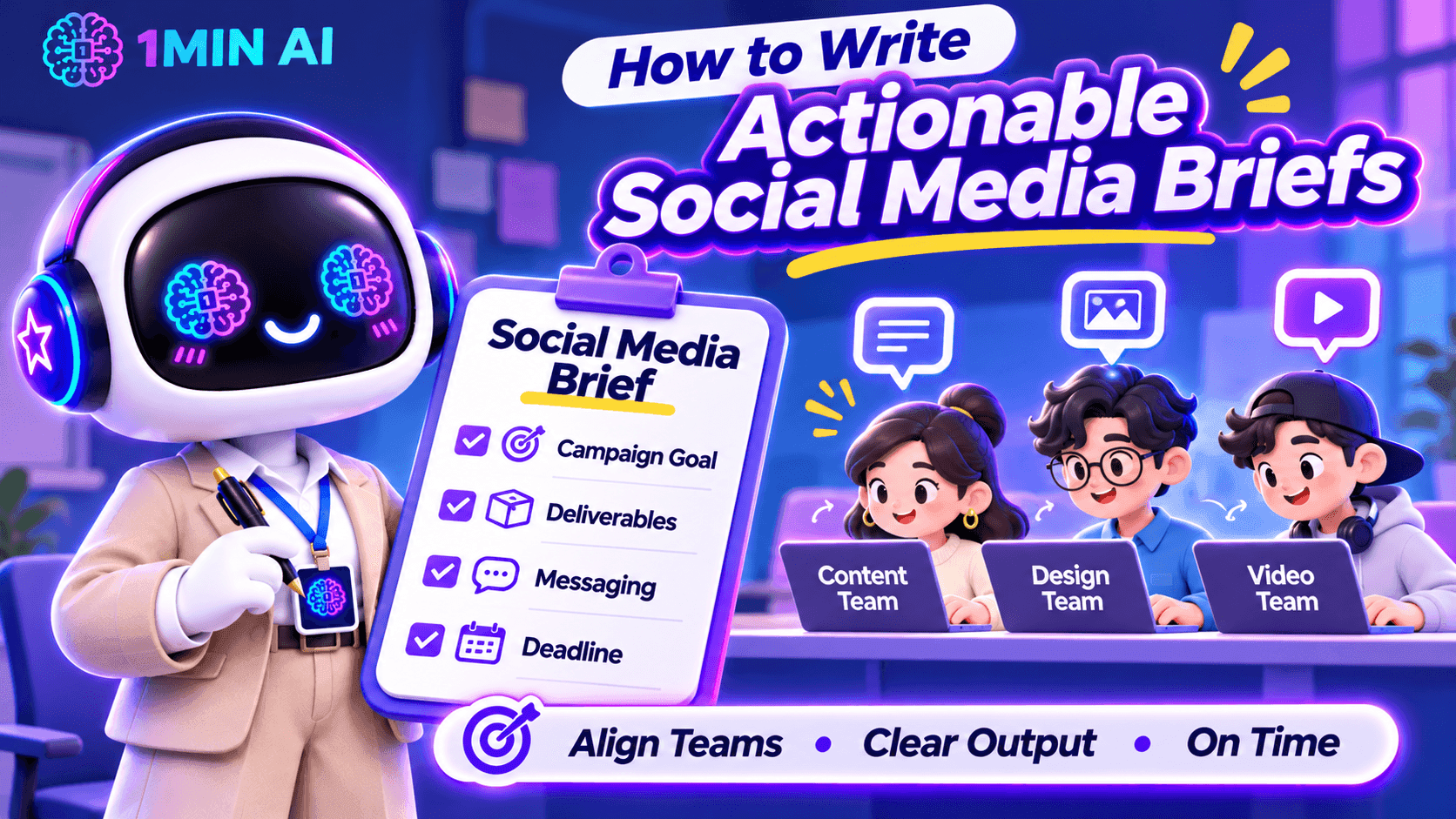
Learn how to write actionable social media briefs that align your content, design, and video teams on campaign goals, deliverables, messaging, and deadlines.
A social media brief can look complete on paper and still leave your team with more questions than answers.
You might tell a designer to create an Instagram carousel, ask a copywriter to write a LinkedIn post, and assign a video editor to produce a short-form video. But when the work comes back, the visuals do not match the campaign direction, the caption misses the intended message, or the video opens with a hook that does not fit the audience.
As a Social Media Manager, this often means spending more time clarifying instructions and requesting revisions than actually managing the campaign. The problem is not necessarily your team's execution. It may be that the brief does not translate your expectations into clear, actionable instructions.
Here is how to write social media briefs that help your team understand not only what to create, but also why it matters and what a successful result should look like.
Start with the Content Objective, Not Just the Deliverable
One common mistake is starting a brief with a list of tasks:
- Create three Instagram posts.
- Write two LinkedIn captions.
- Edit one TikTok video.
- Design a promotional banner.
These instructions explain what needs to be produced, but not what the content is expected to achieve. Without that context, team members may complete the deliverables while missing the actual campaign objective.
Before assigning tasks, define the purpose of each content piece. Is it designed to introduce a new product, increase awareness, drive website traffic, encourage comments, or generate sign-ups?
For example, compare these two instructions:
Vague brief: Create an Instagram carousel about our new AI writing tool.
Clearer brief: Create a five-slide Instagram carousel introducing our new AI writing tool to small business owners. Focus on the time they spend rewriting marketing content and show how the tool can support their workflow. The primary objective is to increase product awareness and encourage users to explore the feature.
The second version gives the team a reason behind the deliverable. The copywriter knows which problem to address, while the designer understands what information the visual needs to communicate.
What to include in your brief:
- Campaign or content objective
- Primary audience
- Main problem or opportunity being addressed
- Desired audience action
- Key message the audience should remember
Define the Target Audience Beyond Basic Demographics
Saying that a post targets people aged 18–35 is rarely enough to guide content creation. Your designer and copywriter need to understand what the audience cares about, what problems they experience, and why they would pay attention to the content.
As a Social Media Manager, you should translate audience research into practical creative direction.
For example, if your audience is small business owners, do not simply write:
“Target audience: Small business owners.”
Give the team more context:
“Target audience: Small business owners who manage their own social media accounts and struggle to produce consistent content while handling daily operations. They value practical tips, affordable tools, and solutions that save time.”
This additional information changes how the team approaches the content. Instead of creating a generic product promotion, the copywriter can focus on time constraints, while the designer can use familiar business scenarios to make the message more relatable.
A useful audience section should answer:
| Question | What the Team Needs to Know |
|---|---|
| Who are we targeting? | Their role, experience level, or relevant audience segment |
| What problem do they face? | A specific frustration, need, or challenge |
| What do they care about? | Their priorities, motivations, and interests |
| What would make them engage? | Useful information, relatable situations, entertainment, or a clear benefit |
Give Each Platform Its Own Content Direction
One campaign does not mean every social platform should receive the same post.
A common challenge for Social Media Managers is adapting one campaign idea across multiple channels without making every piece of content feel like a copy-and-paste version.
For example, a product announcement may require different approaches:
| Platform | Content Direction | What to Prioritize |
|---|---|---|
| Visual-first carousel or Reel | Strong opening visual, concise messaging, and shareability | |
| TikTok | Short-form video | Immediate hook, engaging demonstrations, and natural pacing |
| Professional insight or product use case | Business relevance, practical value, and credibility | |
| Community-oriented post or visual update | Clear information and audience interaction | |
| X | Short, focused post or thread | A strong opening statement and concise messaging |
| Threads | Conversational post | Relatable observations and natural discussion |
These are starting points, not fixed rules. The actual direction should depend on your audience, campaign objective, and the way your brand communicates on each platform.
Your brief should also clarify whether the team is expected to adapt an existing asset or create platform-specific content from scratch.
For example:
“Use the same core campaign message across Instagram and LinkedIn, but do not reuse the exact caption. Instagram should focus on a visual product demonstration, while LinkedIn should explain the business problem and practical application.”
This prevents the team from treating cross-platform distribution as simply resizing a graphic and changing the caption.
Turn Creative Expectations into Specific Instructions
Words such as engaging, eye-catching, modern, and professional appear frequently in social media briefs. However, they are subjective. A designer may interpret “modern” as minimal and clean, while the Social Media Manager expects bold typography, bright colors, and dynamic layouts.
Instead of relying on adjectives, describe what the team should actually produce.
For a design brief, specify:
- Format: Instagram carousel, static post, Story, Reel cover, or other deliverable.
- Dimensions: Required aspect ratio or platform specifications.
- Visual direction: Reference images, layout preferences, color palette, and typography.
- Content hierarchy: Which headline, statistic, product feature, or CTA should receive the most attention.
- Brand requirements: Logo placement, brand colors, fonts, and visual elements that must remain consistent.
For a video brief, include:
- Opening hook: What viewers should see or hear in the first few seconds.
- Scene structure: The main message or action in each scene.
- Pacing: Fast-paced, educational, conversational, or storytelling.
- On-screen text: Key phrases, subtitles, and information that must appear.
- Audio direction: Voiceover, music, sound effects, or dialogue requirements.
- Final CTA: What viewers should do after watching.
You do not need to control every creative decision. The goal is to provide enough direction for the team to make informed decisions without having to guess what you expect.
Include References That Explain What You Want
A reference link can save several rounds of revisions, but simply attaching an example is not enough. Your team needs to know which part of the reference they should follow.
For example, if you share a competitor's Instagram carousel, explain whether you like its storytelling structure, information hierarchy, illustration style, or opening slide.
A useful reference section can look like this:
| Reference | What to Take From It | What to Avoid |
|---|---|---|
| Competitor carousel | Clear slide progression and concise headlines | Copying its exact layout |
| Previous campaign | Consistent brand colors and typography | Reusing outdated messaging |
| TikTok video | Strong opening hook and quick transitions | Its unrelated visual style |
Also distinguish between inspiration and mandatory brand requirements. A reference should guide the creative direction, not automatically become a template that your team must reproduce.
Clarify Deliverables, Deadlines, and Approval Requirements
Even a well-written creative direction can fall apart if the team does not know exactly what needs to be submitted or when.
Instead of writing “Prepare social media content for next week,” break the assignment into specific deliverables.
| Deliverable | Owner | Deadline | Output |
|---|---|---|---|
| Instagram carousel | Designer | Monday, 3 PM | 1 editable design file + exported images |
| Instagram caption | Copywriter | Monday, 3 PM | Final caption with CTA and hashtags |
| TikTok video | Video Editor | Tuesday, 12 PM | Final video with subtitles |
| Content review | Social Media Manager | Tuesday, 4 PM | Consolidated feedback |
| Final approval | Marketing Lead | Wednesday, 10 AM | Approved assets |
You should also define the review process. Who gives the first round of feedback? Who has final approval? Where should team members submit their work? How many revision rounds are expected?
One particularly useful practice is to consolidate feedback before sending it back to the team. When the Social Media Manager, marketing lead, and product team provide separate or conflicting comments, creators can end up revising the same asset multiple times.
A clear approval process helps prevent that situation.
Use AI to Prepare More Actionable Social Media Briefs
Writing a good brief requires more than filling in a template. You need to understand the audience, develop a content angle, communicate the message, and translate campaign goals into instructions different team members can execute.
This is where 1min.AI can support your planning process.
Brainstorm Content Angles with Multi AI Chat
Before writing the brief, you may need to explore different approaches to the same campaign. Multi AI Chat lets you submit a prompt to multiple available AI models and compare their suggestions.
For example, you can compare responses from GPT-4.1, o3, Claude, Gemini, and DeepSeek, depending on model availability in your workspace.
Try this prompt:
“Act as a Social Media Strategist. We are launching a new AI writing tool for small business owners who manage their own social media. Suggest five distinct campaign content angles. For each angle, include the audience pain point, key message, recommended content format, and desired audience action. Avoid generic promotional ideas.”
Comparing the responses can help you identify stronger angles before assigning content to your team.
Turn Campaign Ideas into Clear Instructions with AI for Writing
Once you have selected a direction, use Content Generator in AI for Writing to develop an initial brief structure. You can provide the campaign objective, audience, platform, and key message as input, then refine the output into instructions for your team.
You can also use:
- Rewriter to make unclear instructions more direct and specific.
- Content Expander to add missing context, examples, or creative requirements.
- Content Shortener to remove unnecessary wording and make the brief easier to scan.
For example, you can ask AI to turn a vague instruction such as “Create an engaging product launch post” into a more actionable direction that includes the target audience, content angle, key message, and CTA.
Remember to review the output against your actual campaign strategy. AI can help structure and refine your brief, but it should not invent product claims, campaign objectives, or audience insights.
[GIF 1 – Using Multi AI Chat to brainstorm campaign angles and AI for Writing to refine a social media brief]
A Practical Social Media Brief Template for Your Team
You do not need a complicated document for every social media post. A useful brief should contain enough information for the assigned team member to start working without repeatedly asking for clarification.
Here is a practical structure you can adapt for your next campaign.
| Brief Section | Information to Include |
|---|---|
| Campaign Name | Campaign title and relevant dates |
| Objective | Awareness, engagement, traffic, leads, or conversions |
| Target Audience | Audience segment, pain points, and motivations |
| Key Message | The one takeaway the audience should remember |
| Platform | Instagram, TikTok, LinkedIn, Facebook, X, Threads, etc. |
| Content Format | Carousel, static post, Reel, short-form video, thread, etc. |
| Creative Direction | Tone of voice, visual style, hook, and content structure |
| References | Examples and an explanation of what to take from them |
| CTA | Desired action from the audience |
| Deliverables | Number of assets, formats, copy, and editable files |
| Deadline | Submission and publishing dates |
| Approval | Reviewer, final approver, and feedback process |
Example of a Completed Social Media Brief
Campaign: Introducing an AI Writing Tool
Objective: Increase awareness and encourage small business owners to explore the product.
Target Audience: Small business owners who manage their own social media and struggle to produce consistent marketing content.
Key Message: Create and refine marketing content more efficiently with AI writing tools.
Platform: Instagram and LinkedIn.
Instagram Direction:
- Format: Five-slide carousel.
- Hook: “Still spending hours writing social media captions?”
- Structure: Introduce the problem, show common content challenges, demonstrate relevant product capabilities, and end with a CTA.
- Visual direction: Clean, modern layout with short headlines and clear product screenshots.
- CTA: Explore the AI writing tools.
LinkedIn Direction:
- Format: Single-image post with supporting copy.
- Angle: Explain how small business owners can use AI to support their content workflow.
- Tone: Professional, practical, and informative.
- CTA: Learn more about the product.
Deliverables: Two platform-specific posts, captions, and exported visual assets.
Deadline: First draft by Monday, final approval by Wednesday.
This example gives the team a clear starting point while leaving room for the copywriter and designer to contribute their own creative decisions.
Make Every Social Media Brief Easier to Execute
A good social media brief should reduce uncertainty, not simply document what the Social Media Manager wants. Your team should be able to understand the campaign objective, identify the audience, follow the creative direction, and know exactly what needs to be delivered.
Before sending a brief, ask yourself three questions:
- Can the creator explain why this content is being produced?
- Does the team know what the final deliverable should look like?
- Can someone start working without having to ask basic clarification questions?
If the answer to any of these is no, your brief probably needs more context.
With a clear briefing process and tools like 1min.AI to support brainstorming and content refinement, you can spend less time clarifying instructions and more time focusing on campaign strategy, creative quality, and social media performance.
بدائل
اكتشف أفضل البدائل لـ 1minAI وقارن الميزات والأسعار وحالات الاستخدام.

1min.AI مقابل OpenRouter
1min.AI مقابل OpenRouter: قارن منتج إنشاء الذكاء الاصطناعي الجاهز للاستخدام بأداة واجهة برمجة التطبيقات التقنية. اكتشف ما إذا كنت بحاجة إلى استوديو إبداعي بدون أي برمجة أو مركز بنية تحتية للترميز.
 Ngoc Hong

1min. AI مقابل Dola AI
هل تبحث عن بديل لـ Dola AI؟ قارن بين 1min.AI وDola AI من حيث إنشاء الفيديو، الخطط المجانية، التسعير والخصوصية لاختيار تطبيق الذكاء الاصطناعي المناسب.
Ngoc Hong
1minAI مقابل Hix AI
قارن 5 بدائل لـ HIX AI للدردشة بالذكاء الاصطناعي، والبحث، والكتابة، والصور، والفيديو، والتسعير، وسير العمل المرن للذكاء الاصطناعي.
Ngoc Hongأدوات الذكاء الاصطناعي
اكتشف أفضل أدوات الذكاء الاصطناعي لتعزيز الإنتاجية والإبداع والعمل اليومي.

أنشئ محتوى كرتونيًا متناسقًا في بضع خطوات فقط
أنشئ فيديوهات كرتونية لـ TikTok وReels في 3 خطوات بسيطة مع 1min.AI، من البحث عن الأفكار إلى الشخصيات والفيديوهات المتحركة.
 Lien Anh Vu

منتج واحد، 10 إبداعات UGC: كيف يجعل الذكاء الاصطناعي اختبار المحتوى أسهل
أنشئ محتوى UGC أكثر أصالة باستخدام مولّد فيديو UGC بالذكاء الاصطناعي، واختبر زوايا إبداعية أكثر، ووسّع محتوى التسويق بالعمولة دون تصوير كل نسخة.
Lien Anh Vu
أفضل 4 أدوات ذكاء اصطناعي بأسعار معقولة لمؤسسي الشركات الناشئة
اكتشف أفضل 4 أدوات ذكاء اصطناعي بأسعار معقولة لمؤسسي الشركات الناشئة للتحقق من صحة الأفكار وبناء المنتجات وإنشاء المحتوى وإطلاقها بشكل أسرع دون الإفراط في الإنفاق.
 Tram Ta
ميزات الذكاء الاصطناعي
ميزات شاملة للذكاء الاصطناعي تبسط سير العمل، وتحسن الكفاءة، وتمكن الفرق من تحقيق المزيد.
أنشئ محتوى كرتونيًا متناسقًا في بضع خطوات فقط
أنشئ فيديوهات كرتونية لـ TikTok وReels في 3 خطوات بسيطة مع 1min.AI، من البحث عن الأفكار إلى الشخصيات والفيديوهات المتحركة.
Lien Anh Vuمنتج واحد، 10 إبداعات UGC: كيف يجعل الذكاء الاصطناعي اختبار المحتوى أسهل
أنشئ محتوى UGC أكثر أصالة باستخدام مولّد فيديو UGC بالذكاء الاصطناعي، واختبر زوايا إبداعية أكثر، ووسّع محتوى التسويق بالعمولة دون تصوير كل نسخة.
Lien Anh Vu
1minAI: مدقق قواعد نحوية مجاني بالذكاء الاصطناعي
تحقق من القواعد مجانًا مع مدقق القواعد بالذكاء الاصطناعي من 1minAI. اعثر على أخطاء القواعد والإملاء والكتابة، وحسّن الوضوح، وصقل محتواك في ثوانٍ.
Tram Taحالات استخدام الذكاء الاصطناعي
مجموعة منسقة من حالات استخدام الذكاء الاصطناعي للأعمال والإنتاجية والتطبيقات الخاصة بالصناعة.
أنشئ محتوى كرتونيًا متناسقًا في بضع خطوات فقط
أنشئ فيديوهات كرتونية لـ TikTok وReels في 3 خطوات بسيطة مع 1min.AI، من البحث عن الأفكار إلى الشخصيات والفيديوهات المتحركة.
Lien Anh Vuمنتج واحد، 10 إبداعات UGC: كيف يجعل الذكاء الاصطناعي اختبار المحتوى أسهل
أنشئ محتوى UGC أكثر أصالة باستخدام مولّد فيديو UGC بالذكاء الاصطناعي، واختبر زوايا إبداعية أكثر، ووسّع محتوى التسويق بالعمولة دون تصوير كل نسخة.
Lien Anh Vu
أفضل وقت للنشر على إنستغرام: دليل عملي لتحقيق تفاعل أفضل
اكتشف أفضل وقت للنشر على إنستغرام، بما في ذلك أفضل الأيام والأوقات لجماهير مختلفة، بالإضافة إلى نصائح للعثور على جدول النشر المثالي لحسابك.
Tram Taدروس الذكاء الاصطناعي
تعلم كيفية استخدام الذكاء الاصطناعي من خلال دروس عملية وخطوة بخطوة.
أنشئ محتوى كرتونيًا متناسقًا في بضع خطوات فقط
أنشئ فيديوهات كرتونية لـ TikTok وReels في 3 خطوات بسيطة مع 1min.AI، من البحث عن الأفكار إلى الشخصيات والفيديوهات المتحركة.
Lien Anh Vu
عروض أدوات الذكاء الاصطناعي في الجمعة السوداء 2026
اكتشف ما الذي تقدمه عروض أدوات الذكاء الاصطناعي في الجمعة السوداء 2026. تعرّف على كيفية الحصول على صفقة 1min.AI مدى الحياة عبر AppSumo وDealify وStack Social، وتحقق من Trustpilot وSlashdot وSoftware Advice.
 Hang Nguyen

اتساق المنتج من صورة إلى فيديو بالذكاء الاصطناعي مع Seedance لإيقاف التشوّه وتوسيع مراجعات المنتجات
أوقف تشوّه الشعارات مع اتساق المنتج من صورة إلى فيديو بالذكاء الاصطناعي وأنشئ اليوم على 1min.AI فيديوهات مراجعة بجودة استوديو.
Lien Anh Vuأدلة الذكاء الاصطناعي
تعلم الذكاء الاصطناعي بشكل أسرع باستخدام أدلة عملية وأمثلة واقعية وأفضل الممارسات القابلة للتطبيق.
أنشئ محتوى كرتونيًا متناسقًا في بضع خطوات فقط
أنشئ فيديوهات كرتونية لـ TikTok وReels في 3 خطوات بسيطة مع 1min.AI، من البحث عن الأفكار إلى الشخصيات والفيديوهات المتحركة.
Lien Anh Vu
اشترِ أدوات الذكاء الاصطناعي بأمان عبر الإنترنت: دليل الجمعة السوداء 2026
اكتشف كيف تجد أفضل عروض الجمعة السوداء على أدوات الذكاء الاصطناعي وتحصل عليها بأمان عبر الإنترنت. تعلّم استراتيجيات خبراء لتجنب الاحتيال، والتغلب على إرهاق الاشتراكات، والتحقق من البرامج.
Hang Nguyenاتساق المنتج من صورة إلى فيديو بالذكاء الاصطناعي مع Seedance لإيقاف التشوّه وتوسيع مراجعات المنتجات
أوقف تشوّه الشعارات مع اتساق المنتج من صورة إلى فيديو بالذكاء الاصطناعي وأنشئ اليوم على 1min.AI فيديوهات مراجعة بجودة استوديو.
Lien Anh Vuحلول الذكاء الاصطناعي
تصفح أفضل حلول الذكاء الاصطناعي للأتمتة، والبرمجة، والبحث، والإنتاجية، ودعم العملاء، والتسويق، وسير عمل الأعمال.
أنشئ محتوى كرتونيًا متناسقًا في بضع خطوات فقط
أنشئ فيديوهات كرتونية لـ TikTok وReels في 3 خطوات بسيطة مع 1min.AI، من البحث عن الأفكار إلى الشخصيات والفيديوهات المتحركة.
Lien Anh Vuمنتج واحد، 10 إبداعات UGC: كيف يجعل الذكاء الاصطناعي اختبار المحتوى أسهل
أنشئ محتوى UGC أكثر أصالة باستخدام مولّد فيديو UGC بالذكاء الاصطناعي، واختبر زوايا إبداعية أكثر، ووسّع محتوى التسويق بالعمولة دون تصوير كل نسخة.
Lien Anh Vu
مولّد وشوم بالذكاء الاصطناعي مجانًا: تصاميم مخصصة
حوّل أي فكرة إلى تصميم وشم مخصص باستخدام مولّد الوشوم بالذكاء الاصطناعي المجاني من 1min.AI. صف فكرتك، واختر النمط، وحمّلها في ثوانٍ.
 Trang Tran
نماذج الذكاء الاصطناعي
استكشف أبرز نماذج الذكاء الاصطناعي في مكان واحد.
أنشئ محتوى كرتونيًا متناسقًا في بضع خطوات فقط
أنشئ فيديوهات كرتونية لـ TikTok وReels في 3 خطوات بسيطة مع 1min.AI، من البحث عن الأفكار إلى الشخصيات والفيديوهات المتحركة.
Lien Anh Vuمنتج واحد، 10 إبداعات UGC: كيف يجعل الذكاء الاصطناعي اختبار المحتوى أسهل
أنشئ محتوى UGC أكثر أصالة باستخدام مولّد فيديو UGC بالذكاء الاصطناعي، واختبر زوايا إبداعية أكثر، ووسّع محتوى التسويق بالعمولة دون تصوير كل نسخة.
Lien Anh Vuاتساق المنتج من صورة إلى فيديو بالذكاء الاصطناعي مع Seedance لإيقاف التشوّه وتوسيع مراجعات المنتجات
أوقف تشوّه الشعارات مع اتساق المنتج من صورة إلى فيديو بالذكاء الاصطناعي وأنشئ اليوم على 1min.AI فيديوهات مراجعة بجودة استوديو.
Lien Anh Vuمقارنات الذكاء الاصطناعي
قارن أدوات ونماذج ومنصات الذكاء الاصطناعي للعثور على الأنسب لاحتياجاتك.

Kling AI مقابل Veo 3: أي نموذج يفوز؟
Kling AI مقابل Veo 3: قارن الحركة والصوت الأصلي والتسعير والخطط المجانية لمعرفة أي مولّد فيديو بالذكاء الاصطناعي يناسب مشروعك - جرّب كليهما على 1min.AI.
Trang Tranاتساق المنتج من صورة إلى فيديو بالذكاء الاصطناعي مع Seedance لإيقاف التشوّه وتوسيع مراجعات المنتجات
أوقف تشوّه الشعارات مع اتساق المنتج من صورة إلى فيديو بالذكاء الاصطناعي وأنشئ اليوم على 1min.AI فيديوهات مراجعة بجودة استوديو.
Lien Anh Vu
مقارنة DeepSeek V4 Pro مقابل Flash
قارن مقاييس DeepSeek V4 Pro مقابل DeepSeek V4 Flash. قم بتحسين تطبيقاتك الوكيلة وتحسين التحقق من حقائق الذكاء الاصطناعي على 1min.ai اليوم.
تكاملات الذكاء الاصطناعي
ادمج الذكاء الاصطناعي بسلاسة مع الأدوات التي تستخدمها بالفعل لأتمتة العمل وتعزيز الإنتاجية.

كيفية استخدام مولّد فيديو أزياء بالذكاء الاصطناعي لأسبوع الموضة 2026
حوّل أفكار أسبوع الموضة 2026 إلى مقاطع فيديو أزياء مذهلة باستخدام الذكاء الاصطناعي. تعلّم كيف تولّد الأفكار، وتبتكر المرئيات، وتحول الصور إلى فيديوهات عبر سير عمل بسيط واحد.
Lien Anh Vu
منظور الشخص: لديك أكثر من 10 منشورات لتُنشئها كل يوم
تعرّف على كيفية بناء سير عمل للمحتوى بالذكاء الاصطناعي يساعد صنّاع المحتوى على إنتاج أكثر من 10 منشورات يوميًا بشكل أسرع عبر العصف الذهني بالذكاء الاصطناعي، وتوليد الصور، وإنشاء المحتوى.
Lien Anh Vu
توقف عن التبديل بين تطبيقات الذكاء الاصطناعي: كيف يحوّل تكامل الذكاء الاصطناعي العلامة التجارية لصاحب العمل
اكتشف كيف يساعد تكامل الذكاء الاصطناعي فرق الموارد البشرية على تبسيط العلامة التجارية لصاحب العمل من خلال الجمع بين الكتابة بالذكاء الاصطناعي، المستندات، الصور، الفيديو، ونماذج الذكاء الاصطناعي المتعددة في مساحة عمل واحدة.
Tram Taالذكاء الاصطناعي للصناعات
اكتشف أفضل أدوات الذكاء الاصطناعي وسير العمل للرعاية الصحية، المالية، التعليم، القانون، التصنيع، التجزئة، العقارات، والمزيد.

مولّد مجاني لوصف المنتجات بالذكاء الاصطناعي
اكتب أوصاف منتجات تبيع خلال دقائق. استخدم هذا المولّد المجاني لوصف المنتجات بالذكاء الاصطناعي لتحويل التفاصيل أو صورة إلى نص متوافق مع علامتك. جرّب 1min.AI.
Trang Tran
أفضل أدوات إنتاجية الأعمال للشركات الناشئة لتعظيم الأرباح | 1minAI
اكتشف أفضل أدوات إنتاجية الأعمال للشركات الناشئة لتوفير الوقت، وتبسيط سير العمل، وتقليل المهام المتكررة، ودعم النمو المربح بالذكاء الاصطناعي.
Tram Ta
أفضل أداة ذكاء اصطناعي لتسويق المحتوى |1minAI
هل تبحث عن أفضل أداة ذكاء اصطناعي لتسويق المحتوى؟ اكتشف كيف تساعد 1minAI المسوقين على البحث والكتابة وإعادة التوظيف وإنشاء المرئيات وتوسيع المحتوى من مساحة عمل واحدة للذكاء الاصطناعي.
Tram Taوكلاء الذكاء الاصطناعي
اكتشف وقم بتشغيل وكلاء الذكاء الاصطناعي لأتمتة المهام عبر عملك وحياتك اليومية.
1minAI: مدقق قواعد نحوية مجاني بالذكاء الاصطناعي
تحقق من القواعد مجانًا مع مدقق القواعد بالذكاء الاصطناعي من 1minAI. اعثر على أخطاء القواعد والإملاء والكتابة، وحسّن الوضوح، وصقل محتواك في ثوانٍ.
Tram Ta
وكلاء الذكاء الاصطناعي لفيسبوك
استخدم وكيل ذكاء اصطناعي لفيسبوك لإنشاء المحتوى، وتوليد الصور، وجدولة المنشورات، والنشر من مستنداتك ومحادثاتك.
Ngoc Hong
وكيل الذكاء الاصطناعي أم مساعد الذكاء الاصطناعي: أيهما يوفّر للمصممين وقتًا أكثر فعلًا؟
تعرّف على الفرق بين وكيل الذكاء الاصطناعي ومساعد الذكاء الاصطناعي، واكتشف أي حل يساعد المصممين على أتمتة الأعمال المتكررة وتقليل المراجعات وتوفير المزيد من الوقت.
Lien Anh Vuسير عمل الذكاء الاصطناعي
استكشف سير عمل الذكاء الاصطناعي الجاهزة للاستخدام للإنتاجية والتسويق والمبيعات والدعم والمزيد.
أنشئ محتوى كرتونيًا متناسقًا في بضع خطوات فقط
أنشئ فيديوهات كرتونية لـ TikTok وReels في 3 خطوات بسيطة مع 1min.AI، من البحث عن الأفكار إلى الشخصيات والفيديوهات المتحركة.
Lien Anh Vuمنتج واحد، 10 إبداعات UGC: كيف يجعل الذكاء الاصطناعي اختبار المحتوى أسهل
أنشئ محتوى UGC أكثر أصالة باستخدام مولّد فيديو UGC بالذكاء الاصطناعي، واختبر زوايا إبداعية أكثر، ووسّع محتوى التسويق بالعمولة دون تصوير كل نسخة.
Lien Anh Vuكيفية استخدام مولّد فيديو أزياء بالذكاء الاصطناعي لأسبوع الموضة 2026
حوّل أفكار أسبوع الموضة 2026 إلى مقاطع فيديو أزياء مذهلة باستخدام الذكاء الاصطناعي. تعلّم كيف تولّد الأفكار، وتبتكر المرئيات، وتحول الصور إلى فيديوهات عبر سير عمل بسيط واحد.
Lien Anh Vuالنشرة الإخبارية
ابتكارات الذكاء الاصطناعي الأسبوعية مع 1minAI

🔮 ابتكارات الذكاء الاصطناعي الأسبوعية #142: Grok 4.7 وOpus 5.5 وSonnet 5.5 على 1min.ai
احصل على Grok 4.7 وClaude Opus 5.5 وSonnet 5.5 على 1min.ai. خفّض تكاليف الاشتراك بنسبة تصل إلى 70% وعالج ملايين الرموز في مساحة عمل موحّدة واحدة.
Hang Nguyen
🔮 تحديثات الذكاء الاصطناعي الأسبوعية #143: تحديث تحديث GPT-6 وGPT-6.1 وIdeogram 4.0 وIdeogram 4.0
تَصِل إلى GPT-6 Sol وLuna وGPT-6.1 Sol وIdeogram 4.0 على 1min.ai. ارفع دقة الطباعة إلى 98.4% وخفّض زمن الاستدلال بنسبة 45% في منصة واحدة.
Hang Nguyen
🔮 ابتكارات الذكاء الاصطناعي الأسبوعية #141: Seedance 2.5 و Stable Audio 3: الجيل التالي من الذكاء الاصطناعي
استكشف Seedance 2.0 و2.5 وStable Audio 3 من StabilityAI على 1min.ai. أنشئ صوتًا بجودة الاستوديو وحركة متزامنة باستخدام الذكاء الاصطناعي التوليدي من الجيل التالي.
Hang Nguyen